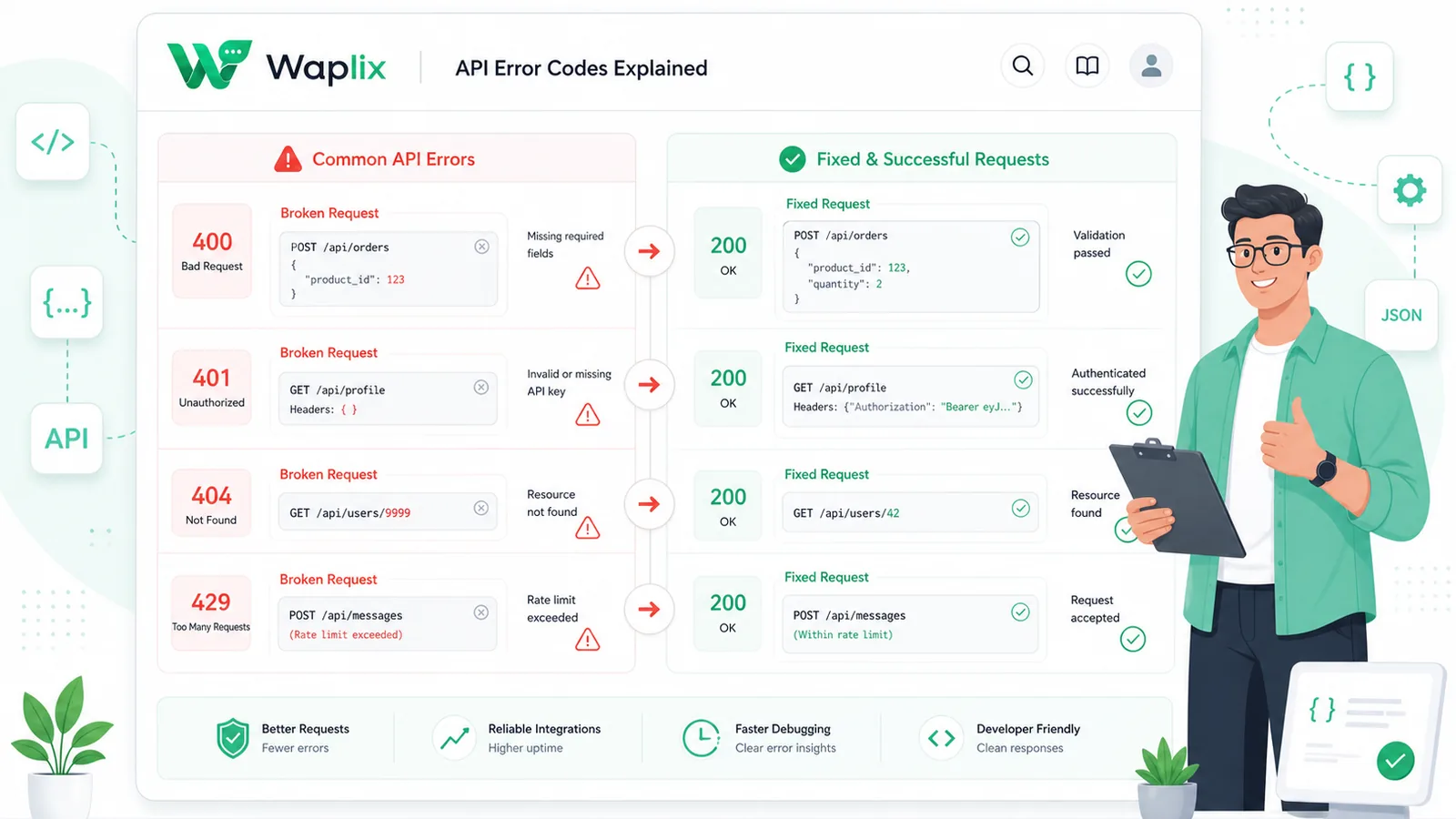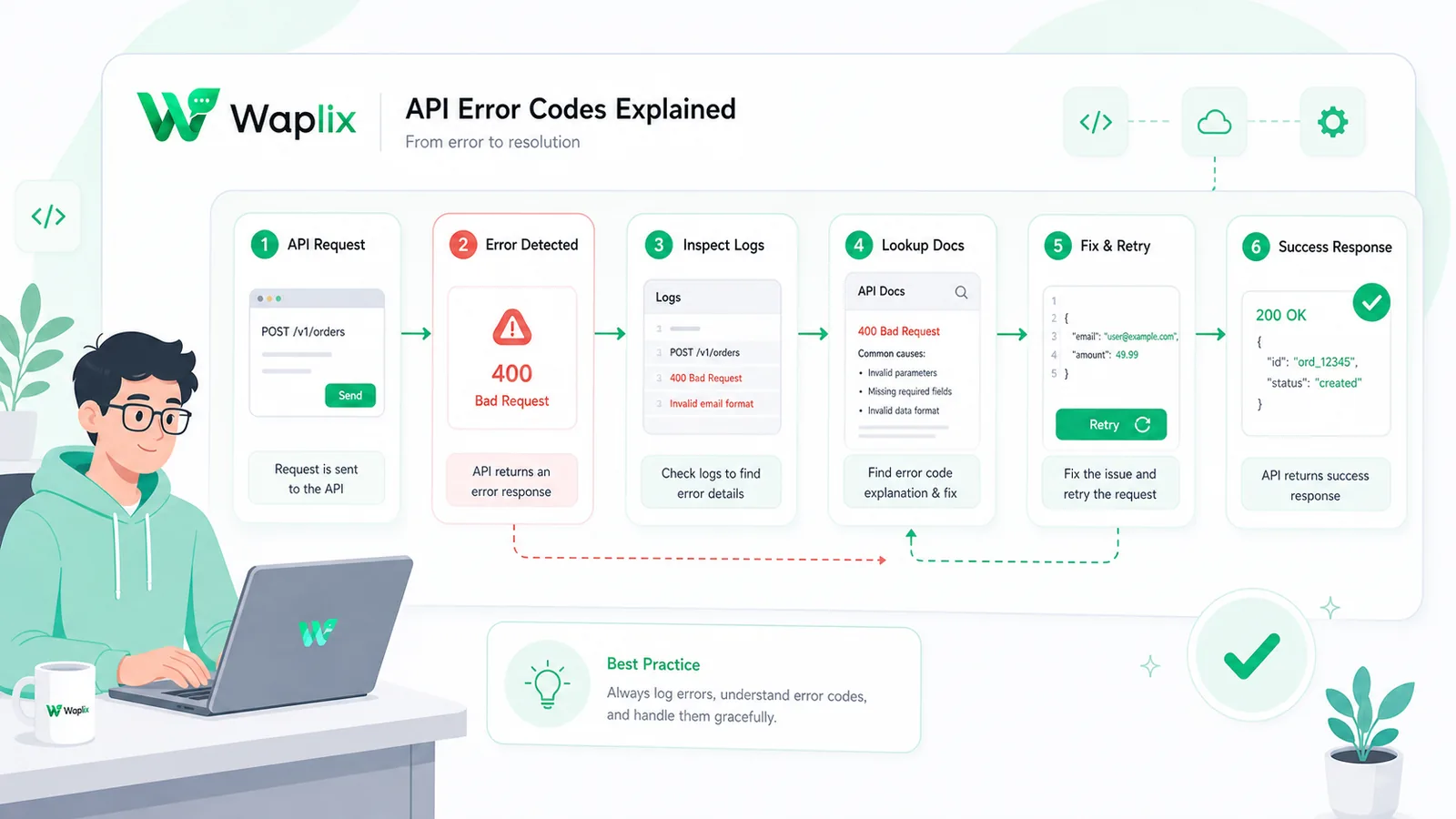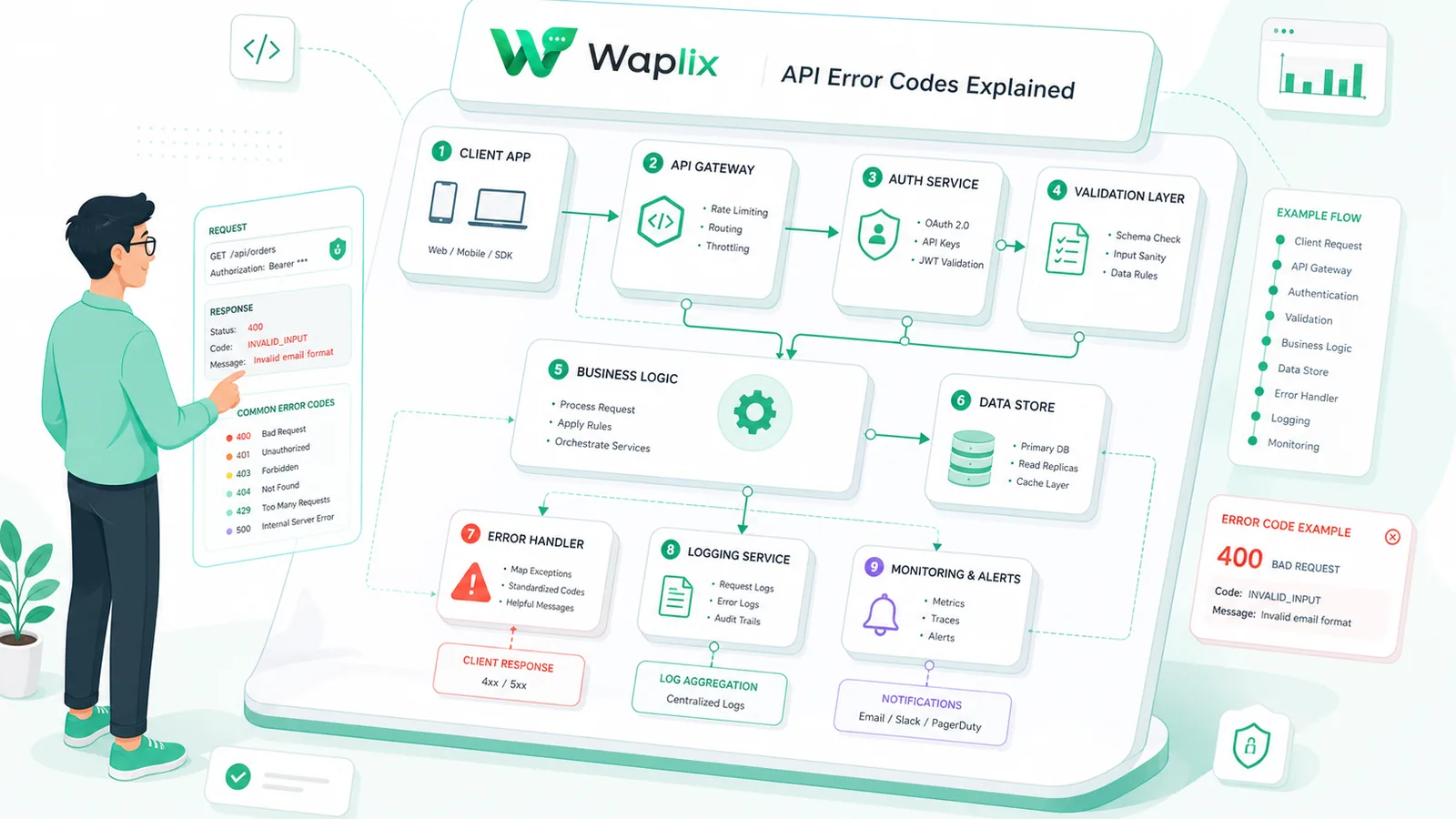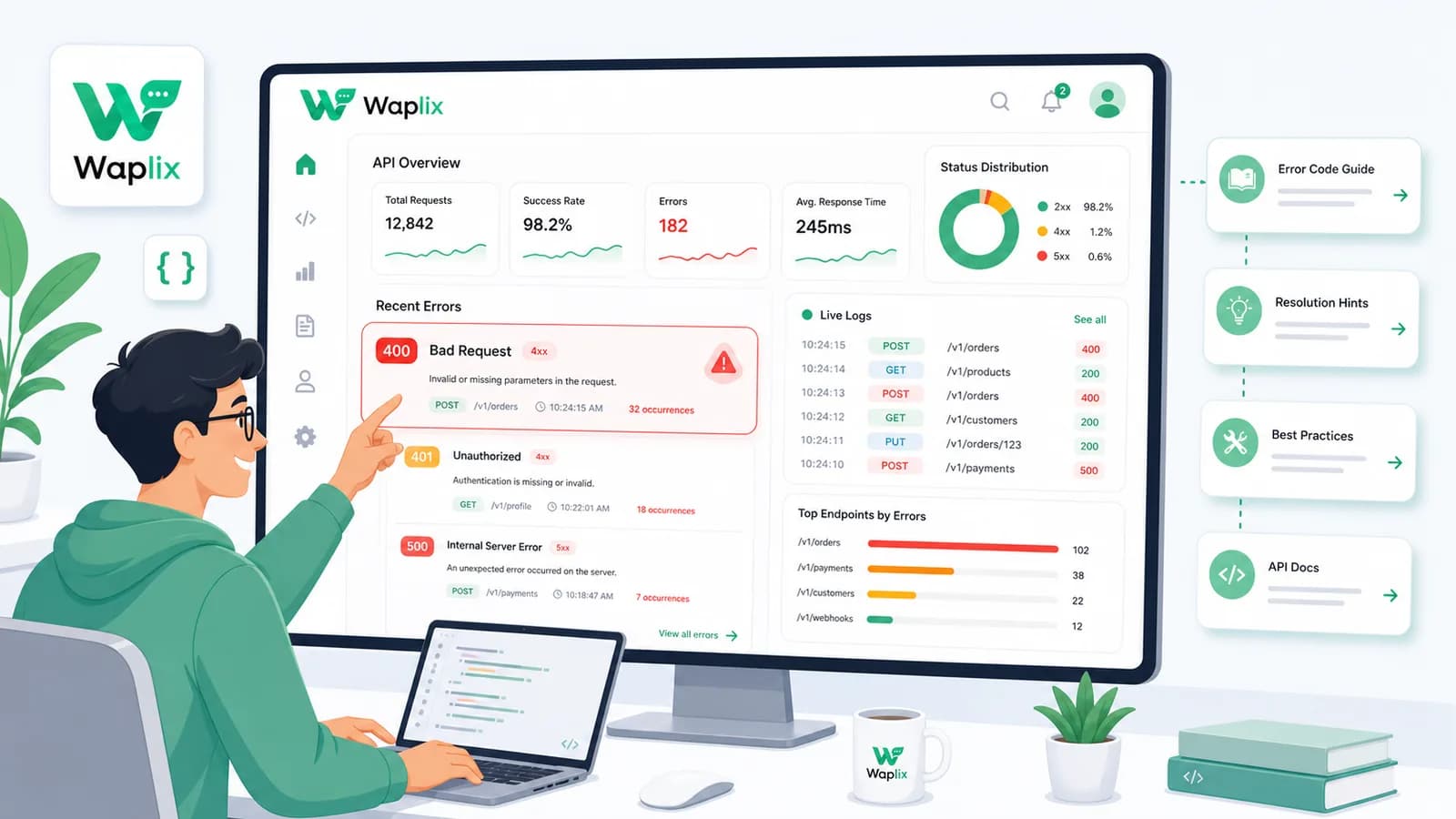
Building on the WhatsApp Business API requires managing network and validation failures. Unlike standard REST APIs that return generic HTTP 400 codes, the WhatsApp gateway uses nested error payloads with specific subcodes. Failing to check these subcodes makes identifying configuration issues difficult.
Resolving integration issues requires parsing Meta's error objects, whitelisting validation rules, mapping parameter counts, and tracking trace IDs. These diagnostics help developers fix issues without impacting service availability.
This developer guide details WhatsApp API error codes. We will examine common error subcodes, diagnostic tables, setup checklists, routing diagrams, and developer integration examples to help you resolve API failures.
Inspect parsed error logs, set up notification alerts, and debug webhook issues from our developer dashboard.
Create your free developer account See Waplix features