Developer Guides

API Rate Limiting Strategies

Firing parallel requests without throttling will trigger HTTP 429 errors and result in dropped message payloads. Implementing queue-based rate limiters is essential for large campaign broadcasts. Follow this throttling strategy guide.

Dec 7, 2025 12 min read By Waplix Team
Share:
API Rate Limiting Strategies

Optimize your message delivery with Waplix

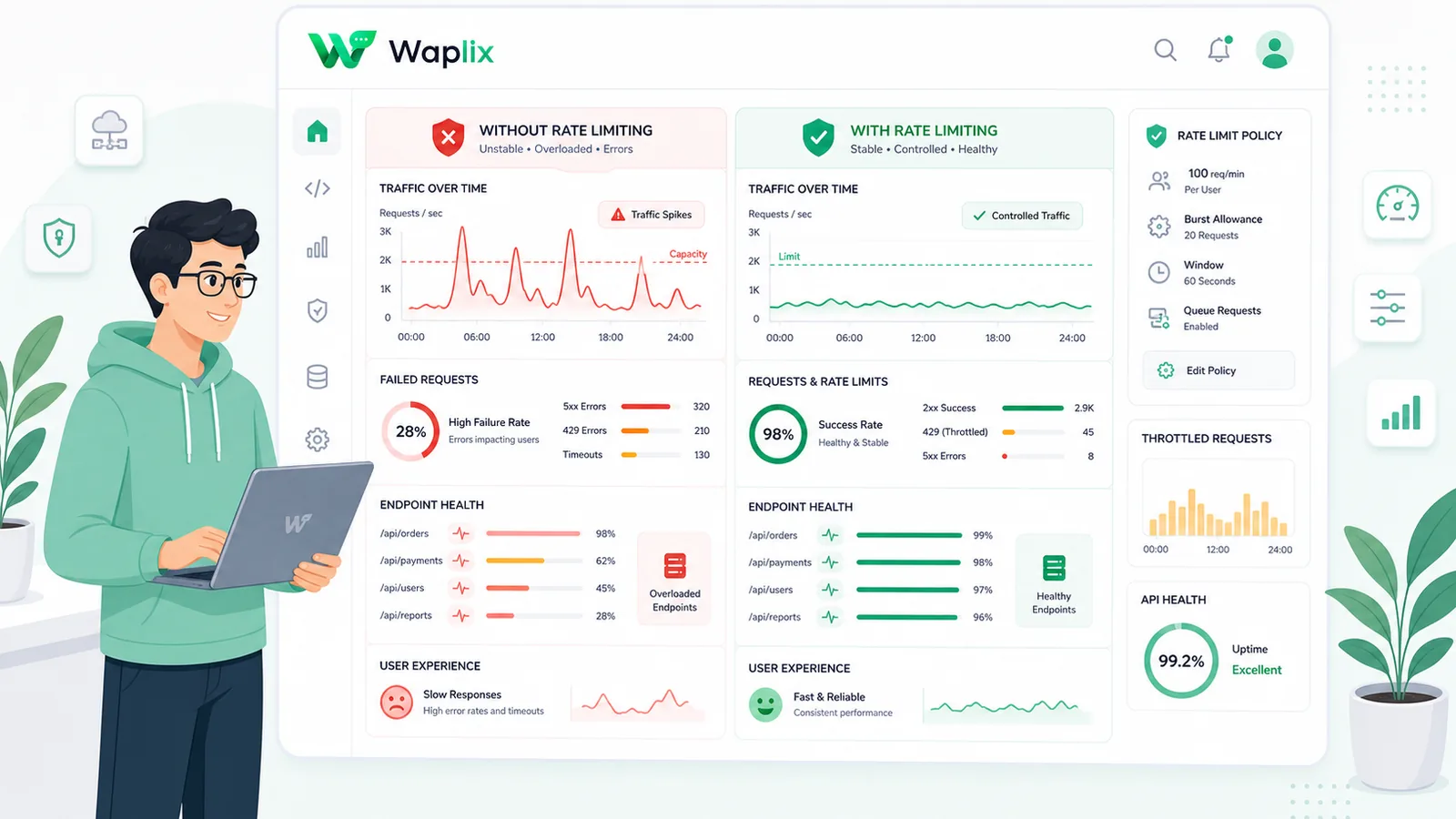
Sending messages at scale requires managing gateway throughput. While small transaction flows run smoothly, dispatching thousands of promotional broadcast messages simultaneously can trigger HTTP 429 Too Many Requests errors. Resolving these blocks requires implementing client-side rate limiters.

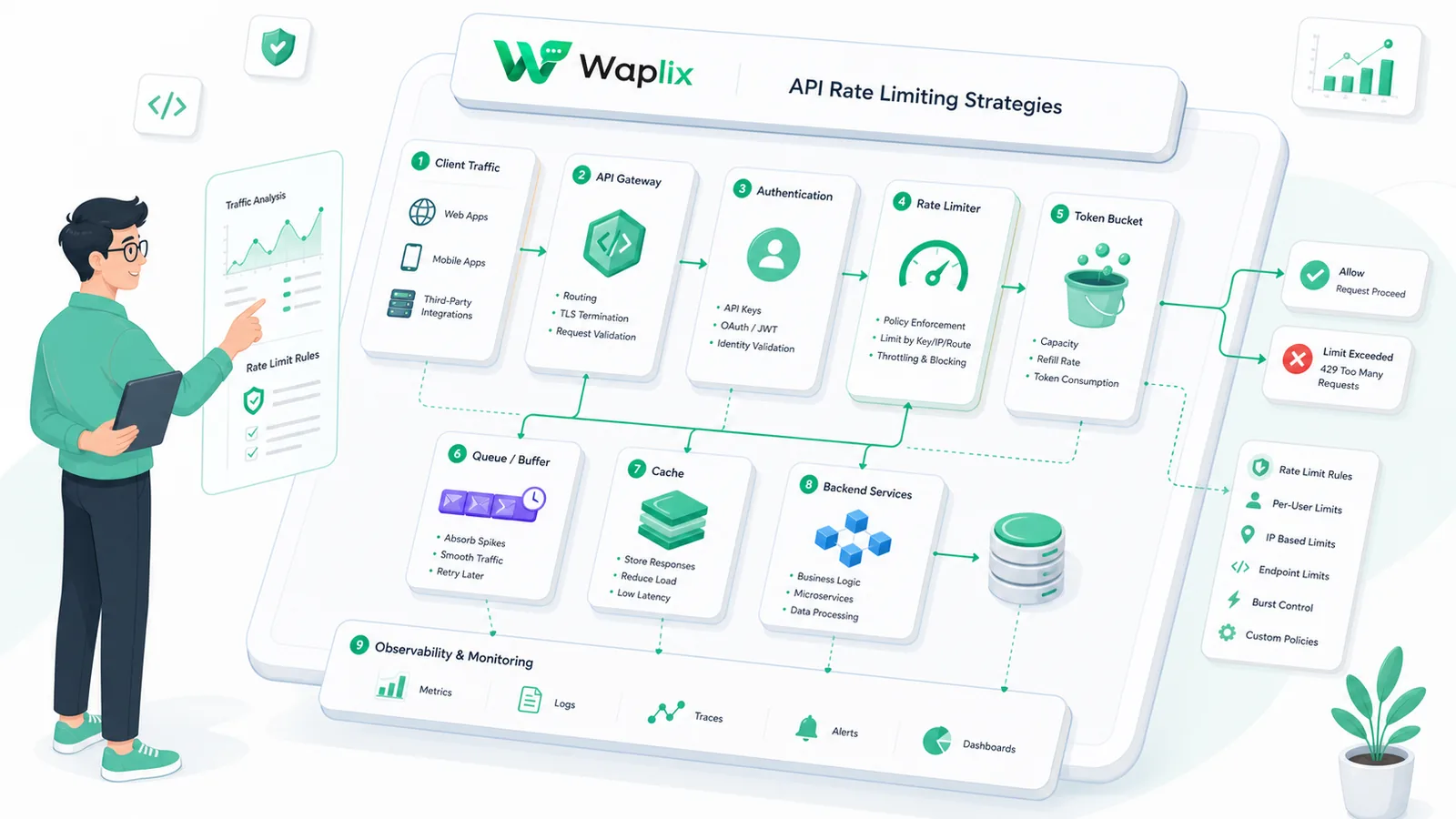
Setting up your throttling system requires implementing token bucket or leaky bucket algorithms, reading rate limit headers, setting up worker queues, and configuring exponential backoff retries. These structures keep your application sends within allowed limits.

This developer guide details API rate limiting strategies. We will examine algorithm types, comparison tables, setup checklists, routing pipelines, and developer code examples to help you throttle your API dispatches.

Overview: Rate limiting protects servers from overloading. Building local throttlers using tools like Redis ensures payloads are dispatched safely within Meta's allowed rates.

Leverage our auto-throttling gateways, monitor rate limit metrics, and run staging tests in sandbox environments.

Create your free developer account See Waplix features
Understanding rate limit algorithms

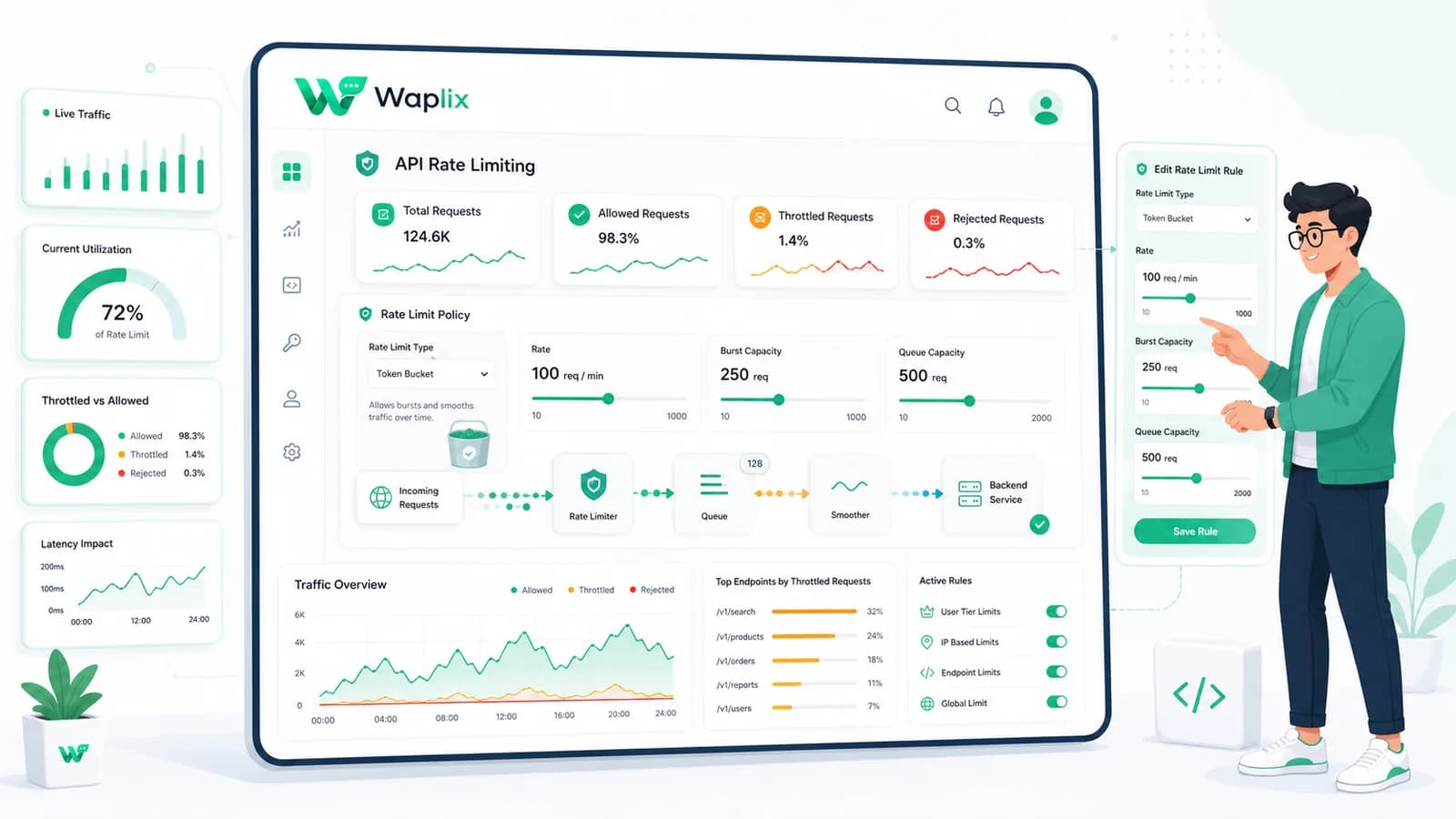
Rate limiting algorithms control request flow to protect gateways. The two most common algorithms are the Token Bucket (allows bursts of traffic) and the Leaky Bucket (enforces a smooth, constant output rate).

This table compares the primary rate-limiting approaches for messaging integrations.

AlgorithmTraffic PatternImplementation ComplexityFocal Use Case
Token BucketAllows sudden bursts up to bucket capacity.Low. Tracks token count and refresh time.Transactional notifications.
Leaky BucketSmooth, constant output rate. Drops excess traffic.Medium. Requires queue tracking.Large broadcast campaigns.
Fixed WindowResets request count at fixed intervals.Low. Simple counter reset.General subscription limits.
Sliding WindowTracks requests dynamically across moving intervals.High. Requires sorted log sets.Strict security policies.

By connecting systems, you can trigger specific messages based on customer behavior—such as confirming a booking, following up on a delivery, or recovering an abandoned shopping cart.

Core use cases for request throttling

Implement throttling rules across all high-volume automated messaging channels.

1. Transactional order confirmations

Send confirmations and purchase details instantly when checkout completes. These transactional updates keep customers reassured and reduce check-in inquiries.

2. E-commerce cart recovery

Trigger recovery reminders when shopping carts are abandoned. Personalizing templates with product names and checkout links helps recover lost sales.

3. Automated shipping and tracking updates

Integrate delivery updates to notify customers as their package changes hands, providing proactive transparency throughout fulfillment.

4. Out-of-office and away responders

Set up automated responders to handle inbound chats outside business hours, set response expectations, and route urgent queries to triage queues.

Key Takeaway

Prioritize transactional alerts and utility automations first. Establish high delivery rates and compliance metrics before launching promotional broadcasts.

Step-by-step throttling setup

Configuring a client-side throttler requires setting up worker pools and backoff rules. Follow this implementation guide.

01

Determine target rate limits

Identify your WhatsApp number's tier limits and Meta's requests-per-second constraints (e.g. 80 RPS).

02

Configure a messaging queue

Direct outbound API payloads to an internal queue (e.g., Redis) rather than dispatching them directly.

03

Implement the token bucket algorithm

Write worker logic that checks local token availability before firing requests to the gateway.

04

Parse response limit headers

Configure your API client to read X-RateLimit headers and adjust worker speeds dynamically.

05

Set up exponential backoff

Implement backoff retries when HTTP 429 status codes are encountered, increasing delay times between retries.

06

Monitor log metrics

Track delivery latencies, queue backlogs, and rate limits to optimize worker pool allocations.

Developer Tip: Set up alert triggers when your messaging queue size exceeds a threshold, helping you scale worker instances before bottlenecks occur.

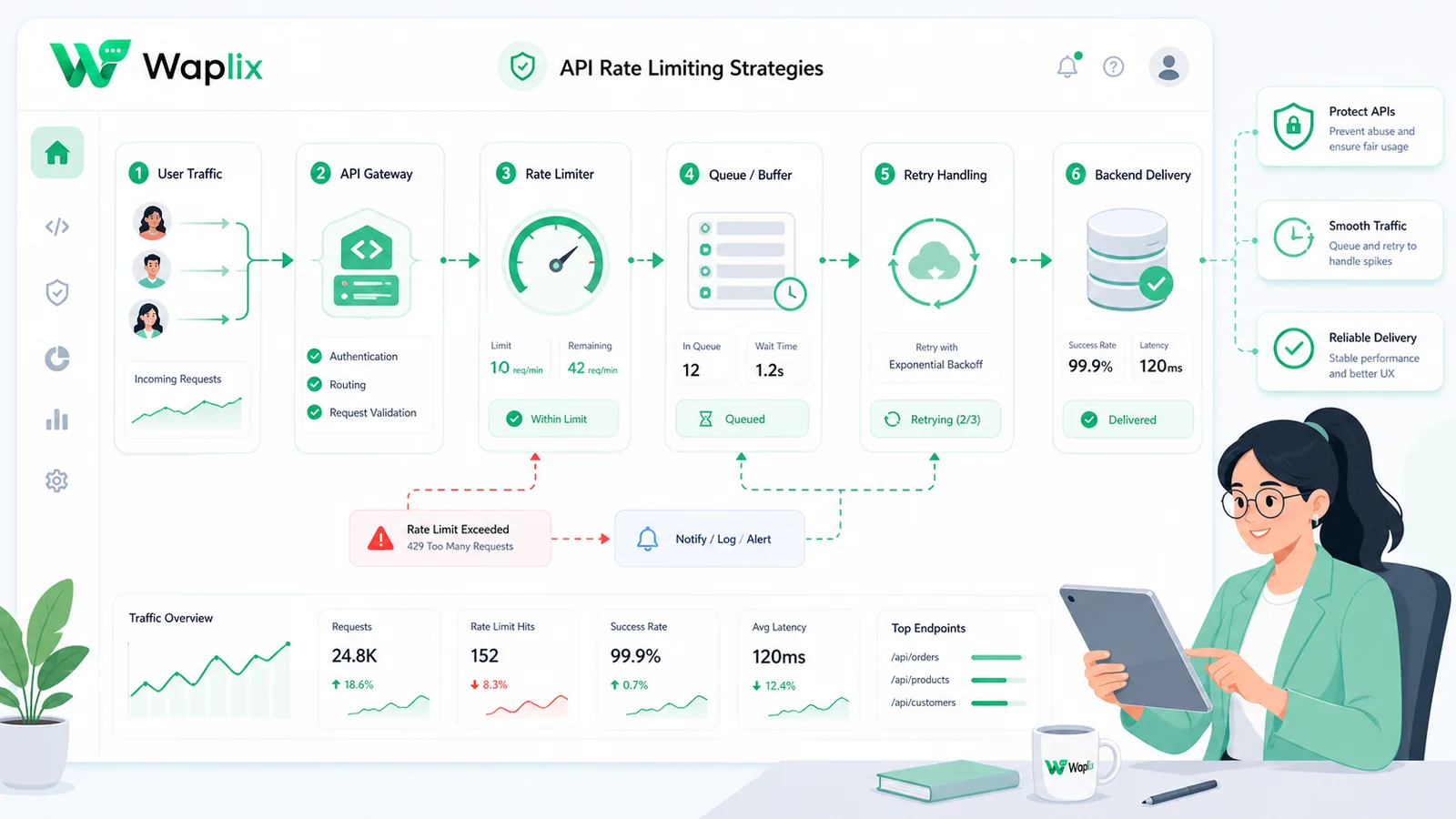
Throttled request routing pipeline

A throttled pipeline holds excess requests in a queue buffer. This diagram outlines the request routing flow.

Incoming user messages are parsed for active intent. Standard FAQs are resolved instantly by your AI support agent. Complex issues route to human queues, where agents collaborate to resolve them and log performance metrics.

Technical data flow and architecture

A reliable customer support setup requires seamless sync between Meta's WhatsApp servers, your help desk software, and your business backend databases.

When an internal event occurs, your system fires a webhook. The Waplix engine validates the phone format, checks active marketing opt-ins, selects the target template, and submits the payload to Meta's servers for delivery.

Developer Integration: Redis rate limiter implementation

This implementation shows how to build a token bucket rate limiter in Node.js using Redis to throttle message dispatches.

1. Node.js Redis token bucket implementation

Check token bucket states and consume tokens before dispatching API payloads.

const Redis = require('ioredis');
const redis = new Redis();

const BUCKET_LIMIT = 80;
const REFILL_RATE_PER_SECOND = 10;

async function checkRateLimit(phoneId) {
  const key = `rate_limit:${phoneId}`;
  const now = Date.now();
  
  // Retrieve current bucket state
  const data = await redis.hgetall(key);
  
  let tokens = parseFloat(data.tokens || BUCKET_LIMIT);
  let lastRefill = parseInt(data.lastRefill || now);
  
  // Calculate token replenishment
  const elapsed = (now - lastRefill) / 1000;
  tokens = Math.min(BUCKET_LIMIT, tokens + (elapsed * REFILL_RATE_PER_SECOND));
  
  if (tokens >= 1) {
    // Consume one token
    await redis.hmset(key, {
      tokens: tokens - 1,
      lastRefill: now
    });
    return true; // Request allowed
  }
  
  return false; // Rate limit hit (Retry-After)
}

2. Queue worker dispatch loop

A worker loop that checks rates before calling Waplix sending endpoints.

async function processQueueWorker() {
  while (true) {
    const payload = await getNextPayloadFromQueue();
    if (payload) {
      const allowed = await checkRateLimit(payload.phoneId);
      if (allowed) {
        await dispatchToWaplix(payload);
      } else {
        // Re-queue with delay
        await pushBackToQueue(payload);
        await sleep(100);
      }
    }
  }
}
Developer Security Note: Always store your API keys securely in your environment variables. Validate incoming webhook signatures server-side to ensure payloads originate from Waplix.

For more detailed code samples, visit the API documentation and review our webhook documentation.

Compliance, policies, and opt-out workflows

Operating a customer support desk on WhatsApp requires strict adherence to Meta's messaging policies and local data privacy laws.

  • Opt-in verification. Businesses must secure explicit consent before sending outbound transactional alerts or ticket updates to customers.
  • The 24-hour service window. Free-form messages can be sent within a 24-hour service window opened by a user's message. Messages sent outside this window must use pre-approved templates.
  • Opt-out controls. Include clear opt-out options (such as quick-reply buttons like "STOP") in your templates to make unsubscribing easy and protect your quality rating.
  • Follow local privacy laws. Ensure compliance with GDPR, TCPA, and other relevant regional regulations.
Compliance Note: This guide provides operational advice, not legal counsel. Regulations vary by country and region. Always consult qualified legal advisors to ensure your messaging strategies comply with local laws.

How Waplix manages API credentials securely

Waplix provides small businesses with official WhatsApp API access, eliminating the complexity of managing server infrastructure. Build workflows, manage templates, route replies to a shared inbox, and view campaign analytics—all from a single, unified platform.

Waplix Developer Settings Screen Screenshot Placeholder

Replace this with a real Waplix screenshot showing API keys, sandbox environments, and webhook endpoints.

Suggested screenshot: Managing API credentials and webhook integrations in the Waplix developer dashboard.
Waplix API Metrics Screen Screenshot Placeholder

Replace this with a real Waplix screenshot showing request rates, queue volumes, and HTTP response counts.

Suggested screenshot: Reviewing real-time request rates, queue levels, and response status splits in Waplix.

Common throttling mistakes

  • Retrying instantly. Retrying immediately when limits are hit worsens rate limit blocks.
  • Using block locks. Thread blocks slow down application response times.
  • Ignoring headers. Failing to read rate limit headers leads to request drops.
  • Synchronous fallbacks. Running backup workflows inside request loops causes thread blocks.
  • Using global limiters for all numbers. Shared limits restrict individual phone throughput.

Best practices for rate limiting

Queue outbound sends

Use worker queues to decouple message dispatches from user actions and process sends within limits.

Read response headers

Inspect rate limit headers dynamically to adjust worker dispatch speeds in real-time.

Use backoff retries

Implement exponential backoff algorithms to retry failed requests with increasing delays.

Isolate limits by number

Track and apply token buckets separately for each active business phone number.

Conclusion and next steps

Implementing client-side rate limiting is essential for running stable, high-volume WhatsApp integrations. Using queue buffers, parsing headers, and implementing backoff retries protects your sender reputation.

Expose a diagnostic endpoint, send test payloads in the sandbox, and verify rate limit handling to begin your integration.

Build secure WhatsApp integrations with Waplix

Create a developer account, connect your business number, and automate customer support at scale.

Create your free account Contact our sales team

Related Guides & Insights

AI Appointment Booking on WhatsApp
AI Agents

AI Appointment Booking on WhatsApp

Learn how to build AI-driven booking systems on WhatsApp, connecting calendar databases to conversational agents, automating updates, and reducing client no-shows.

Read Article
AI Automation for Small Businesses
AI Agents

AI Automation for Small Businesses

Discover practical ways small businesses can leverage no-code AI automation on WhatsApp to manage customer conversations, qualify prospects, and coordinate bookings 24/7.

Read Article
AI Memory in Customer Support
AI Agents

AI Memory in Customer Support

Explore the technology behind AI memory and context retention, learning how session databases personalization results in better, trust-filled client interactions.

Read Article