Comparisons

Best Customer Support Software for WhatsApp

Routing customer service through personal WhatsApp numbers causes bottlenecks and limits tracking. Choosing the right multi-agent support software built on the official WhatsApp Business API resolves these issues. Here is a comparison of the top help desks for 2026.

Sep 15, 2025 14 min read By Waplix Team
Share:
Best Customer Support Software for WhatsApp

Automate customer support on WhatsApp with Waplix

Modern consumers expect instant answers. While email ticketing was once the industry standard, it cannot match the immediate response times and high engagement rates of chat-based channels. Today, over 2 billion active users message friends and families on WhatsApp—and increasingly, they expect to message businesses there as well.

However, running customer support on WhatsApp is not as simple as downloading the standard app to a shared company phone. To handle hundreds of conversations daily, track SLAs, assign chats, and maintain a consistent brand tone, you need a dedicated WhatsApp support software built on the official WhatsApp Business API.

This comparison guide evaluates the best WhatsApp customer support software for 2026. We will look at shared inboxes, automation builders, CRM sync capabilities, and developer features so you can choose the right tool for your support team.

Overview: The best tool for your business depends on your budget, team size, and integration requirements. While enterprise solutions like Zendesk offer broad features, specialized engines like Waplix provide faster setup, native AI agents, and developer-friendly webhooks.

Deploy a shared team inbox, train AI agents on your FAQs, and connect developer webhooks with our premium API.

Create your free Waplix account See Waplix features
Key evaluation criteria for WhatsApp support software

Not all help desks handle WhatsApp messaging the same way. When reviewing platforms, evaluate these five critical areas to ensure they align with your support workflows.

1. Multi-agent shared inbox

The core of any support tool is its shared inbox. The platform must allow multiple agents to view, claim, and reply to conversations simultaneously. Look for essential features like internal notes, agent assignment rules, user-tagging, and collision detection to prevent agents from sending duplicate replies to the same customer.

2. AI-driven triage and auto-responders

A large volume of incoming support queries consist of routine questions (e.g., store hours, order status, refund policies). The ideal platform includes an AI agent that scans the knowledge base and resolves these questions instantly, reserving your human agents for more complex support tickets.

3. Native integration and CRM sync

Your WhatsApp chats should not exist in isolation. The software must sync conversation history, tags, and customer contact data directly into your existing CRM (such as Salesforce, HubSpot, or custom databases). This ensures agents always have full context during live chat sessions.

4. Webhook logs and developer tools

For custom workflows, developers need a reliable sandboxed environment, detailed API documentation, and clear webhook delivery logs. Platforms must expose message status indicators (sent, delivered, read, failed) via real-time webhooks for error tracking and database synchronizations.

5. Meta API policy compliance

WhatsApp requires pre-approved templates for business-initiated chats. The support tool must manage the creation, submission, and validation of these templates, ensuring compliance with Meta's guidelines to prevent account suspension and phone number blocks.

Key Takeaway

Avoid platforms that route messages using unofficial browser automation or screen scrapers. These violate WhatsApp Terms of Service, deliver poor performance, and put your business number at risk of a permanent ban.

How the top platforms compare

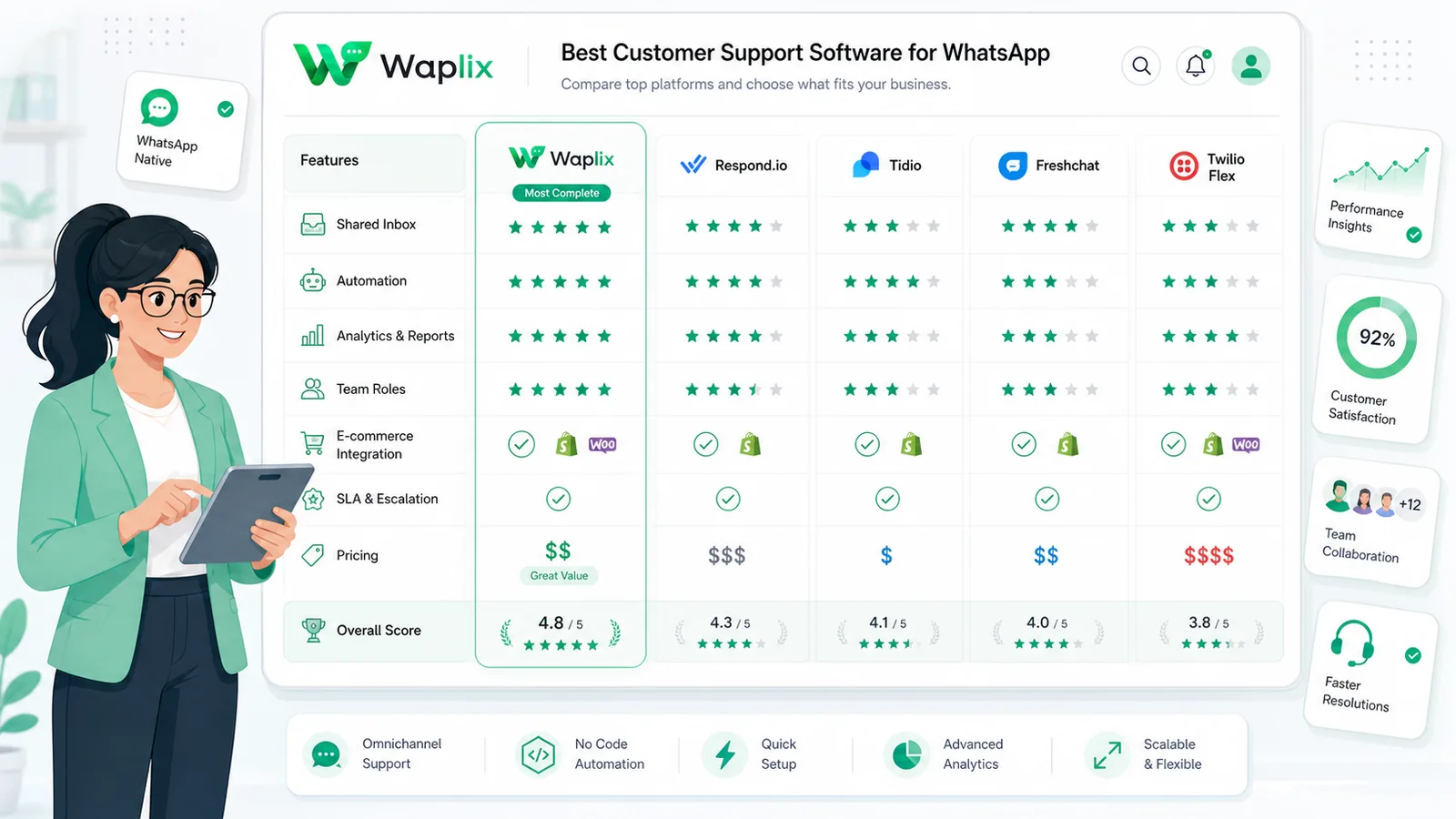
To help you choose, here is a side-by-side comparison of the leading WhatsApp support software platforms in 2026.

PlatformTarget AudienceSetup ComplexityAI Agent CapabilitiesDeveloper WebhooksPricing Model
WaplixSMBs to Mid-MarketSimple (Minutes)High (Native Knowledge Base)Excellent (Detailed log console)Flat monthly subscription
ZendeskEnterprise TeamsComplex (Weeks)Medium (Requires third-party apps)Medium (Standard endpoints)High per-seat model
IntercomScaleups & SaaSModerateHigh (Fin chatbot)MediumUsage + high seat pricing
Twilio FlexDeveloper TeamsVery ComplexCustom Build OnlyHigh (Raw API)Developer usage pricing
TrengoStartupsSimpleLow (Basic templates)LowSeat-based pricing

Detailed reviews: The top 5 platforms

Below is a detailed breakdown of each platform, outlining its strengths, weaknesses, and ideal use cases.

1. Waplix (Highly Recommended)

Waplix is a dedicated WhatsApp Business API engine built specifically to solve support bottlenecks. It features an intuitive, multi-agent shared inbox, drag-and-drop workflow automation, and a native AI agent that handles triage automatically based on your FAQs. Developers benefit from robust webhook dashboards, real-time message logs, and clean APIs, making it a great fit for fast-growing mid-market companies.

2. Zendesk Support Suite

Zendesk is a market leader in enterprise customer service. It excels at handling multi-channel setups (combining email, phone, web chat, and WhatsApp into one queue). However, its setup takes time, requiring certified developers to configure custom views, trigger systems, and WhatsApp integrations. For teams that only require a WhatsApp-focused setup, Zendesk can be unnecessarily expensive and complex.

3. Intercom

Intercom is well-known for its slick UI and conversational messaging tools. Its AI chatbot, Fin, is highly capable of resolving support tickets using your help center pages. However, Intercom treats WhatsApp as secondary to its web chat widget, and their seat-based pricing plus automated resolution fees can escalate quickly as chat volumes grow.

4. Twilio Flex

Twilio Flex is a fully customizable contact center platform. If you have an internal team of software engineers and want to build a custom help desk interface from scratch, Twilio Flex provides the raw APIs to do so. But for teams looking for an out-of-the-box shared inbox, Twilio Flex requires substantial development time before it is ready for your support agents.

5. Trengo

Trengo is a simple shared inbox platform that aggregates email, SMS, and WhatsApp into one dashboard. It is easy to set up and ideal for small teams that do not need advanced API logs, complex routing, or AI agent integrations. However, large support teams and developers may find its automation builders and webhook dashboard limiting.

How tickets flow through a WhatsApp help desk

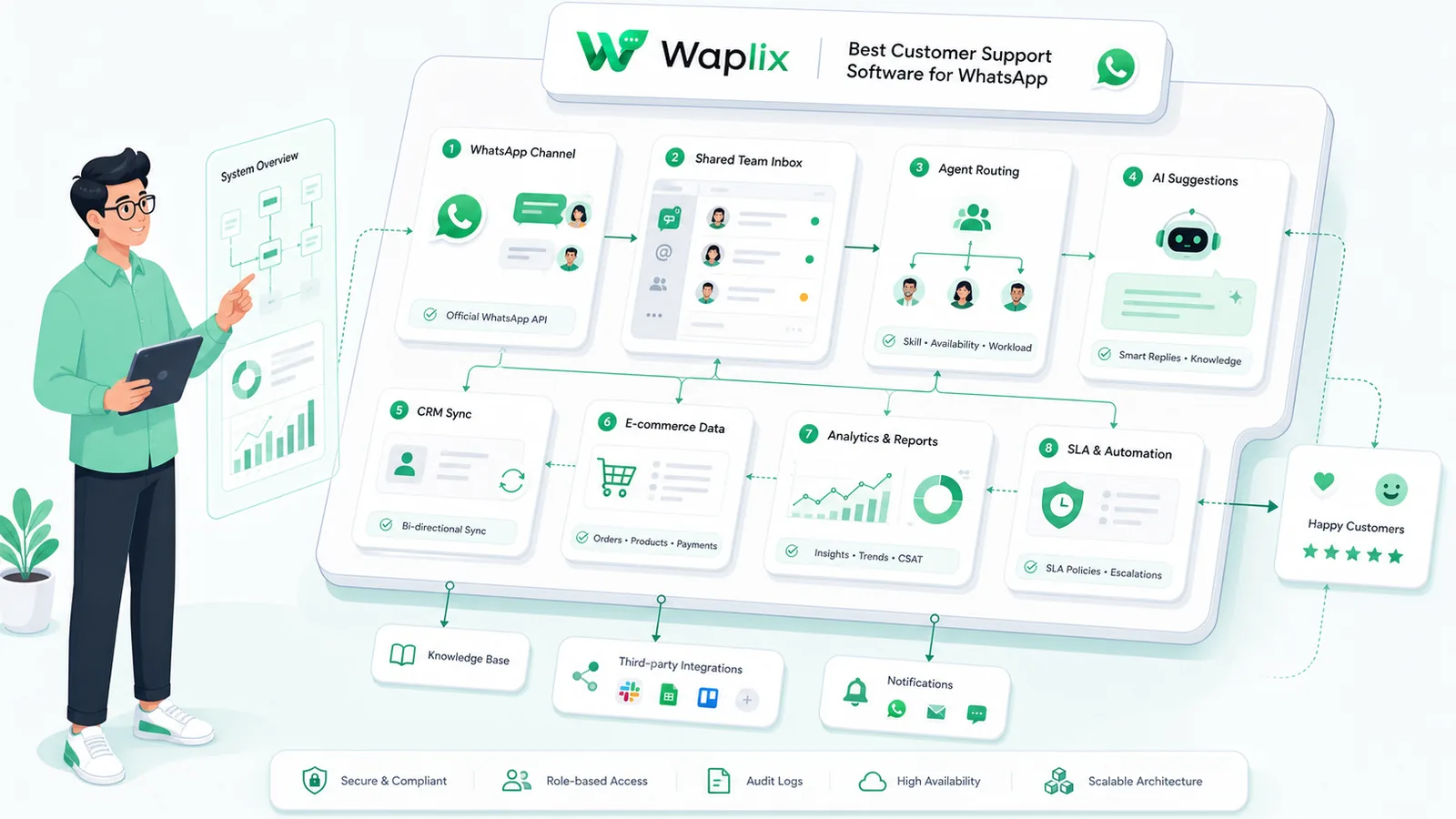
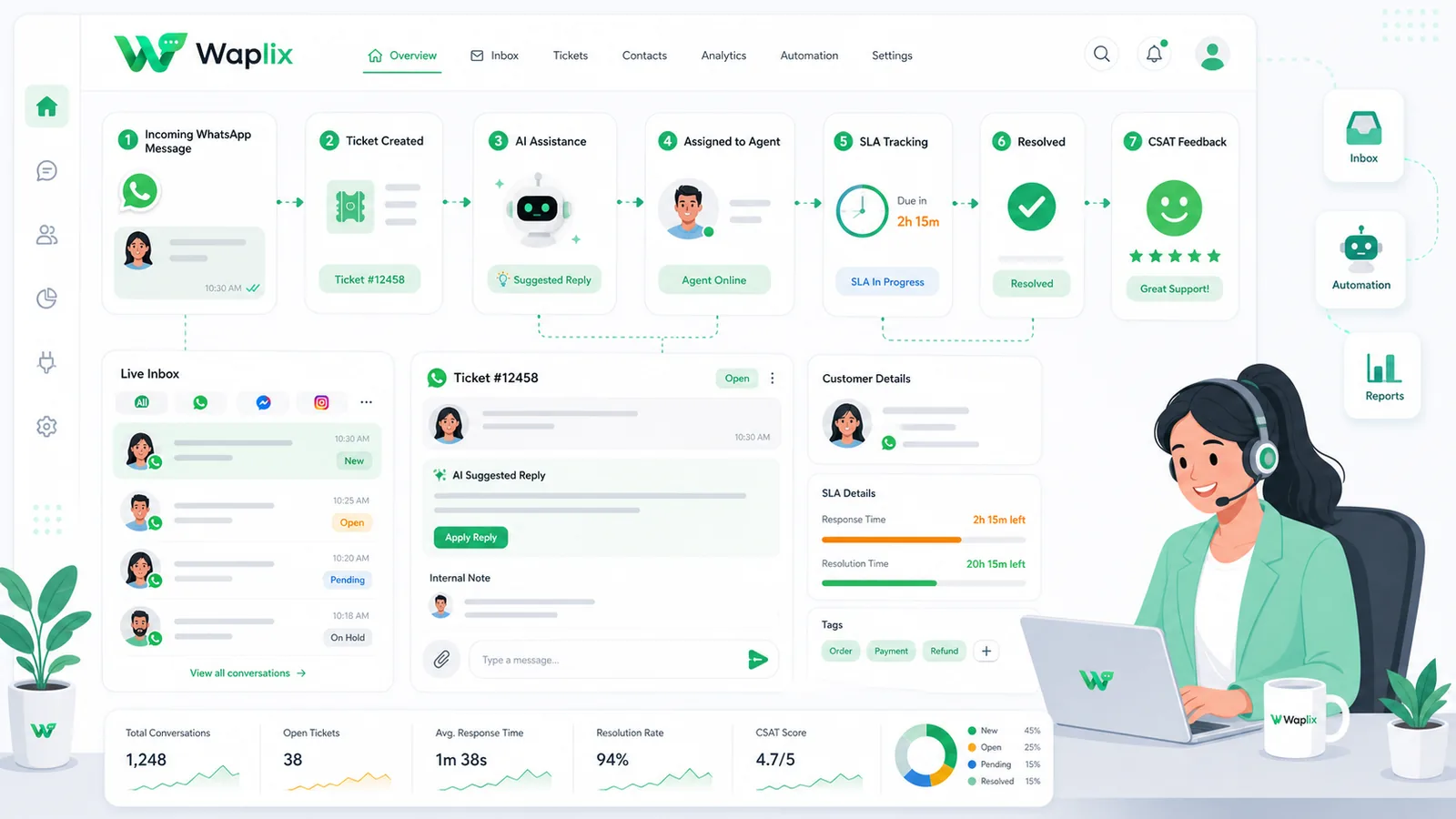
A well-configured support desk handles incoming inquiries systematically. This visual workflow illustrates how messages route from the initial trigger to a resolved ticket.

When a customer messages your business on WhatsApp, the help desk immediately checks if they are a returning customer. The AI agent processes the message text against your knowledge base and, if it matches, provides an instant solution. If the question requires manual review, it routes to the correct team queue, sends an internal notification, and logs SLA metrics.

System architecture and integration flow

A reliable customer support setup requires seamless sync between Meta's WhatsApp servers, your help desk software, and your business backend databases.

Meta's servers deliver incoming customer messages to the Waplix routing engine via secure webhooks. The routing engine checks active agent loads, queries the CRM database to retrieve customer history, and updates the shared inbox console in real-time. This provides support agents with instant access to the user's details and purchase history.

Developer Integration: Waplix API & webhook example

Developers can integrate Waplix with existing help desks. Below is a code example showing how to send an approved template notification and listen for delivery tracking webhooks.

1. Send support update template

Submit a POST request containing your template parameters and target phone number in E.164 format.

POST /api/v1/messages/send HTTP/1.1
Host: api.waplix.io
Authorization: Bearer wplx_live_55a2b3c4d5e6f7
Content-Type: application/json

{
  "to": "+15550198827",
  "type": "template",
  "template": {
    "name": "ticket_status_update",
    "language": "en",
    "components": [
      {
        "type": "body",
        "parameters": [
          { "type": "text", "text": "Christopher" },
          { "type": "text", "text": "TK-8890" },
          { "type": "text", "text": "Refund Processed" }
        ]
      }
    ]
  }
}

2. Webhook payload (Message delivered)

Waplix fires a webhook to your server when the message is successfully delivered to the customer's device.

{
  "event": "message.delivered",
  "message_id": "msg_f92837482",
  "recipient": "+15550198827",
  "status": "delivered",
  "delivered_at": "2026-07-06T14:40:02Z",
  "metadata": {
    "ticket_id": "TK-8890"
  }
}
Developer Best Practices: Always validate webhook signatures using your signing secret to verify that payloads originate from Waplix. Maintain system stability by handling webhook events asynchronously using a message queue.

For more detailed code samples, visit the API documentation and review our webhook documentation.

Compliance, data privacy, and consent

WhatsApp maintains strict rules regarding user consent and policy compliance. Small businesses must design support strategies with these regulations in mind.

  • Opt-in requirement. Customers must opt in to receive proactive notifications (such as shipping or ticketing updates) on WhatsApp.
  • Support window limits. WhatsApp allows free-form replies to user queries within a 24-hour service window. Proactive messages sent outside this window must use approved templates.
  • Opt-out options. Always include clear opt-out options in your templates to make it easy for users to unsubscribe, protecting your phone number's quality score.
  • GDPR and TCPA compliance. Ensure your database stores documented consent records to comply with regional privacy laws.
Important: Regulations vary by country and region. This guide is for operational reference only. Consult qualified legal advisors to ensure your messaging strategy meets local compliance standards.

How Waplix simplifies WhatsApp customer support

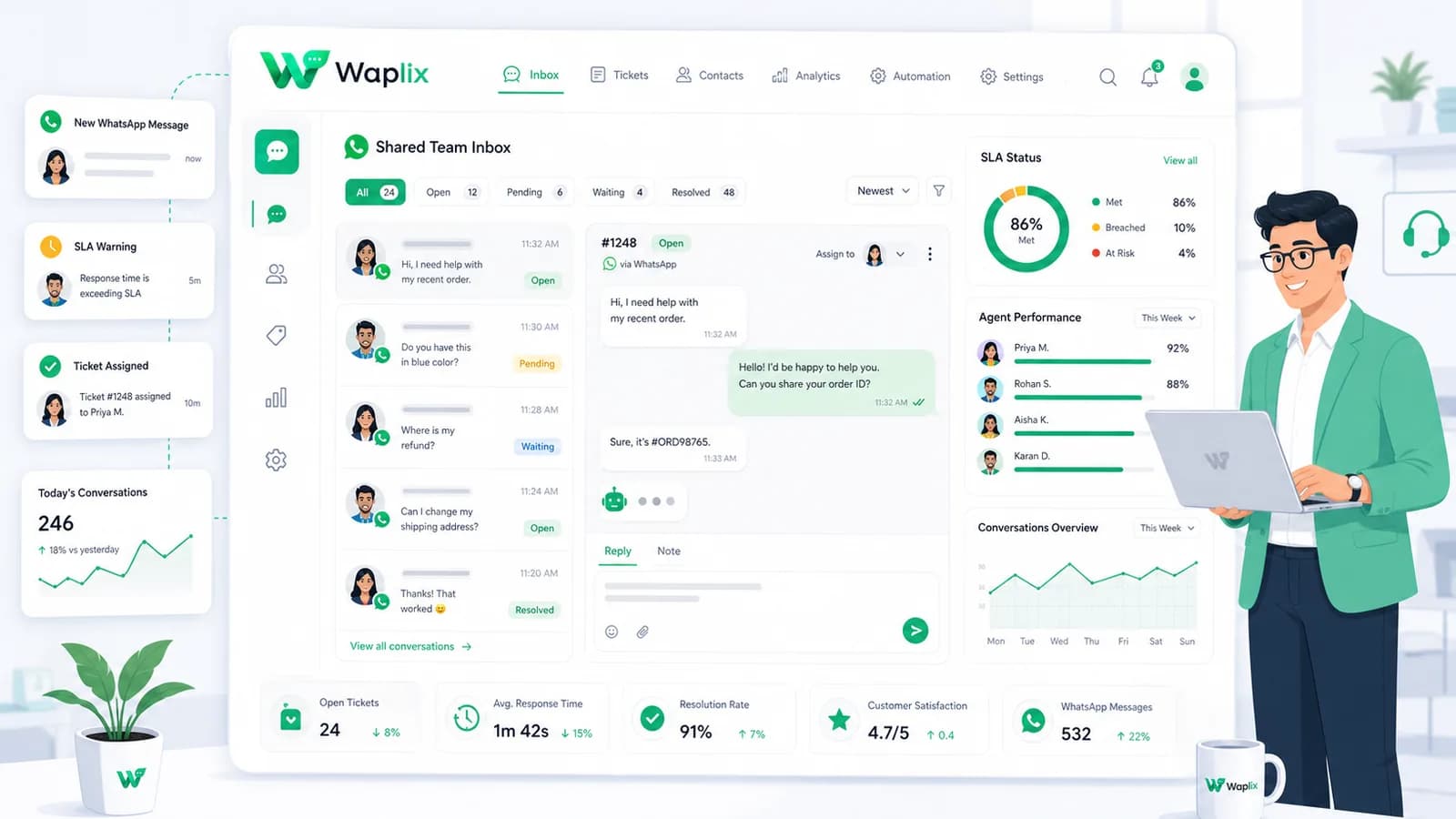
Waplix provides small businesses with official WhatsApp API access, eliminating the complexity of managing server infrastructure. Build workflows, manage templates, route replies to a shared inbox, and view campaign analytics—all from a single, unified platform.

Waplix Shared Team Inbox Screenshot Placeholder

Replace this with a real Waplix screenshot showing active support chats, assignment queues, and custom tags.

Suggested screenshot: The Waplix shared team inbox, showing active conversations assigned to different support agents.
Workflow Process
Suggested screenshot: The Waplix workflow builder dashboard, showcasing automated reply routing rules.
API Log Dashboard Screenshot Placeholder

Replace this with a real Waplix screenshot showing API request histories and webhook delivery logs.

Suggested screenshot: The Waplix API log console, displaying sent, delivered, and read statuses for tracking.

Common mistakes to avoid

  • Using personal numbers and scrapers. Unofficial automation violates Meta policy and leads to permanent bans.
  • Failing to route incoming replies. Outbound notifications generate replies—always set up a shared inbox or automated responder to handle them.
  • Hardcoding prices in templates. Document prices change over time; use dynamic template variables instead.
  • Sending messages outside local business hours. Messages sent late at night result in higher spam rates and opt-outs.
  • Losing contact history. Ensure your support engine syncs conversation history directly to your CRM.

Best practices for WhatsApp support teams

Assign dedicated agents

Allocate specific team members to WhatsApp queues so customer inquiries receive fast, focused attention.

Keep copy short

WhatsApp is a mobile channel. Break up long paragraphs and limit message text to 2–3 sentences max.

Deploy AI strategically

Use AI support agents to handle FAQs first, ensuring a smooth transition to live agents for complex tickets.

Track SLA metrics

Monitor customer wait times and resolution rates weekly to continuously improve support quality.

Conclusion and next steps

Choosing the right customer support software for WhatsApp is critical for scaling customer communications. Moving from single-user apps to official Business API platforms enables teams to leverage shared inboxes, workflow builders, and AI support agents.

Focus on collecting documented opt-in consent, designing pre-approved templates, and setting up routing for incoming replies. Taking these steps protects your brand reputation and ensures a reliable communication channel for your business.

Build a WhatsApp customer support desk with Waplix

Create a developer account, connect your business number, and automate customer support at scale.

Create your free account Contact our sales team

Related Guides & Insights

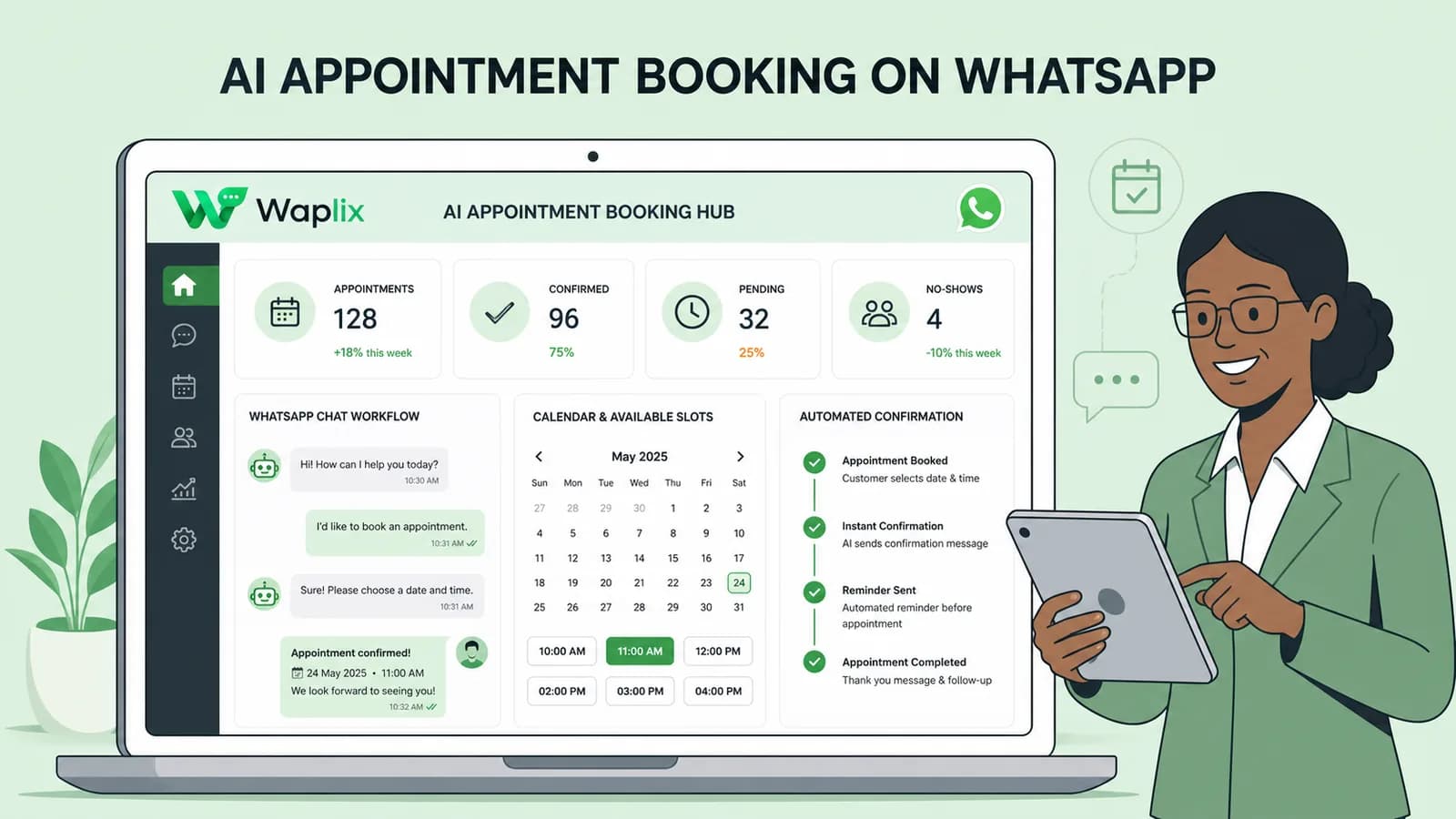
AI Appointment Booking on WhatsApp
AI Agents

AI Appointment Booking on WhatsApp

Learn how to build AI-driven booking systems on WhatsApp, connecting calendar databases to conversational agents, automating updates, and reducing client no-shows.

Read Article
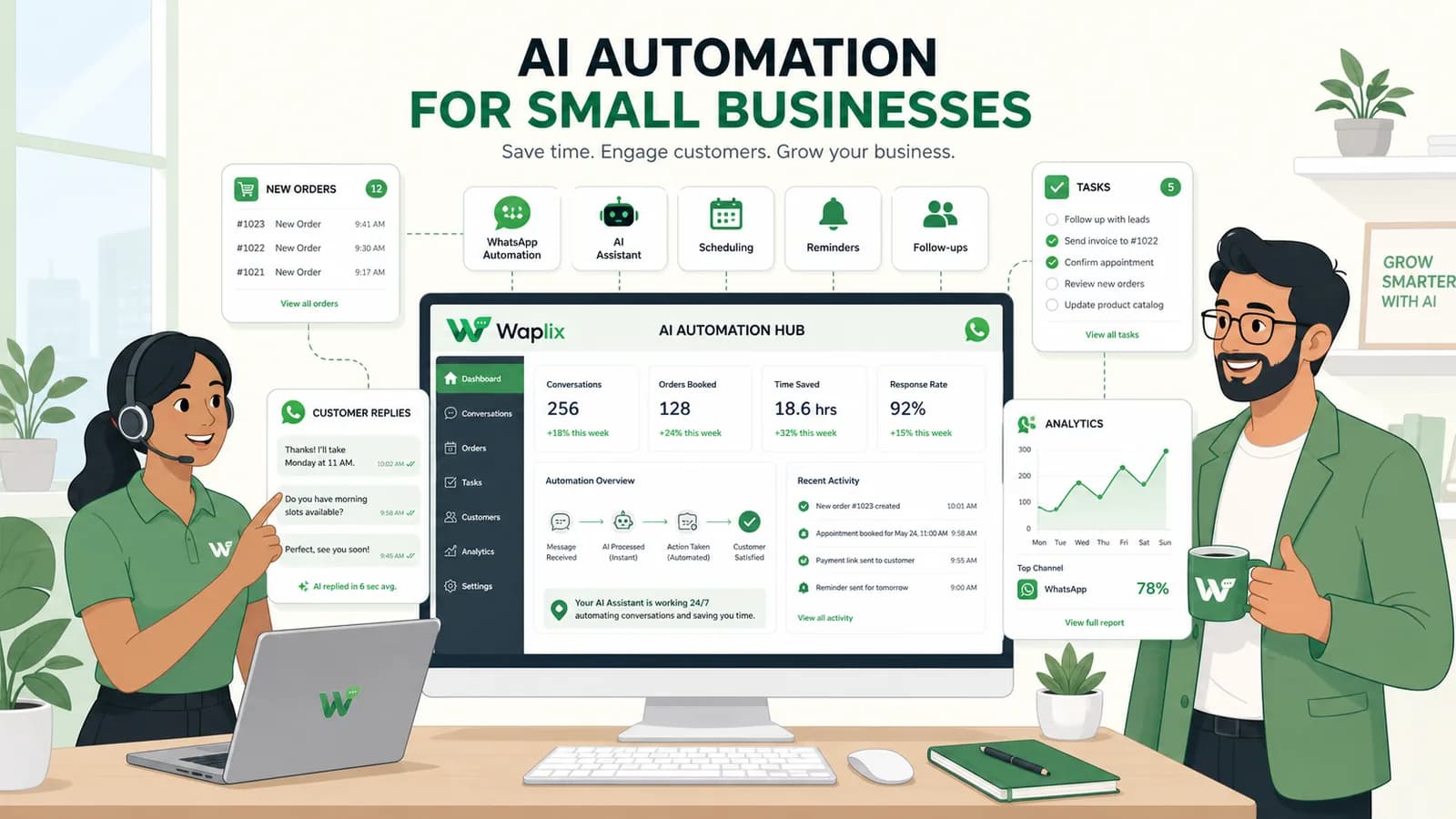
AI Automation for Small Businesses
AI Agents

AI Automation for Small Businesses

Discover practical ways small businesses can leverage no-code AI automation on WhatsApp to manage customer conversations, qualify prospects, and coordinate bookings 24/7.

Read Article
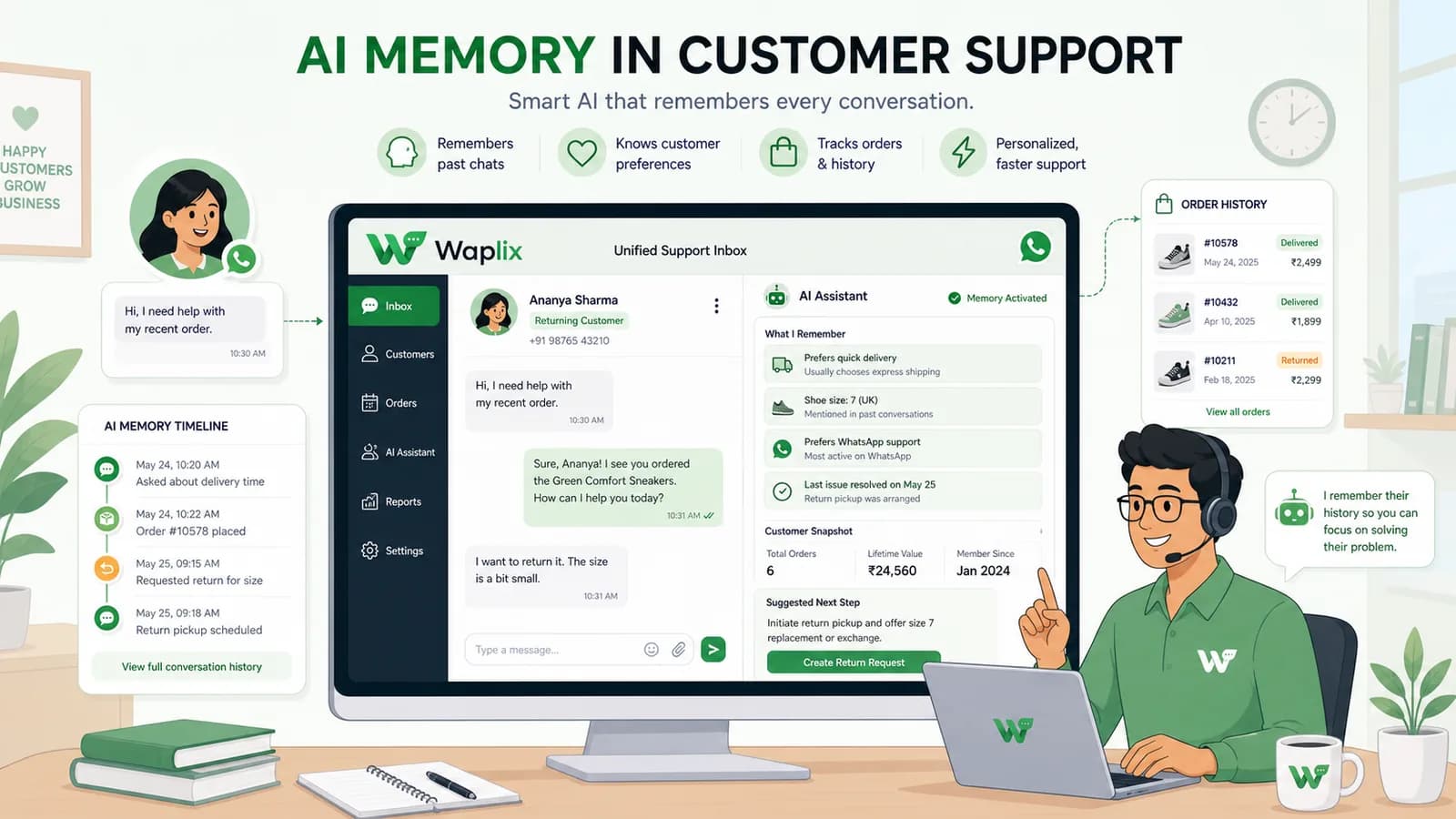
AI Memory in Customer Support
AI Agents

AI Memory in Customer Support

Explore the technology behind AI memory and context retention, learning how session databases personalization results in better, trust-filled client interactions.

Read Article