Comparisons

Best WhatsApp API Providers Compared

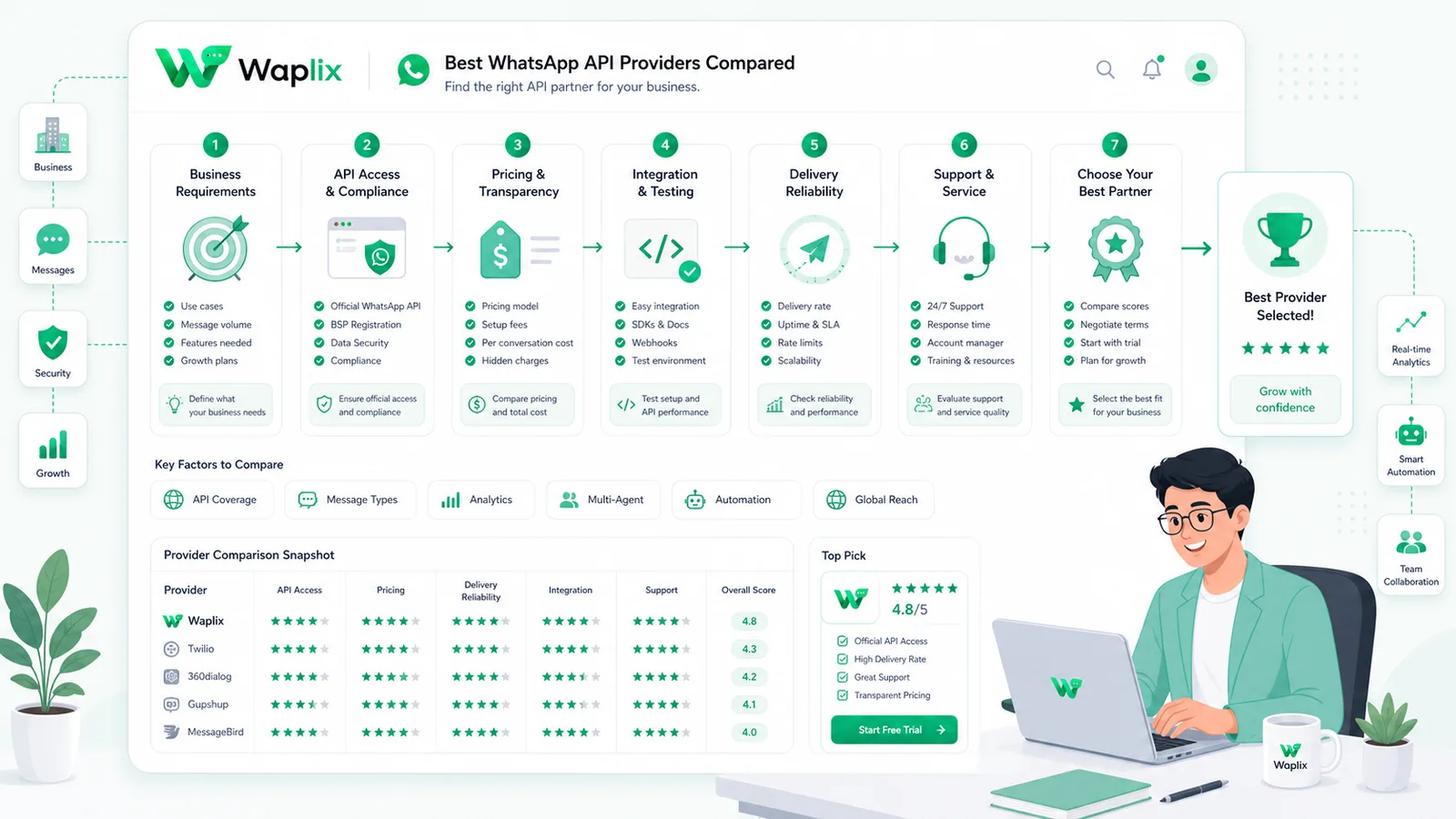
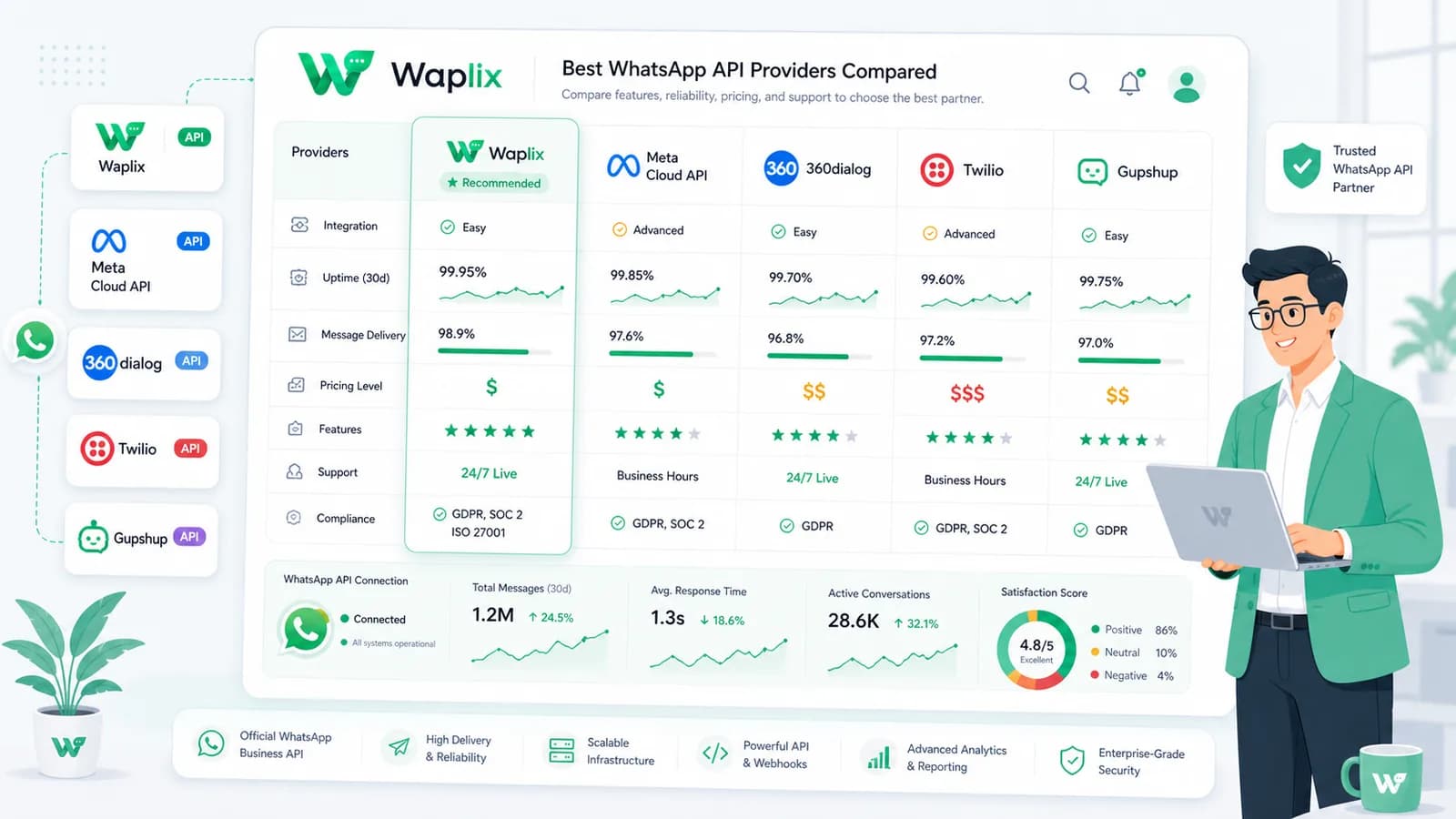
Choosing a WhatsApp API provider is one of the most important decisions in your messaging stack. This guide compares provider types, evaluation criteria, pricing realities, developer requirements, and operational trade-offs so you can pick the right platform for support, automation, and permission-based campaigns.

Aug 18, 2025 14 min read By Waplix Team
Share:
Best WhatsApp API Providers Compared

Start building with Waplix

WhatsApp is no longer just a support channel tucked into a mobile app. It is where order updates land, sales conversations happen, appointment reminders get read, and permission-based campaigns reach customers who actually opted in. Once your team decides to scale beyond manual replies, the next question appears fast: which WhatsApp API provider should you use?

That question sounds simple until you start comparing options. Some providers sell direct API access. Others bundle onboarding, templates, inboxes, CRM sync, campaign tools, webhooks, and analytics. Some are built for developers who want control. Others are built for operators who want speed. The best choice depends on who will run the system after launch.

This guide compares the main provider categories, the criteria that matter in production, and the hidden work teams forget until messages fail at the worst moment. We will stay practical. No hype, no fake guarantees, and no suggestion that one provider magically solves compliance for you.

Quick answer: The best WhatsApp API provider is the one your team can operate reliably for the next 12 months. Compare setup, webhooks, automation, campaign governance, CRM context, support handover, analytics, and total cost—not just message rates.

Evaluate providers with a clear checklist, then launch WhatsApp API messaging, webhooks, campaigns, CRM workflows, and AI support handover from one platform.

Create your free Waplix account Explore Waplix documentation
The four main types of WhatsApp API providers

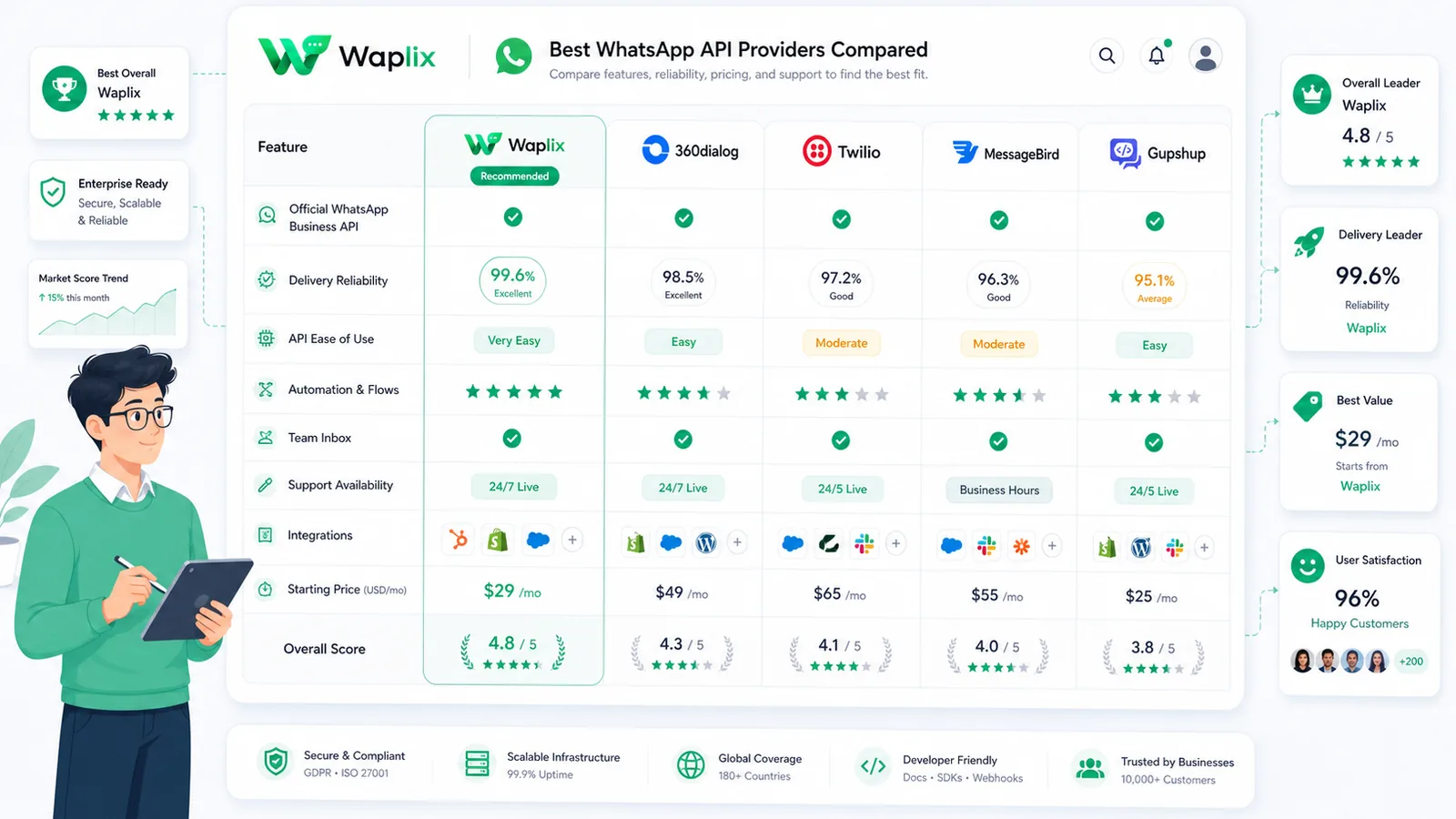
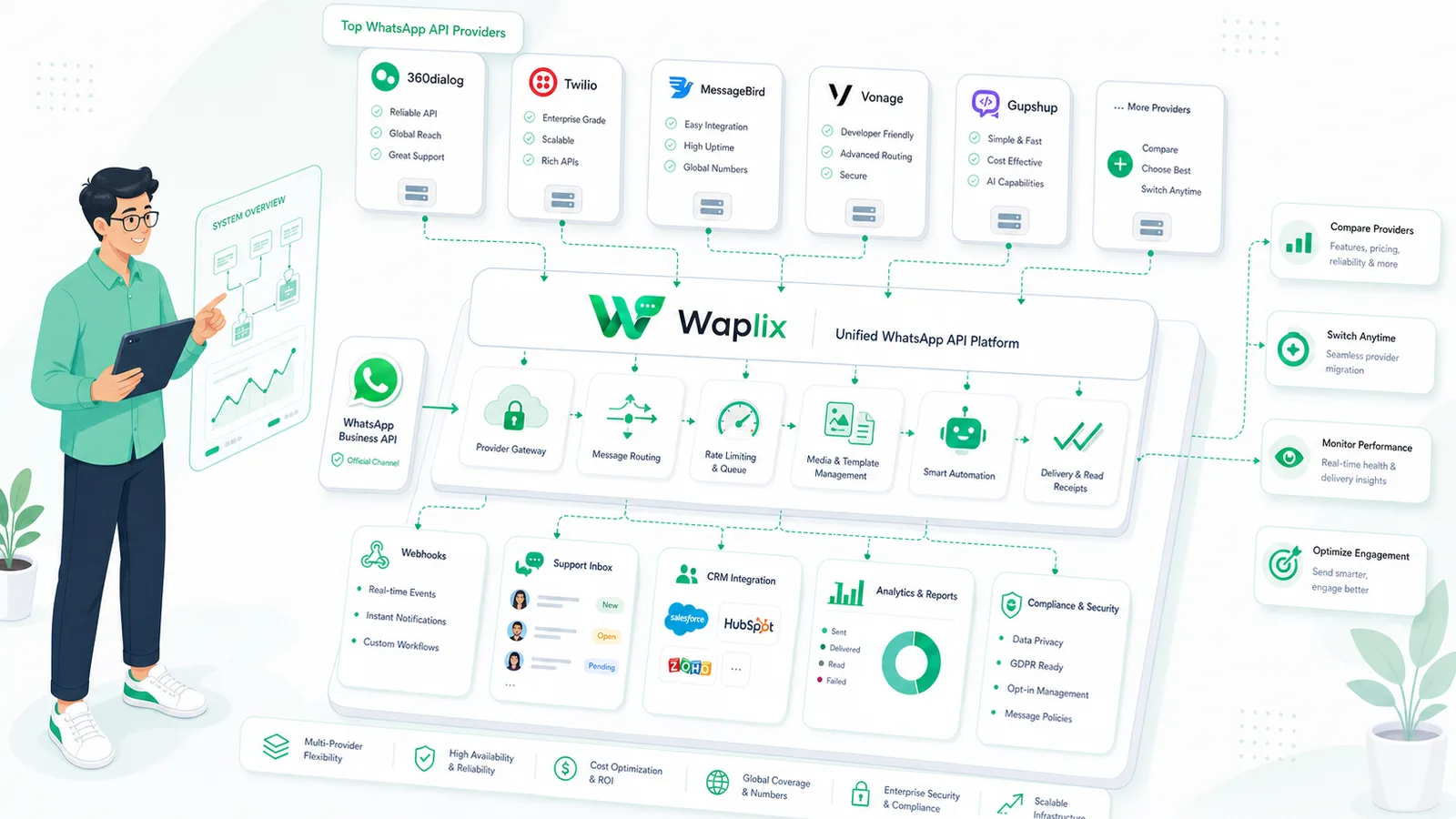
Before comparing logos, compare categories. Most businesses choose one of four provider models. Each model changes how much engineering, operations, and compliance work your team owns.

1. Direct Meta Cloud API access

Meta hosts WhatsApp Cloud API infrastructure and exposes endpoints for sending messages, managing templates, and receiving webhook events. This path gives developers direct access to the messaging layer. It can be a strong fit for product teams building custom communication systems.

The trade-off is operational depth. Direct API access does not automatically give you a shared inbox, campaign builder, CRM timeline, retry dashboard, or AI handover workflow. Your team builds or connects those pieces.

2. Business Solution Providers (BSPs)

BSPs help businesses connect to WhatsApp business messaging with onboarding support, account configuration, and varying levels of tooling. Some BSPs focus on enterprise delivery. Others add dashboards, template workflows, and managed services.

BSPs can reduce setup friction, especially for teams new to WhatsApp business messaging. Evaluate each BSP by the workflows you actually need, not by generic feature lists.

3. CPaaS platforms with a WhatsApp channel

Communications Platform as a Service providers often offer WhatsApp alongside SMS, email, and voice. They appeal to engineering teams already standardized on one CPaaS vendor. The WhatsApp channel may be strong, but campaign UX, CRM depth, and support inbox features vary widely.

If your team already uses a CPaaS stack, adding WhatsApp there can make sense. If your WhatsApp use case is support-heavy or campaign-heavy, confirm the operational layer is strong enough before committing.

4. Full-stack WhatsApp platforms

Platforms such as Waplix combine WhatsApp API access with messaging operations: shared inbox, campaign automation, webhooks, CRM context, AI support agents, analytics, and business workflows in one SaaS product. These platforms target teams that want speed and cross-functional usability, not only raw endpoints.

This model is often the best fit when support, marketing, and engineering all need to work from the same system. You still own compliance and consent, but you spend less time stitching together five separate tools.

How to evaluate WhatsApp API providers fairly

A useful comparison starts with requirements, not vendor marketing pages. Split your evaluation into business requirements first, then technical requirements. That keeps developers, marketers, and support leaders aligned.

Evaluation areaWhat to inspectWhy it matters
OnboardingAccount setup, number connection, template approval supportDelays here block every downstream workflow
API qualityDocs, auth model, payload clarity, SDKs, sandbox optionsDevelopers need predictable integration behavior
WebhooksEvent types, retries, logs, verification, replay/debug toolsAutomation breaks when events are hard to trust
Inbox operationsShared inbox, assignment, tags, notes, human handoverSupport teams live in the operational layer
CampaignsSegmentation, template workflows, opt-out handling, reportingPermission-based marketing needs governance
CRM integrationContact sync, conversation history, pipeline updatesContext reduces duplicate replies and lost leads
AI workflowsKnowledge base quality, escalation rules, human takeoverAI helps when handover is designed well
AnalyticsDelivery, response time, opt-outs, campaign qualityVolume alone is a weak success metric
Compliance supportConsent tracking guidance, policy-aware workflowsYour business still owns legal and policy responsibility
Tip: Ask each provider to walk through one real workflow: inbound support message, CRM update, automated follow-up, and human escalation. Slide decks are easy. Production paths reveal the truth.

Provider type comparison at a glance

No single provider type wins every scenario. Use this table to narrow the field before you run deeper demos or proof-of-concept tests.

Provider typeBest forStrengthsTrade-offs
Direct Cloud APICustom product teamsDirect control, flexible architectureMore build work for inbox, campaigns, analytics
BSPTeams needing guided onboardingSetup support, managed configurationTooling depth varies by vendor
CPaaS channelMulti-channel engineering stacksUnified communications platformWhatsApp-specific UX may be thinner
Full-stack platformSupport, marketing, and ops teamsAPI + inbox + campaigns + automationLess attractive if you only want bare API access

Key takeaway

Pick the provider type that matches your operating model. A developer-first team may love direct API control. A revenue and support team may need a platform that turns API access into usable daily workflows.

What the architecture looks like in production

Regardless of provider, production WhatsApp systems usually follow the same shape. Your business application sends a message request. The provider validates and routes it. WhatsApp delivers the message. Webhook events return to your systems for inbox updates, automation triggers, CRM writes, and analytics.

The difference between providers is how much of that stack is packaged for you. Some give you endpoints and expect you to build everything else. Others provide the inbox, campaign engine, webhook explorer, and AI routing layer on top.

Developer view: auth, endpoints, webhooks, and errors

If your team includes engineers, compare providers like you would any production API. Authentication clarity, webhook reliability, and error transparency matter more than glossy UI screenshots.

Endpoint example

POST /api/v1/messages/send
Authorization: Bearer YOUR_API_KEY
Content-Type: application/json

{
  "to": "+15551234567",
  "type": "template",
  "template": {
    "name": "order_update",
    "language": "en",
    "components": [
      {
        "type": "body",
        "parameters": [
          { "type": "text", "text": "Alex" },
          { "type": "text", "text": "ORD-4821" }
        ]
      }
    ]
  }
}

JSON response example

{
  "success": true,
  "message_id": "msg_9f2a71",
  "status": "queued",
  "channel": "whatsapp"
}

Webhook example

{
  "event": "message.received",
  "message_id": "msg_9f2a71",
  "from": "+15551234567",
  "timestamp": "2026-07-05T14:22:00Z",
  "text": "Can I change my delivery address?"
}
Authentication note: Store API keys in environment variables or a secrets manager. Rotate credentials when team access changes. Never expose keys in frontend code, public repos, or customer-facing screenshots.

Also compare rate-limit behavior, idempotency support, retry guidance, and whether webhook failures are visible in a log UI or only in raw server logs. These details decide whether your integration survives real traffic.

Waplix API documentation screenshot placeholder

Replace this with a real Waplix API documentation screenshot showing authentication, endpoints, and request examples.

Suggested screenshot: Waplix API documentation with message send and webhook reference sections.

Pricing: what the comparison should really include

WhatsApp API pricing is more than a per-message number on a pricing page. Most teams underestimate the total cost of running business messaging in production.

Start with Meta message charges by category and country, then add platform fees, inbox seats, campaign tooling, CRM integrations, AI usage, webhook infrastructure, and engineering maintenance. A provider with a slightly higher platform fee may cost less overall if it removes weeks of custom development.

Cost componentQuestions to askCommon mistake
Message chargesWhich categories apply to support vs marketing use cases?Assuming all messages cost the same
Platform feesSubscription, seats, usage tiers, add-ons?Ignoring monthly minimums
Engineering timeHow much custom work is required post-launch?Budgeting only for initial integration
OperationsWho monitors failures, opt-outs, and queue health?No owner after go-live
Migration riskHow hard is it to export data and move later?Vendor lock-in without planning

For a deeper breakdown of message categories and platform cost structure, see our guide on WhatsApp API pricing explained.

Which provider type fits common business use cases?

Different teams prioritize different outcomes. Match the provider to the job instead of forcing one model into every workflow.

Use casePriorityProvider direction
Customer support inboxHuman handover, tags, SLAs, conversation historyFull-stack platform or strong BSP tooling
Order notificationsReliable templates, webhook status, retry logicCloud API with solid ops layer or CPaaS
Lead qualificationCRM sync, routing, AI triage, agent takeoverPlatform with CRM + AI workflows
Permission-based campaignsSegmentation, opt-outs, reporting, template controlPlatform with campaign governance
Custom SaaS productAPI control, multi-tenant architectureDirect Cloud API or developer-first CPaaS

Step-by-step: how to choose the right provider

Use a structured selection process so the decision survives contact with reality. A short proof of concept beats a long feature spreadsheet every time.

01

Define workflows

List support, sales, notification, and campaign flows your team needs in the first 90 days.

02

Assign owners

Name who owns API keys, templates, consent records, inbox routing, and campaign approvals.

03

Shortlist by category

Reduce options to two or three provider types that match your team skills and timeline.

04

Run a real POC

Test one inbound flow, one outbound template, one webhook automation, and one human handover path.

Best practice: Score providers on operational reliability, not demo polish. A clean sales call matters less than searchable webhook logs and a support inbox your team can actually use.

Explore Waplix API documentation

Run your provider comparison against a platform built for WhatsApp messaging, webhooks, campaigns, CRM context, and AI support workflows.

Explore Waplix API documentation View Waplix pricing

Where Waplix fits in the provider landscape

Waplix is a full-stack WhatsApp platform for teams that want API access and operational tooling in one place. Instead of stitching together a send endpoint, separate inbox, campaign tool, webhook debugger, CRM sync, and AI handover layer, Waplix brings those workflows together for support, marketing, and developer teams.

That does not mean Waplix is the right answer for every company. If you are building a deeply custom multi-tenant communications product and want bare-metal control, a direct API route may still be attractive. But if your goal is to launch reliable business messaging quickly—with permission-based campaigns, webhook automation, CRM context, and human takeover when AI is not enough—Waplix is designed for that operating model.

WhatsApp API messaging

Send and receive business messages with clear API endpoints and operational visibility.

Campaign automation

Plan permission-based campaigns with template workflows and reporting your marketing team can use.

Webhooks and integrations

Connect message events to CRM systems, internal tools, and custom automation flows.

AI support agent

Automate common questions with human handover when the conversation needs a person.

Waplix dashboard screenshot placeholder

Replace this with a real Waplix dashboard screenshot showing inbox, campaigns, API status, and analytics.

Suggested screenshot: Waplix campaign dashboard showing message automation and delivery reporting.
Waplix AI support agent screenshot placeholder

Replace this with a real screenshot of the Waplix AI support agent with human handover controls.

Suggested screenshot: AI support agent settings with knowledge base and escalation rules.

Learn more about specific capabilities in the Waplix features overview, message documentation, campaign documentation, and AI agent documentation.

Common mistakes when comparing WhatsApp API providers

  • Choosing from message price alone. Inbox tooling, webhook reliability, and engineering time often matter more than a small rate difference.
  • Ignoring consent and opt-outs. Permission-based messaging is required for sustainable WhatsApp marketing and compliance with policies and local laws.
  • Underestimating webhook work. Without event logging and retries, CRM updates and automations fall out of sync quickly.
  • Letting demos replace testing. Run a real proof of concept with inbound messages, template sends, and human handover.
  • Assuming AI replaces support. AI can triage and answer common questions, but complex cases still need clear escalation to people.
  • No migration plan. Ask about exports, number portability, and template migration before you commit.
Policy reminder: Do not buy a provider because it promises to bypass WhatsApp rules or send unsolicited bulk messages. Sustainable growth comes from relevant, permission-based communication.

Best practices after you choose a provider

Document consent

Store when and how customers opted in. Make opt-out paths obvious and immediate.

Monitor webhooks

Track delivery events, failures, and retries with searchable logs and alerts.

Design human handover

Route complex conversations to agents with full context from CRM and prior messages.

Measure quality

Track response time, resolution rate, opt-outs, and campaign relevance—not just send volume.

Webhook logs screenshot placeholder

Replace this with a real Waplix webhook logs screenshot after production capture.

Suggested screenshot: webhook logs showing event delivery, retries, and payload inspection.
Chat inbox screenshot placeholder

Replace this with a real Waplix shared inbox screenshot showing assignment and conversation history.

Suggested screenshot: shared chat inbox with tags, assignment, and CRM context panel.

Final recommendation

The best WhatsApp API provider is not a universal winner. It is the option that matches your workflows, team skills, compliance requirements, and budget for both launch and maintenance.

Developer-heavy teams may prefer direct API control or CPaaS channels. Support and marketing teams often move faster with a full-stack platform that combines messaging, campaigns, webhooks, CRM context, and AI handover. Whatever you choose, test real workflows before you scale.

If you want one platform that helps business and engineering teams operate WhatsApp messaging together, Waplix is built for that path—from API integration to daily campaign and support operations.

Automate WhatsApp communication with Waplix

Compare your options, then launch compliant WhatsApp workflows your support, marketing, and developer teams can actually run.

Create your free Waplix account Talk to Waplix

Frequently Asked Questions

A WhatsApp API provider is the company or platform that gives your business access to WhatsApp messaging through API endpoints, onboarding support, webhooks, templates, and often operational tools such as inboxes, campaigns, CRM sync, and analytics. Providers range from direct Cloud API access to full messaging platforms.

Meta hosts WhatsApp Cloud API infrastructure, but most businesses still work through a provider or platform layer for onboarding, tooling, support workflows, campaign management, and integration convenience. Cloud API is the messaging layer; the provider helps you operate it in production.

Compare setup time, total cost of ownership, webhook reliability, developer documentation, campaign tools, CRM integration, support inbox features, AI handover, compliance support, analytics, and how well the platform matches your team skills. Message price alone is rarely enough.

Developer-heavy teams often prioritize clear REST APIs, webhook logs, sandbox or test environments, SDK examples, error transparency, and rate-limit documentation. They may accept less built-in UI if the API is strong and the integration path is predictable.

Marketing-led teams usually need permission-based campaign tools, audience segmentation, template management, delivery reporting, opt-out handling, and collaboration with support. A platform with campaign and inbox features often launches faster than a raw API build.

Switching is possible, but it requires planning. You may need to migrate phone numbers, templates, webhook endpoints, CRM mappings, automation rules, and customer consent records. Evaluate migration support and data export before you commit.

No. Waplix helps teams build compliant workflows with APIs, campaigns, webhooks, CRM context, and AI support handover, but your business still owns consent, message relevance, opt-outs, and adherence to WhatsApp policies and local laws.

Choosing based on the lowest advertised message rate while ignoring operational needs. Teams often underestimate webhook handling, inbox tooling, campaign governance, error monitoring, and the engineering time required to turn API access into reliable customer communication.

Related Guides & Insights

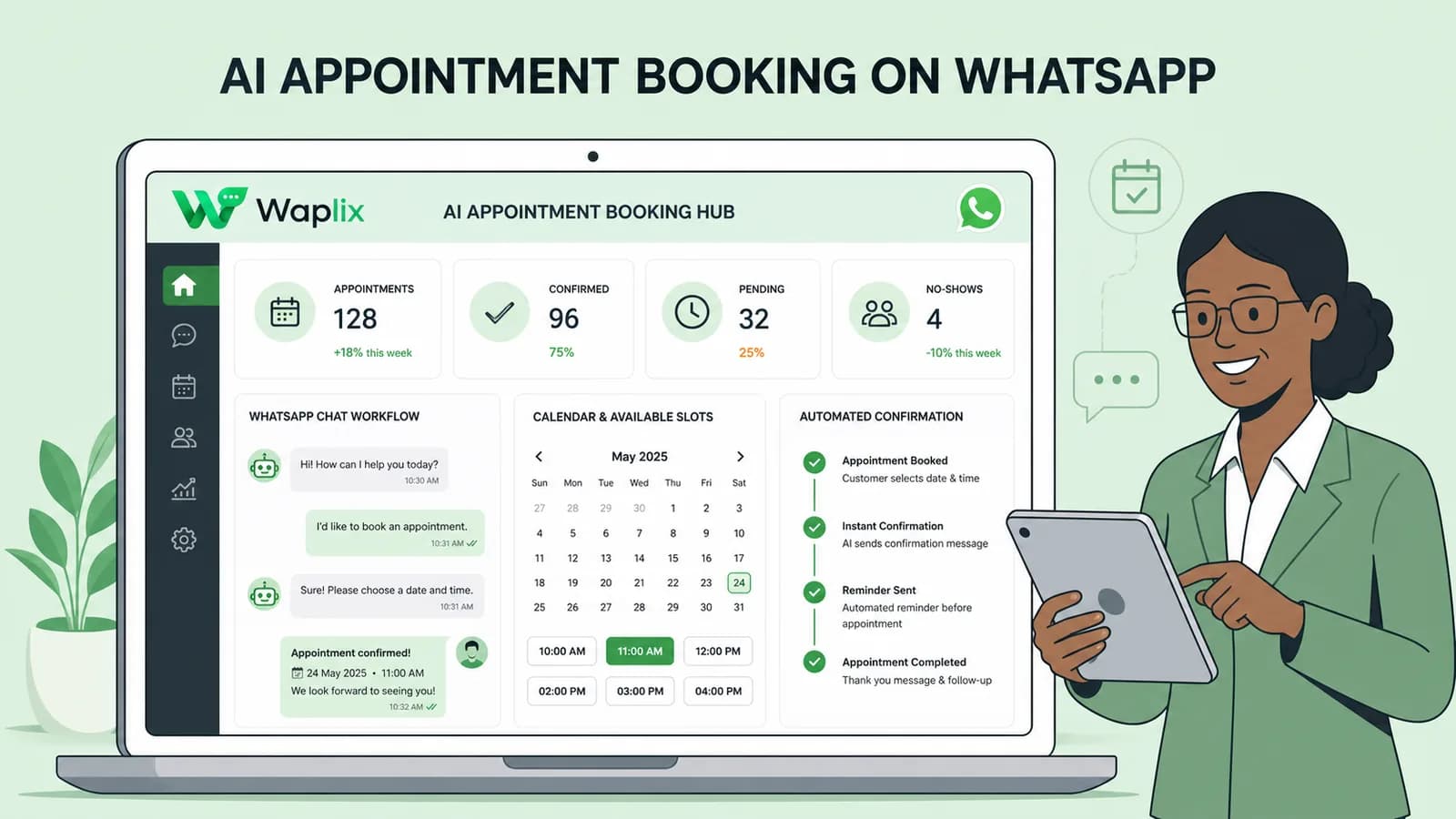
AI Appointment Booking on WhatsApp
AI Agents

AI Appointment Booking on WhatsApp

Learn how to build AI-driven booking systems on WhatsApp, connecting calendar databases to conversational agents, automating updates, and reducing client no-shows.

Read Article
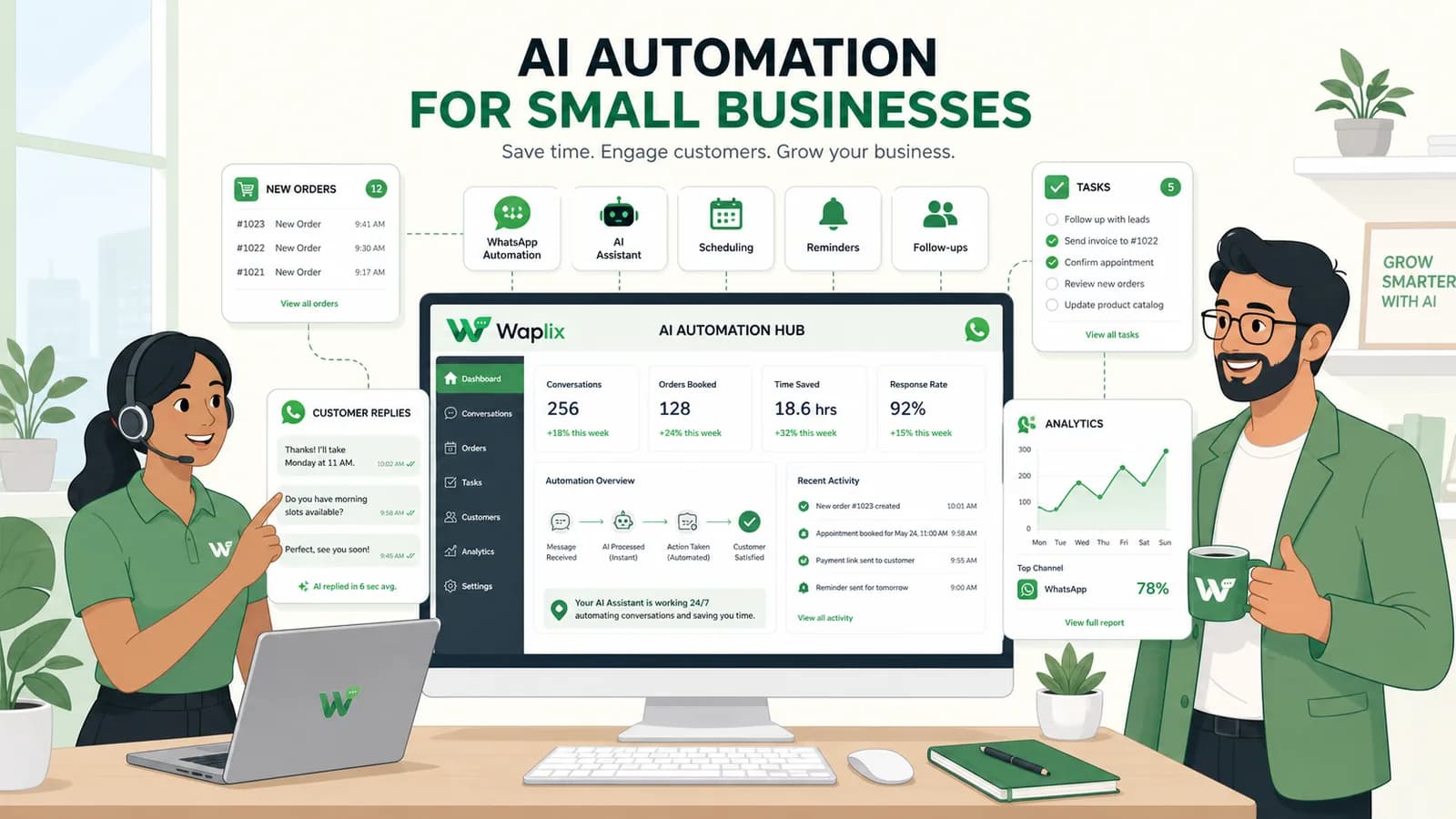
AI Automation for Small Businesses
AI Agents

AI Automation for Small Businesses

Discover practical ways small businesses can leverage no-code AI automation on WhatsApp to manage customer conversations, qualify prospects, and coordinate bookings 24/7.

Read Article
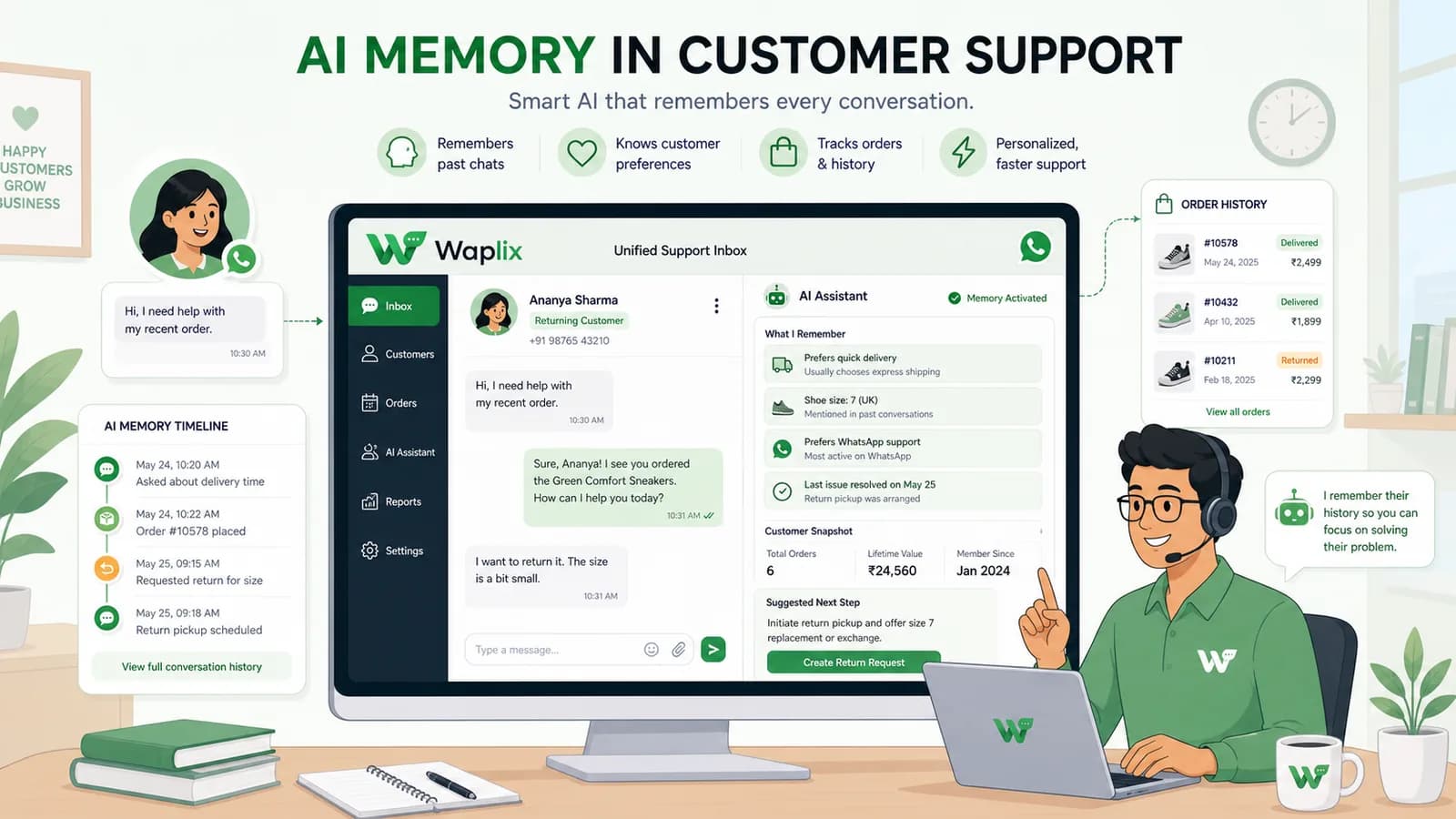
AI Memory in Customer Support
AI Agents

AI Memory in Customer Support

Explore the technology behind AI memory and context retention, learning how session databases personalization results in better, trust-filled client interactions.

Read Article