CRM

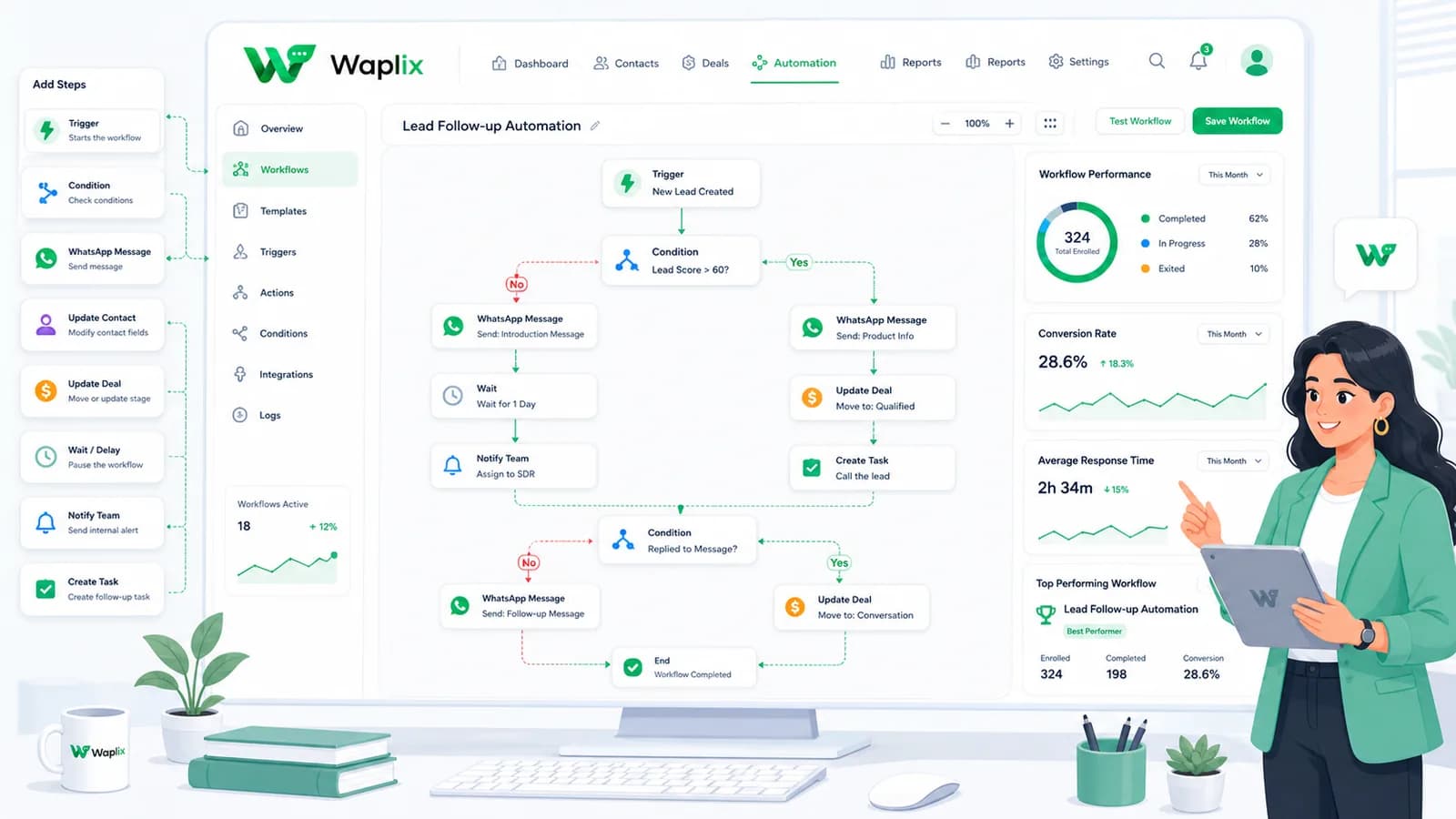
CRM Automation Workflows

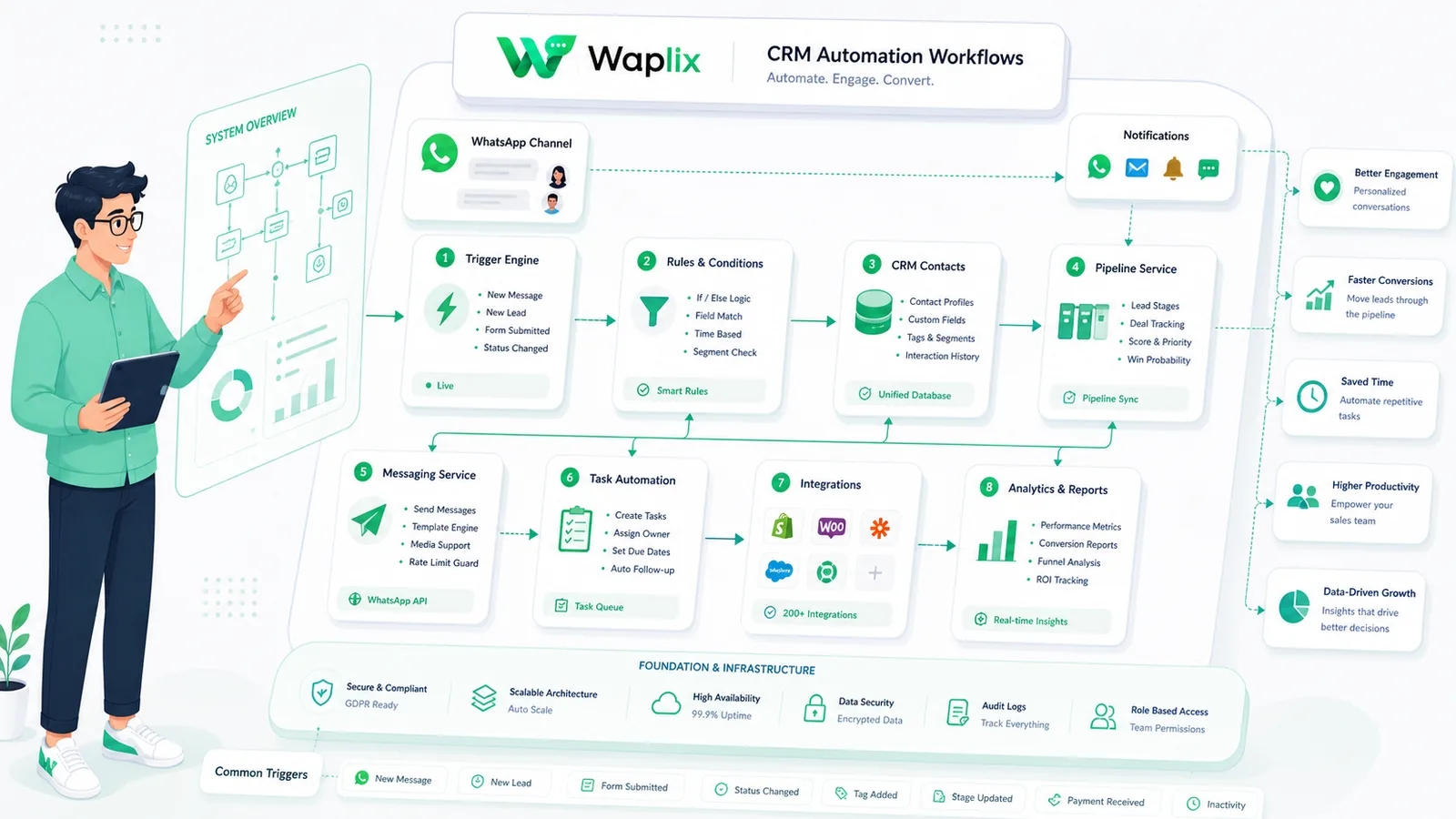
Triggering redundant alerts, misaligning pipeline variables, or omitting queue assign limits will create support bottlenecks. Structuring a robust Guzzle request builder with webhook callbacks is key. Follow this workflow guide.

Feb 7, 2026 12 min read By Waplix Team
Share:
CRM Automation Workflows

Build secure, scalable WhatsApp CRM workflows with Waplix

Connecting your web apps to WhatsApp requires selecting the right CRM. While many platforms offer basic bulk messaging services, scaling your customer support and sales operations demands a robust API connection, shared team inbox, and intelligent auto-responders. Comparing WhatsApp CRMs and the standard Business app highlights these differences.

Evaluating solutions requires looking at onboarding speeds, pricing models, developer tools, and team collaboration features. Choosing a platform that lacks these controls can lead to higher messaging costs, database sync issues, or message dropouts.

This comparison guide details CRM automation workflows. We will examine feature grids, pricing differences, integration steps, architecture layouts, and API examples to help you select the best platform.

Overview: The WhatsApp Business App is a free tool for local shops. A WhatsApp CRM is an enterprise-grade platform that connects to the official API to support multi-agent collaboration and custom integrations.

Access our developer API, build templates, and manage campaigns from our unified business dashboard.

Create your free account See Waplix features
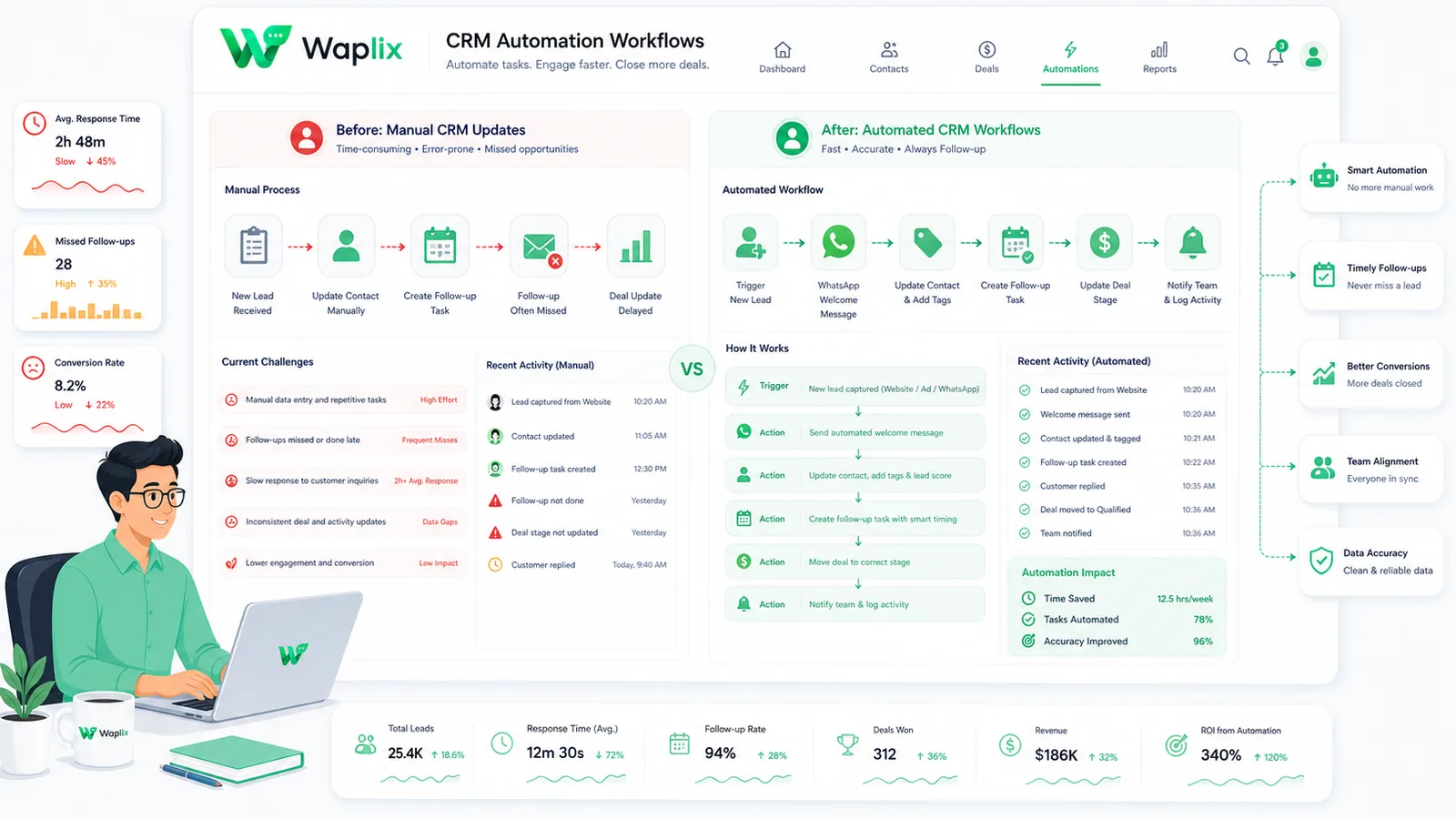
Feature comparison: CRM workflow vs Business App

Comparing features helps identify which platform matches your operational requirements.

This table outlines the primary differences between the two choices.

Capability FocusWhatsApp CRM (API-based)WhatsApp Business AppOperational Impact
Team SeatsUnlimited multi-agent logins with role assignments.Limited to 1 phone + 4 linked web sessions.Eliminates device backlogs
Broadcast LimitsUnlimited broadcasts to opted-in contact lists.Capped at 256 contacts per list.Allows scalable outbound marketing
Developer ToolsFull REST APIs, webhook routes, console logs.None. Manual keyboard actions only.Integrates with database CRMs
AI AutomationIntelligent bots, NLP routing, context sync.Basic keyword auto-replies only.Resolves FAQs automatically

By connecting systems, you can trigger specific messages based on customer behavior—such as confirming a booking, following up on a delivery, or recovering an abandoned shopping cart.

Core use cases compared

Evaluate how a WhatsApp CRM handles common automated messaging workflows.

1. Transactional order confirmations

Send confirmations and purchase details instantly when checkout completes. These transactional updates keep customers reassured and reduce check-in inquiries.

2. E-commerce cart recovery

Trigger recovery reminders when shopping carts are abandoned. Personalizing templates with product names and checkout links helps recover lost sales.

3. Automated shipping and tracking updates

Integrate delivery updates to notify customers as their package changes hands, providing proactive transparency throughout fulfillment.

4. Out-of-office and away responders

Set up automated responders to handle inbound chats outside business hours, set response expectations, and route urgent queries to triage queues.

Key Takeaway

Prioritize transactional alerts and utility automations first. Establish high delivery rates and compliance metrics before launching promotional broadcasts.

Step-by-step rollout guide

Migrating your business number to a more scalable WhatsApp CRM requires systematic steps. Follow this guide.

01

Backup contact records

Export your active customer opt-in logs, contact lists, and chat history from your current provider.

02

Verify your Meta Business Manager

Ensure your Meta Business Manager account is verified and ready to link to your business number.

03

Link number to Waplix

Input your number in the Waplix onboarding panel and complete the secure verification call.

04

Import approved templates

Sync your existing Meta-approved message templates into the Waplix dashboard for campaign use.

05

Configure webhook endpoints

Update your application webhook endpoints to match Waplix's signature format for incoming payloads.

06

Activate routing rules

Configure team members, agent permissions, and routing rules inside the shared inbox console.

Rollout Tip: Keep your old provider active during migration to maintain support logs. Revoke old keys only after verifying the new connection.

Automated response routing pipelines

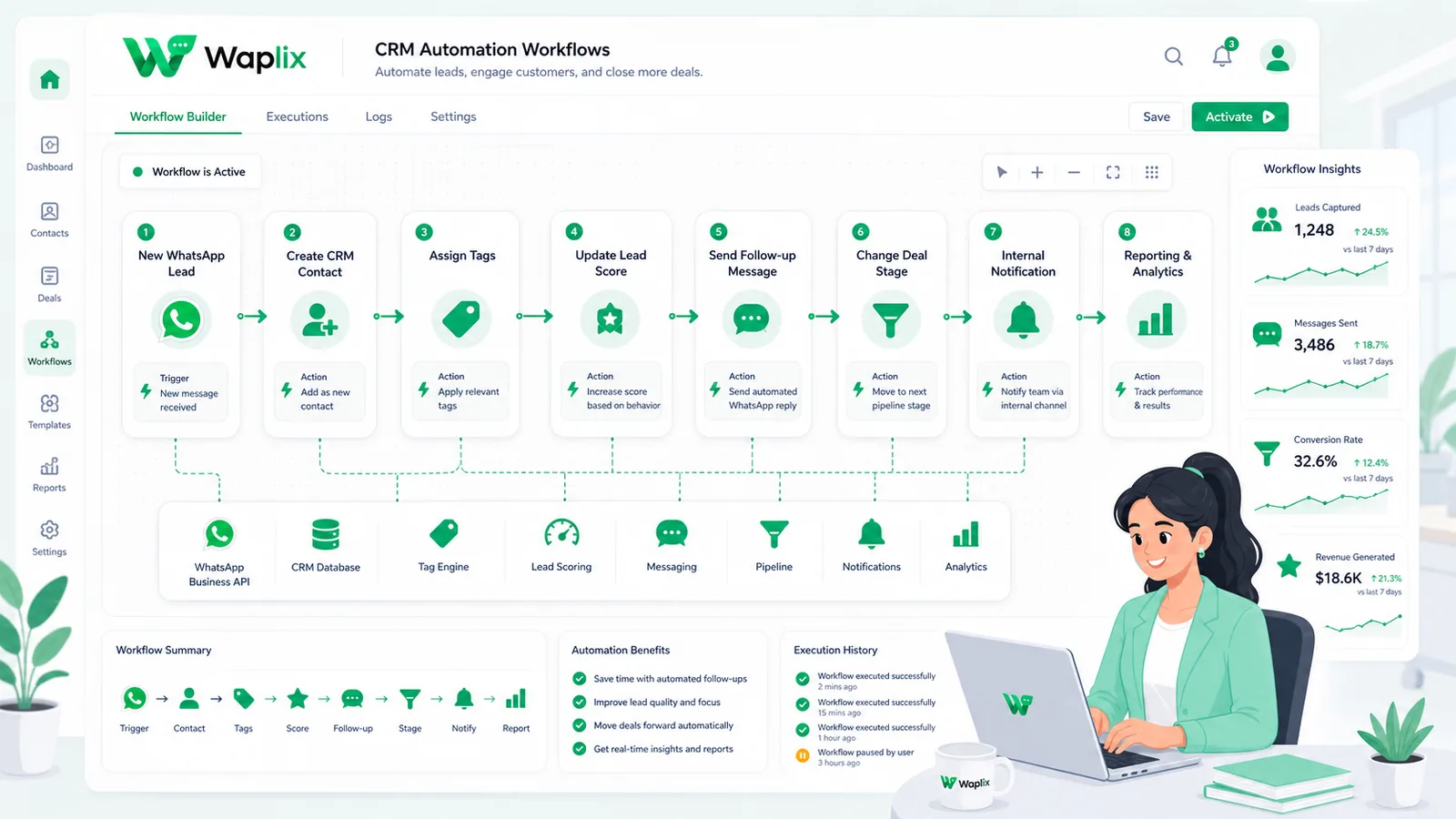
Automations route messages systematically using logical rules. This workflow diagram illustrates how messages move through a CRM's shared inbox routing.

Incoming user messages are parsed for active intent. Standard FAQs are resolved instantly by your AI support agent. Complex issues route to human queues, where agents collaborate to resolve them and log performance metrics.

Technical data flow and architecture

A reliable customer support setup requires seamless sync between Meta's WhatsApp servers, your help desk software, and your business backend databases.

When an internal event occurs, your system fires a webhook. The Waplix engine validates the phone format, checks active marketing opt-ins, selects the target template, and submits the payload to Meta's servers for delivery.

Developer Integration: API dispatch comparison

This implementation example shows how to configure outbound message payloads using the Waplix REST API.

1. Send text message payload

A standard HTTP POST request to send text messages using Waplix credentials.

POST /v1/messages/send HTTP/1.1
Host: api.waplix.io
Authorization: Bearer wplx_live_55ab88c990efc127
Content-Type: application/json

{
  "to": "+15550144983",
  "type": "text",
  "text": {
    "body": "Hello, this is a secure customer update from our support desk."
  }
}
Developer Security Note: Always store your API keys securely in your environment variables. Validate incoming webhook signatures server-side to ensure payloads originate from Waplix.

For more detailed code samples, visit the API documentation and review our webhook documentation.

Compliance, policies, and opt-out workflows

Operating a customer support desk on WhatsApp requires strict adherence to Meta's messaging policies and local data privacy laws.

  • Opt-in verification. Businesses must secure explicit consent before sending outbound transactional alerts or ticket updates to customers.
  • The 24-hour service window. Free-form messages can be sent within a 24-hour service window opened by a user's message. Messages sent outside this window must use pre-approved templates.
  • Opt-out controls. Include clear opt-out options (such as quick-reply buttons like "STOP") in your templates to make unsubscribing easy and protect your quality rating.
  • Follow local privacy laws. Ensure compliance with GDPR, TCPA, and other relevant regional regulations.
Compliance Note: This guide provides operational advice, not legal counsel. Regulations vary by country and region. Always consult qualified legal advisors to ensure your messaging strategies comply with local laws.

Why businesses select Waplix as their WhatsApp CRM

Waplix integrates customer support tools, marketing template builders, and AI-powered auto-responders into a unified platform. It provides small businesses with official WhatsApp API access, eliminating the complexity of managing server infrastructure.

Waplix Developer Settings Screen Screenshot Placeholder

Replace this with a real Waplix screenshot showing API keys, sandbox environments, and webhook endpoints.

Suggested screenshot: Managing API credentials and webhook integrations in the Waplix developer dashboard.
Waplix Shared Inbox Dashboard Screenshot Placeholder

Replace this with a real Waplix screenshot showing multi-agent chat queues, ticket routing, and internal notes.

Suggested screenshot: Managing customer conversations and team assignments inside Waplix's shared inbox console.

Common selection mistakes

  • Choosing tools based on initial costs. Volume-based pricing plans can lead to high bills as contact lists grow.
  • Neglecting developer APIs. Selecting tools with limited endpoint logs slows down custom CRM integrations.
  • Omitting team collaboration. Choosing platforms without multi-agent support causes support backlogs.
  • Ignoring sender verification. Partnering with unofficial messaging tools increases the risk of phone bans.
  • Failing to test local webhooks. Skipping endpoint testing can lead to webhook routing dropouts.

Best practices for platform evaluation

Verify API compliance

Ensure the provider utilizes Meta's official WhatsApp Business Cloud API gateway.

Analyze pricing scaling

Calculate your total messaging costs, including per-message markup fees, before committing to a plan.

Evaluate support tools

Test the shared inbox for agent routing, availability statuses, and ticket assignment features.

Check webhook latency

Confirm the API console provides real-time logs and signature checks for security.

Conclusion and next steps

Selecting the right WhatsApp API platform is critical for long-term customer communication stability. Standardizing workflows, shared inboxes, and integrations ensures stable support operations.

Expose a public endpoint, generate development credentials, and run validation calls in the sandbox to begin your integration.

Build secure WhatsApp integrations with Waplix

Create a developer account, connect your business number, and automate customer support at scale.

Create your free account Contact our sales team

Related Guides & Insights

AI Appointment Booking on WhatsApp
AI Agents

AI Appointment Booking on WhatsApp

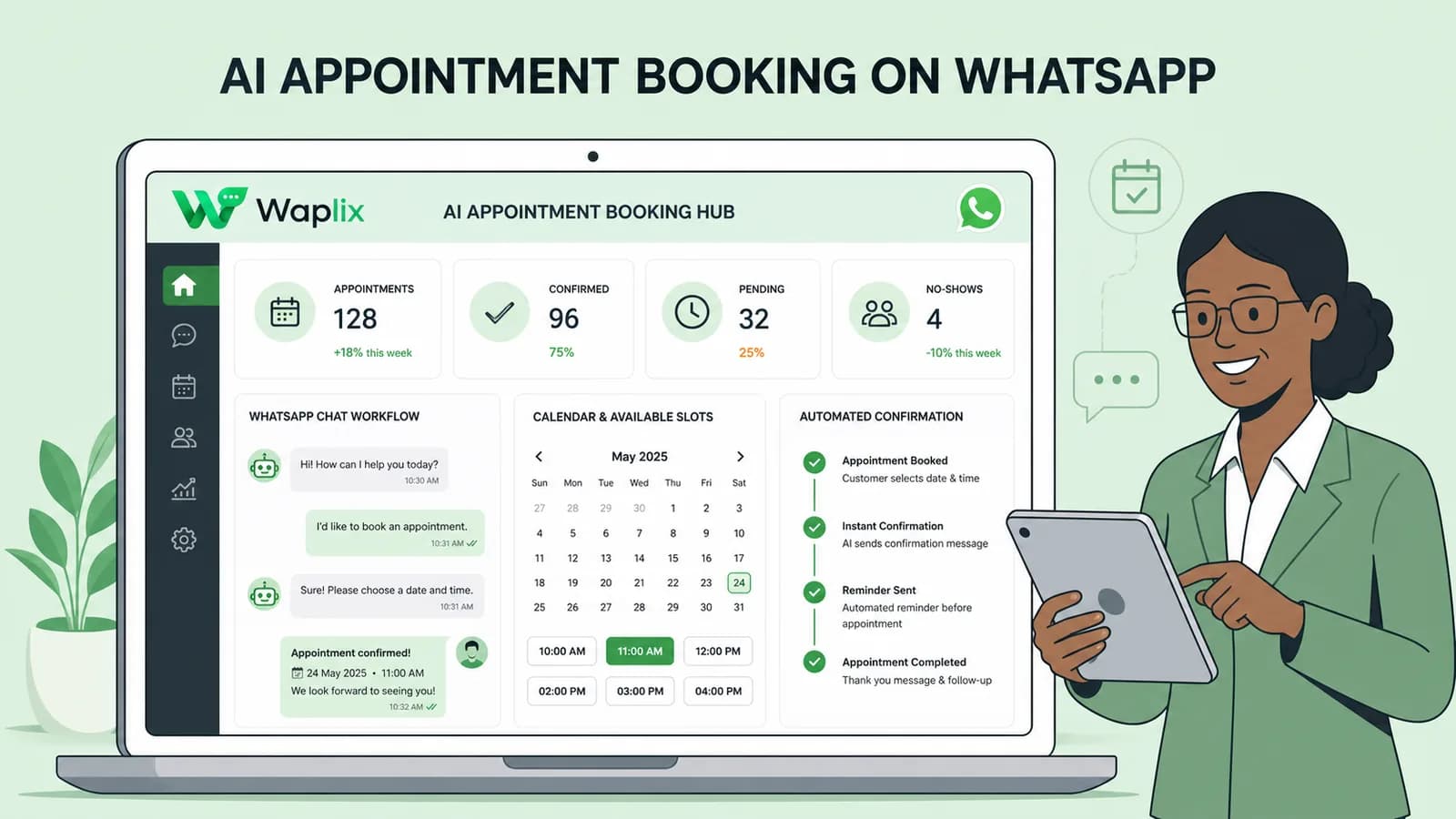
Learn how to build AI-driven booking systems on WhatsApp, connecting calendar databases to conversational agents, automating updates, and reducing client no-shows.

Read Article
AI Automation for Small Businesses
AI Agents

AI Automation for Small Businesses

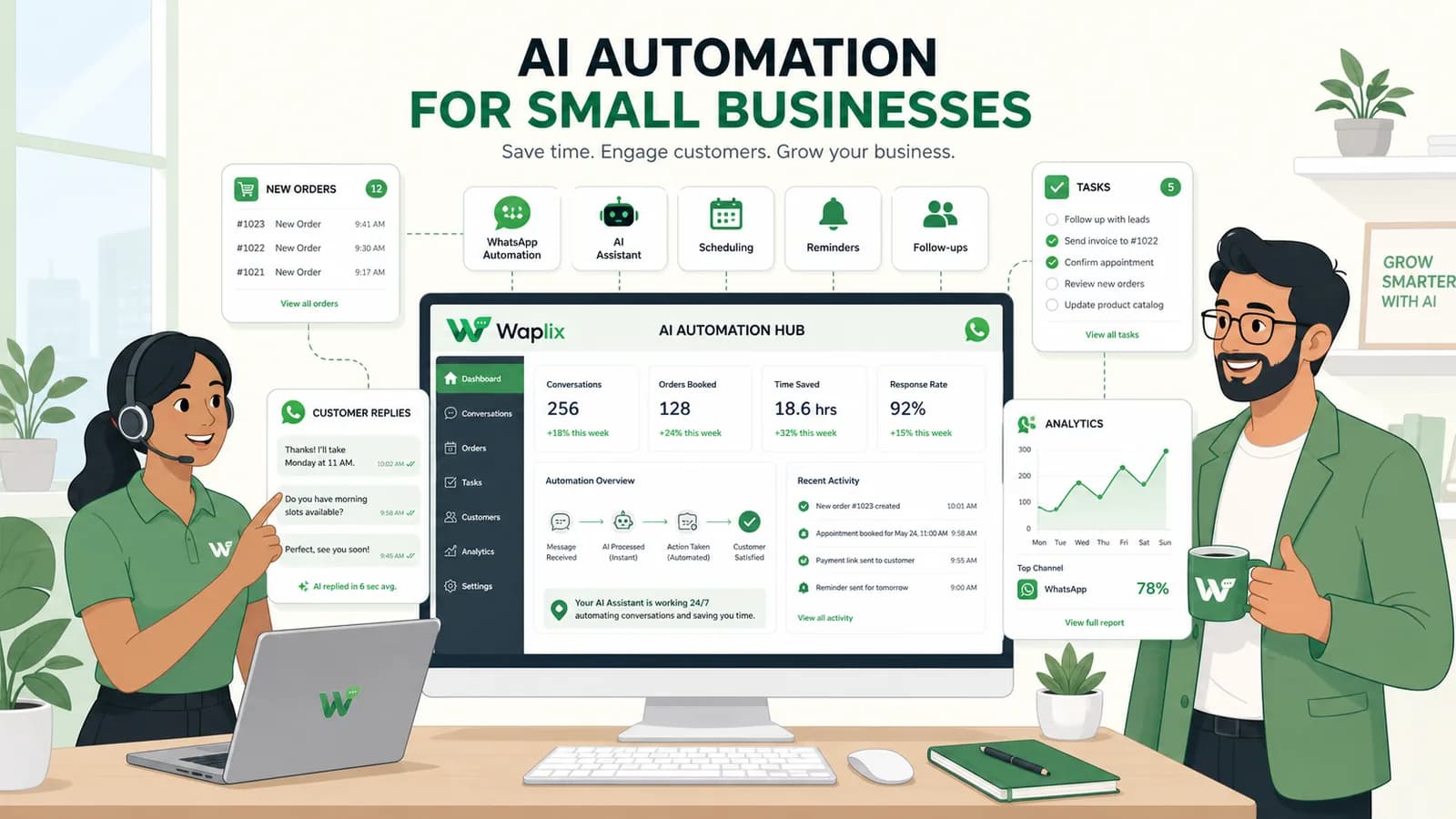
Discover practical ways small businesses can leverage no-code AI automation on WhatsApp to manage customer conversations, qualify prospects, and coordinate bookings 24/7.

Read Article
AI Memory in Customer Support
AI Agents

AI Memory in Customer Support

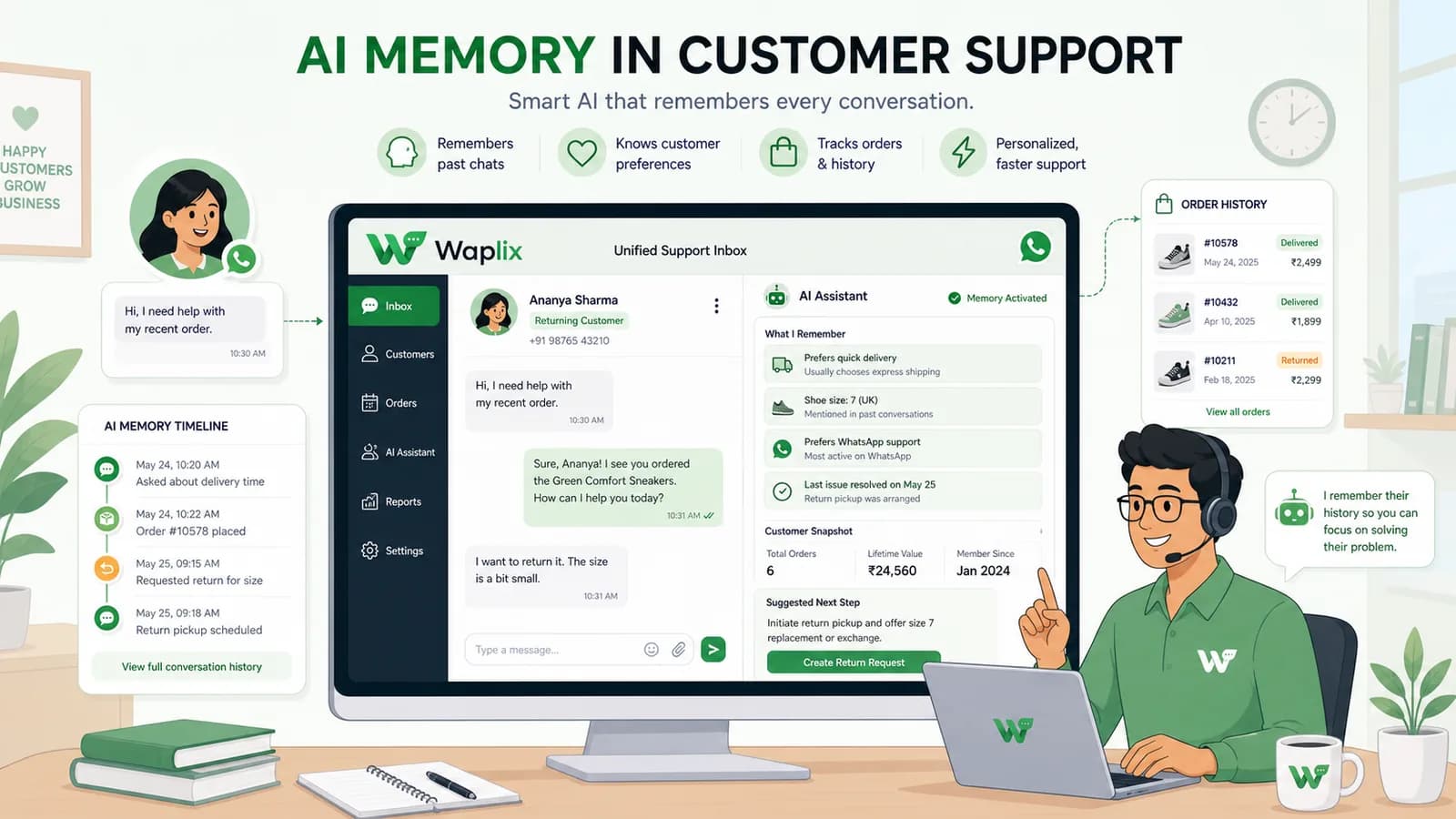
Explore the technology behind AI memory and context retention, learning how session databases personalization results in better, trust-filled client interactions.

Read Article