Customer Support

Customer Support Automation

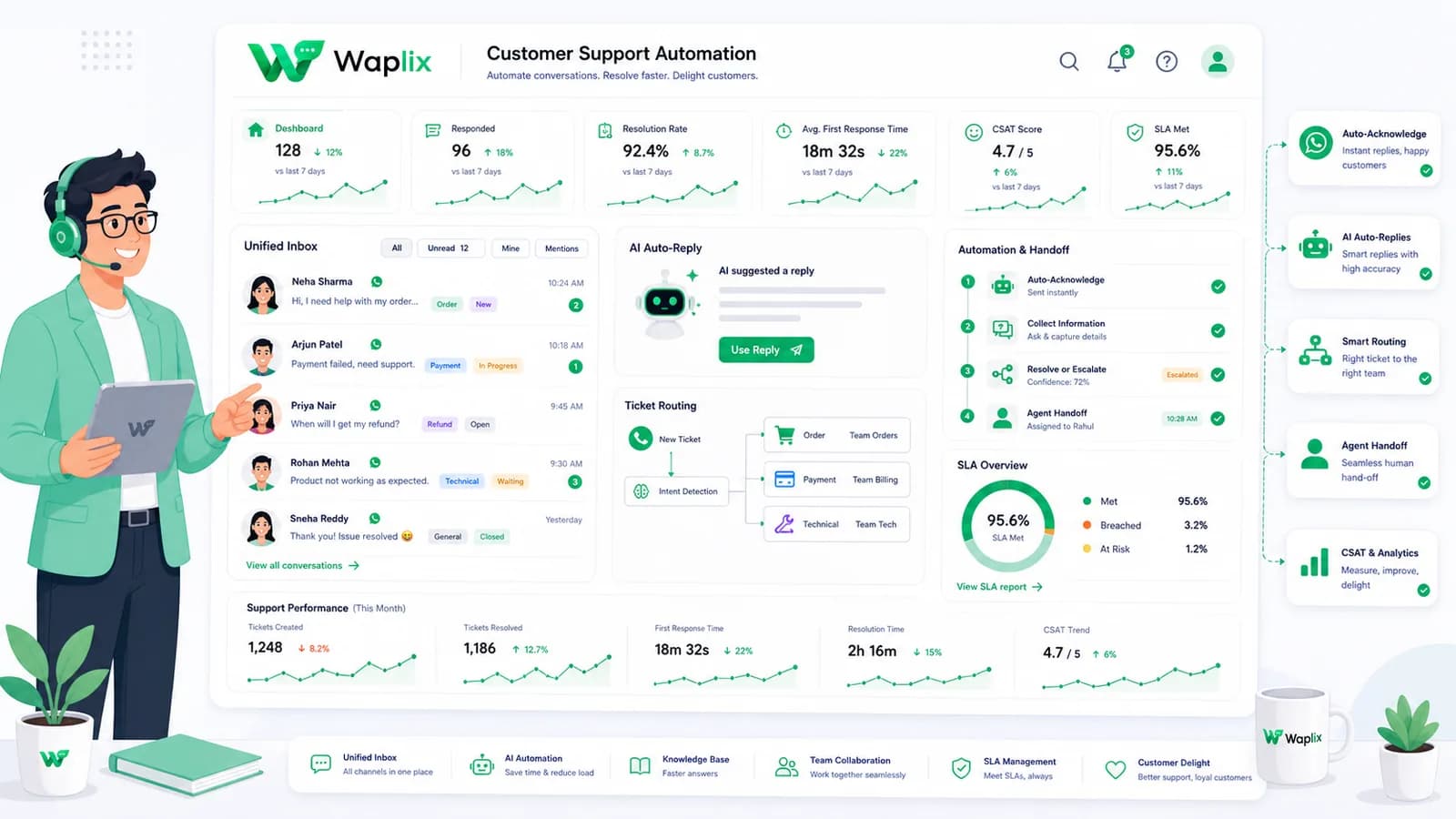
Automation shouldn't make support feel robotic. Learn how to map out a WhatsApp customer service workflow that balances quick replies, instant welcome triggers, and smart routing logic without losing the human touch.

Mar 28, 2026 11 min read By Waplix Team
Share:
Customer Support Automation

Automate Your Support Workflows

Customer support automation is no longer a luxury for large enterprises. As customers demand faster, round-the-clock availability, businesses of all sizes are looking to automate their basic support channels. WhatsApp, with its high open rates and instant messaging layout, is the perfect channel for automation.

However, basic, poorly designed chatbots often alienate users. Getting automation right requires designing structured flows: capturing intent with welcome menus, routing complex tickets using API rules, and setting clear away messages during off-hours.

In this comprehensive guide, we'll walk you through building robust WhatsApp support automation workflows using the Waplix suite.

Practical Advantage: Structuring support flows with welcome triggers and quick replies deflects up to 50% of routine queries, allowing agents to focus on complex resolutions.

Configure greeting triggers, away messages, interactive menus, and webhook routes within our intuitive Waplix portal.

Start Automating Free Explore Automation Tools
Core Types of WhatsApp Support Automation

Effective customer service automation relies on three pillars: welcome greetings, triage menus, and out-of-office handlers.

Welcome triggers greet users and collect context. Triage menus (using quick replies or list components) route the chat. Out-of-office handlers respond during non-operational hours, keeping expectations realistic.

Setting Up Effective Welcome Triggers

A welcome trigger should execute when a customer messages your number for the first time in a set interval (typically 24 hours). The message should set expectations, provide clear navigation choices, and guide the customer to a resolution route immediately.

Welcome Message Template Example

"Hi [Customer Name]! Welcome to support. Please select one of the options below to help us route your request quickly:"

1. Track order status
2. Billing and invoices
3. Speak to an agent

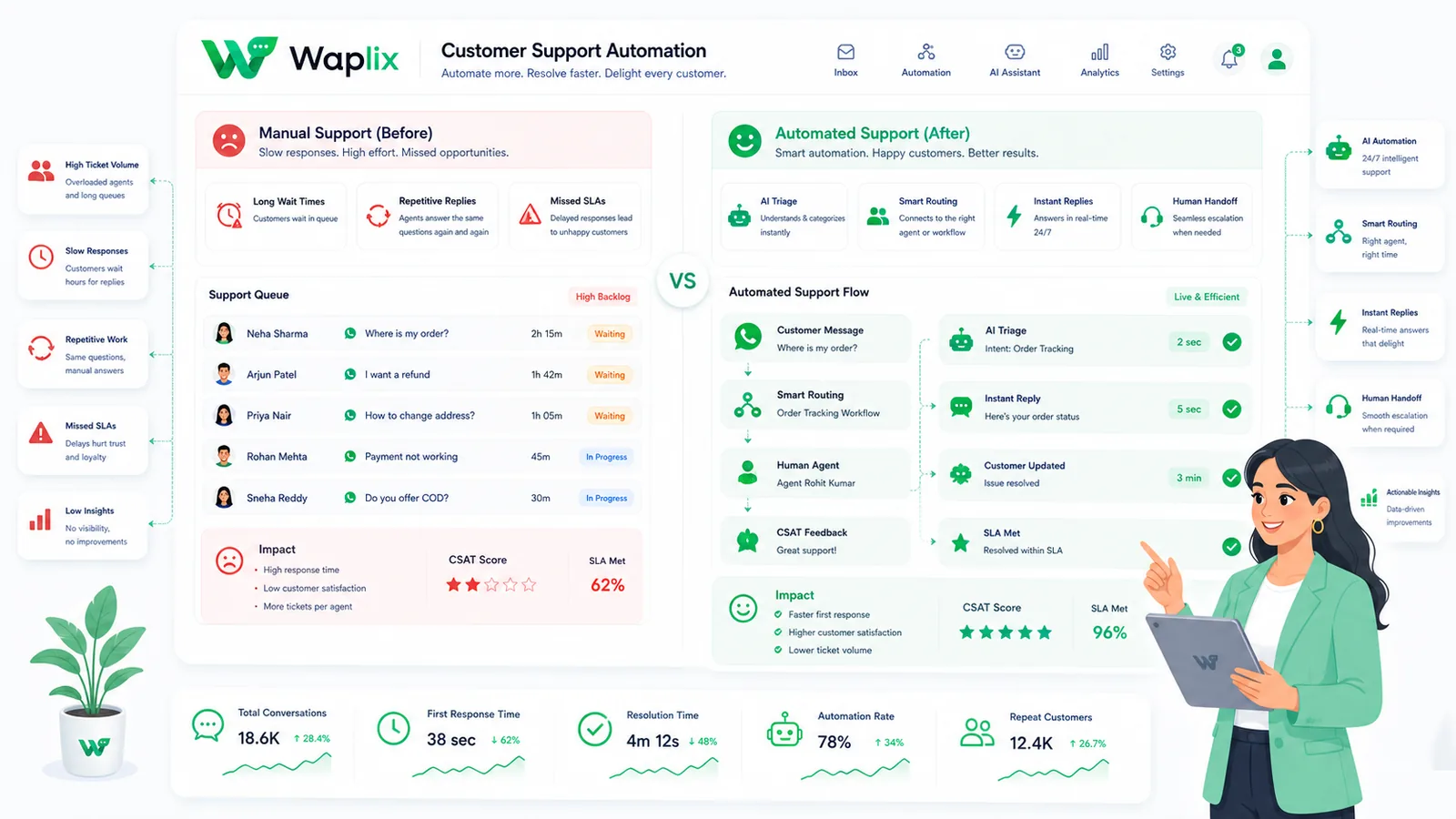
Comparison: Support Automation vs. Manual Support

How does structured support automation change operations compared to a purely manual approach?

Support AttributeManual OperationsAutomated Workflows (Waplix)
Greeting Response Time2 - 10 minutesInstant (< 1 second)
FAQ Deflection0% (Agents manually paste answers)40% - 60% (Resolved by triage bot)
Queue SortingManual assignment by support managerAutomatic category and skill-based assignment
Off-Hours HandlingNo replies; queue piles upAway messages trigger and create pending tasks
SLA ComplianceVaries; tickets can sit for hoursStrict notifications and escalation routes

Step-by-Step: Setting Up Support Automation

Deploying automation rules inside Waplix is simple:

01

Design Menu Flow

Map out the button structures and categories you wish to present to the user.

02

Setup Welcome Rules

Create a trigger in Waplix for new incoming chats, delivering the greeting list menu.

03

Configure Away Timers

Input your weekly business hours and design an away response for off-hours messages.

04

Verify Handoff Logic

Link the "Speak to Agent" selection to route directly to active agent queues in the shared inbox.

Developer API: Creating Interactive Menus

Developers can use the Waplix REST API to build and send interactive button messages and list replies programmatically, bypassing static triggers.

Sending Interactive Buttons via API

POST /api/v1/messages/send
Authorization: Bearer WAPLIX_SECURE_TOKEN
Content-Type: application/json

{
  "to": "+15558887777",
  "type": "interactive",
  "interactive": {
    "type": "button",
    "body": {
      "text": "How can we help you today?"
    },
    "action": {
      "buttons": [
        {
          "type": "reply",
          "reply": {
            "id": "btn_track_order",
            "title": "Track Order"
          }
        },
        {
          "type": "reply",
          "reply": {
            "id": "btn_billing",
            "title": "Billing Query"
          }
        },
        {
          "type": "reply",
          "reply": {
            "id": "btn_speak_agent",
            "title": "Talk to Agent"
          }
        }
      ]
    }
  }
}
Developer Best Practice: Keep button titles short (under 20 characters) to ensure they render completely on all versions of mobile WhatsApp applications.

Compliance and Opt-In Guidelines

Automating customer interaction must respect privacy laws and WhatsApp Policies. Ensure you adhere to the following standards.

Opt-In Records

Do not trigger automated outgoing notifications without verifiable customer consent.

Unsubscribe Keywords

Always support "STOP" or "UNSUBSCRIBE" triggers to instantly opt users out.

Meta Template Approval

Make sure any business-initiated notification templates are pre-approved by Meta.

Data Encryption

Ensure any customer data captured via webhooks is stored securely and in line with local laws.

Configuring Away Messages and Off-Hours Routing

Customers messaging you at midnight do not expect a live agent, but they do expect an confirmation. An automated away reply sets expectations immediately (e.g., "Our agents will be back at 9:00 AM"). The session is safely tagged as pending, so your morning team has a structured queue to resolve first thing.

Waplix Business Hours Configuration Screenshot

Replace this with a screenshot of the Waplix business hours and auto-reply configuration page.

Waplix allows you to manage team business hours and define automated out-of-office triggers.

Step into Modern Support Automation

Integrating customer support automation on WhatsApp is the smartest way to scale your operations without increasing headcount. By matching instant welcomes, away messages, and agent routing logic, your team can resolve issues more efficiently than ever.

Optimize Your Customer Support Queue Today

Leverage Waplix greeting flows, quick replies, routing automation, and multi-agent inboxes designed for WhatsApp.

Start for Free Talk to an Expert

Frequently Asked Questions

WhatsApp customer support automation refers to using chatbots, interactive menus, rule-based routing, and AI models to handle customer inquiries automatically. This includes greeting messages, FAQ routing, and out-of-office auto-responses.

A welcome trigger detects when a customer starts a new session (e.g., after 24 hours of inactivity or upon their first message) and automatically delivers a formatted greeting message, introducing them to triage options.

Yes. By defining business hours within Waplix, you can set triggers that detect messages received outside of operations. The system sends an automated away message and sets the ticket to a pending state for the morning queue.

Quick Replies are interactive button templates that let customers select predefined options (e.g., "Track Order", "Cancel Subscription") rather than typing out answers, streamlining triage and reducing agent load.

Yes. Broadcast templates and initial outbound greeting templates require Meta approval before use. However, standard session messages sent by your automation within the 24-hour customer window do not need pre-approval.

No. Support automation resolves high-volume, simple queries like FAQs and order tracing, freeing up human agents to focus on high-value billing disputes, complex troubleshooting, or warm sales discussions.

Related Guides & Insights

AI Appointment Booking on WhatsApp
AI Agents

AI Appointment Booking on WhatsApp

Learn how to build AI-driven booking systems on WhatsApp, connecting calendar databases to conversational agents, automating updates, and reducing client no-shows.

Read Article
AI Automation for Small Businesses
AI Agents

AI Automation for Small Businesses

Discover practical ways small businesses can leverage no-code AI automation on WhatsApp to manage customer conversations, qualify prospects, and coordinate bookings 24/7.

Read Article
AI Memory in Customer Support
AI Agents

AI Memory in Customer Support

Explore the technology behind AI memory and context retention, learning how session databases personalization results in better, trust-filled client interactions.

Read Article