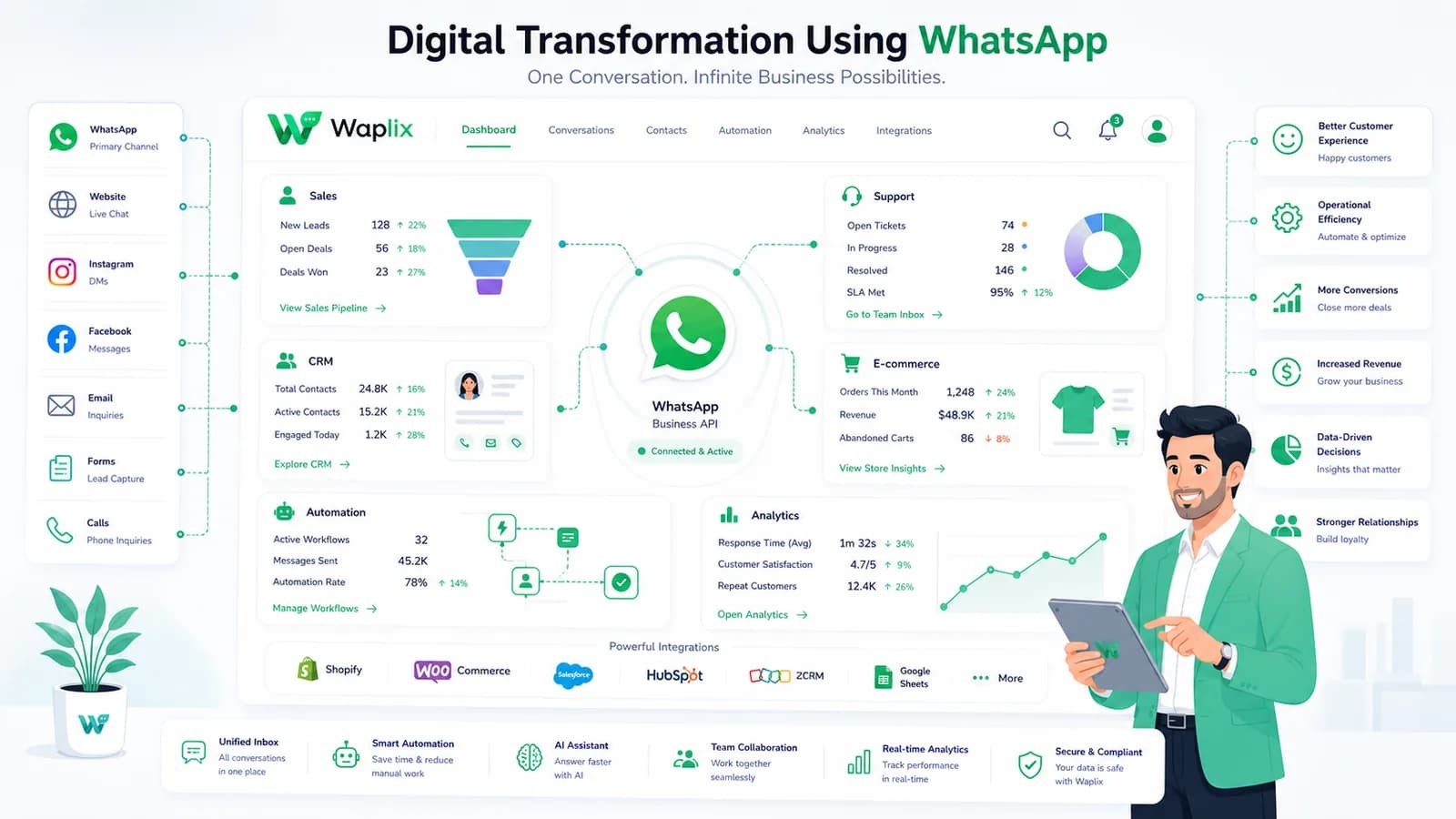
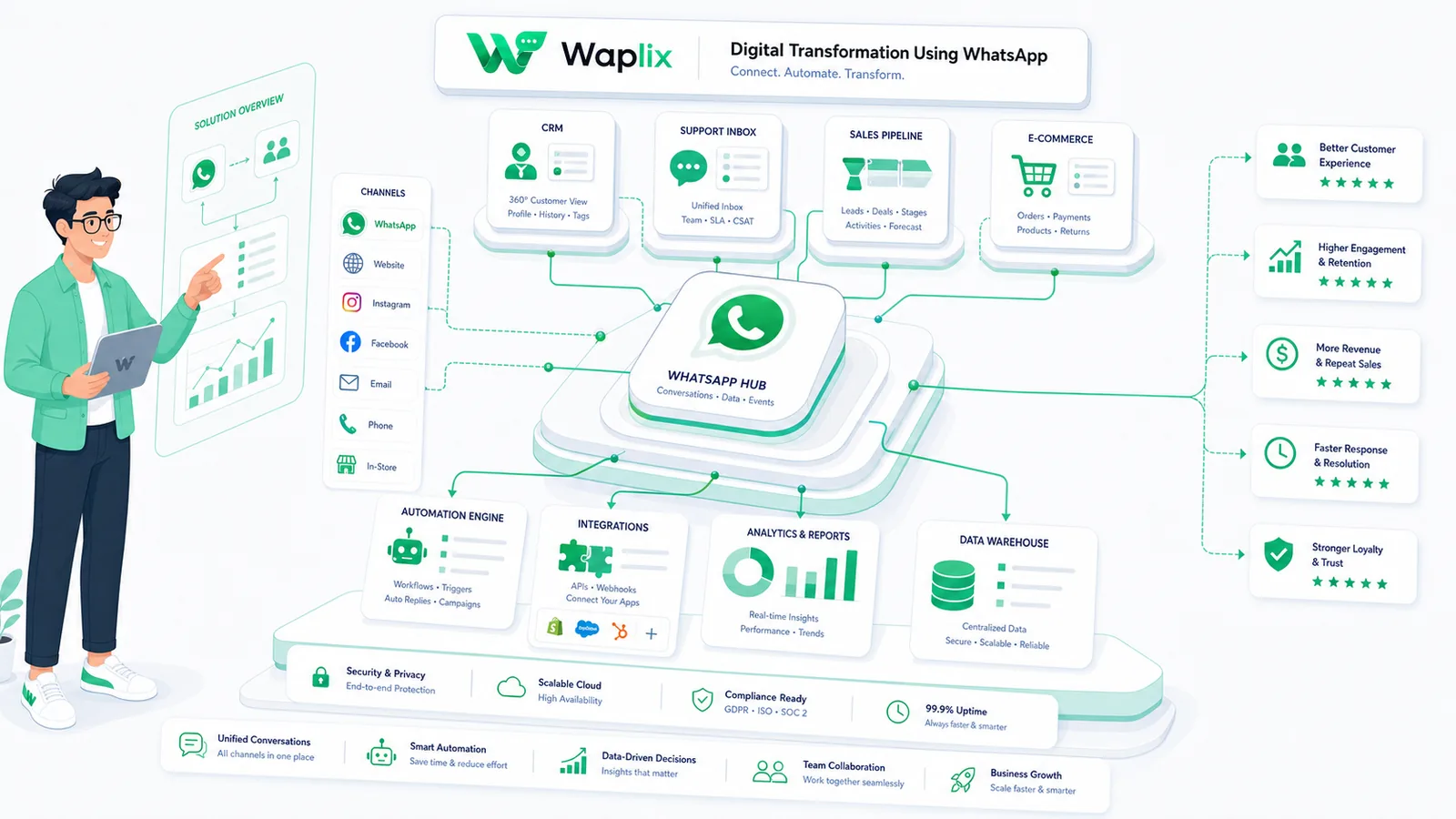
Legacy tools create silos, slow response times, and manual bottlenecks. WhatsApp—integrated through APIs and automation—becomes the backbone of a modern, customer-centric digital infrastructure that replaces fragmented workflows with unified, real-time communication.
Oct 12, 2025 12 min read By Waplix Team
Share:
Start your digital transformation with Waplix
Digital transformation is not about adopting the newest technology for its own sake. It is about replacing fragmented, manual, and slow processes with connected, automated, and responsive ones—so your business operates faster, serves customers better, and scales without proportional headcount increases.
WhatsApp sits at the center of this shift for a specific reason: it is where your customers already are. Over two billion people use WhatsApp. When businesses integrate WhatsApp through APIs and automation platforms, they do not just add another messaging channel—they modernize their entire communication infrastructure.
This guide covers the seven pillars of WhatsApp-driven digital transformation, compares legacy workflows to modern API-integrated alternatives, and provides a practical roadmap for teams ready to make the shift.
Quick answer: Digital transformation using WhatsApp means replacing legacy communication silos with API-integrated, automated WhatsApp workflows that modernize customer support, sales, marketing, and internal operations from a single platform.
Connect WhatsApp APIs to your business systems, automate workflows, and modernize customer communication from one platform.
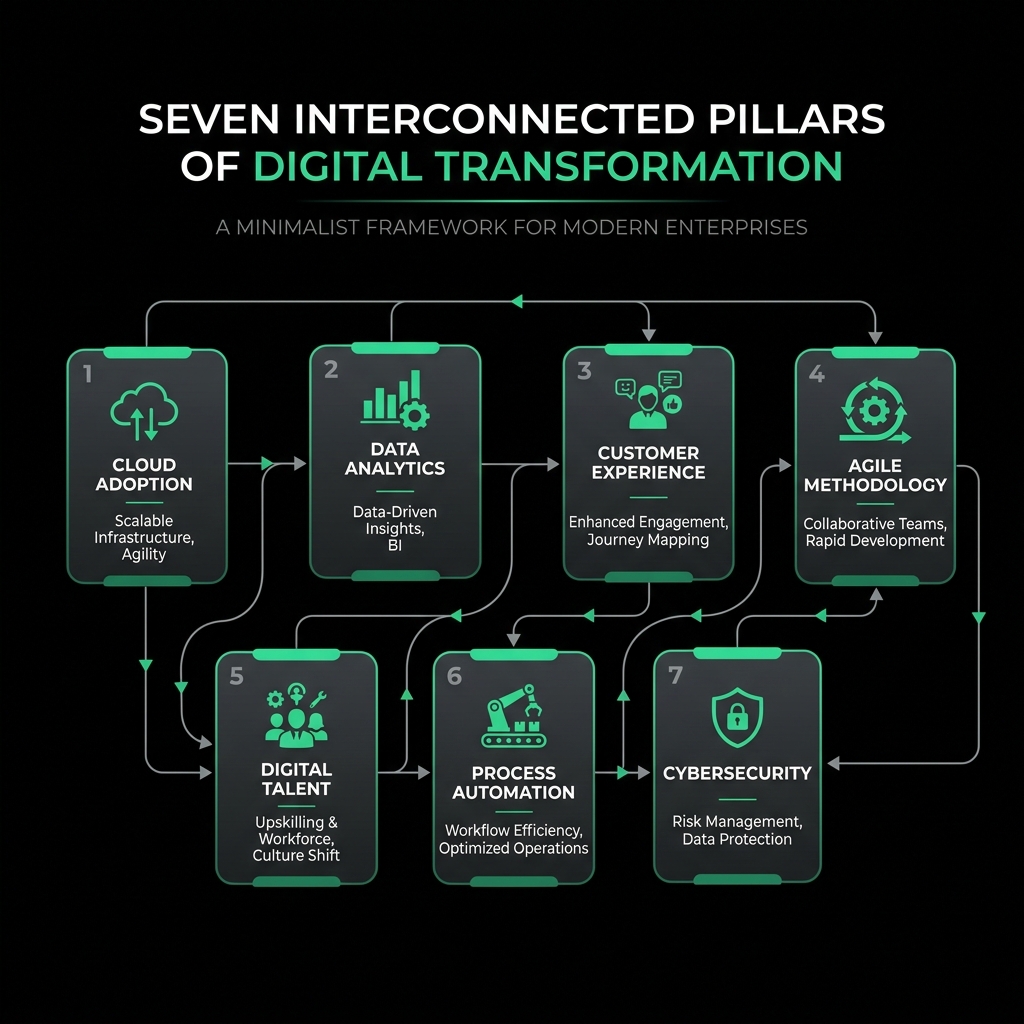
Seven pillars of WhatsApp-driven digital transformation
Digital transformation through WhatsApp is not a single project—it is a systematic modernization across multiple dimensions. Each pillar addresses a different layer of operational inefficiency that legacy systems create.
The seven pillars of WhatsApp-driven digital transformation span communication, automation, architecture, data, channels, mobile, and AI.
01
Modernize customer communication
Replace phone queues, email backlogs, and contact forms with real-time WhatsApp conversations that customers prefer and agents resolve faster.
02
Automate manual processes
Convert repetitive tasks—order confirmations, appointment reminders, status updates—into triggered WhatsApp automations that run without human intervention.
03
Adopt API-first architecture
Build integrations using WhatsApp Business API so every system—CRM, ERP, helpdesk, e-commerce—connects through a programmable messaging layer.
04
Enable data-driven decisions
Capture conversation analytics, response times, resolution rates, and customer sentiment to make operational decisions based on evidence, not guesswork.
05
Build omnichannel integration
Unify WhatsApp with email, SMS, web chat, and social media into a single inbox so customers switch channels without losing context or repeating themselves.
06
Implement mobile-first strategy
Design workflows around mobile-native experiences where customers complete purchases, receive updates, and get support without downloading a separate app.
07
Deploy AI-powered support
Layer chatbots, intent detection, and smart routing on top of WhatsApp to handle routine queries instantly while escalating complex issues to human agents.
Legacy systems vs WhatsApp-integrated digital workflows
The gap between legacy operations and digitally transformed workflows is not theoretical. Here is how specific processes change when WhatsApp API integration replaces traditional tools.
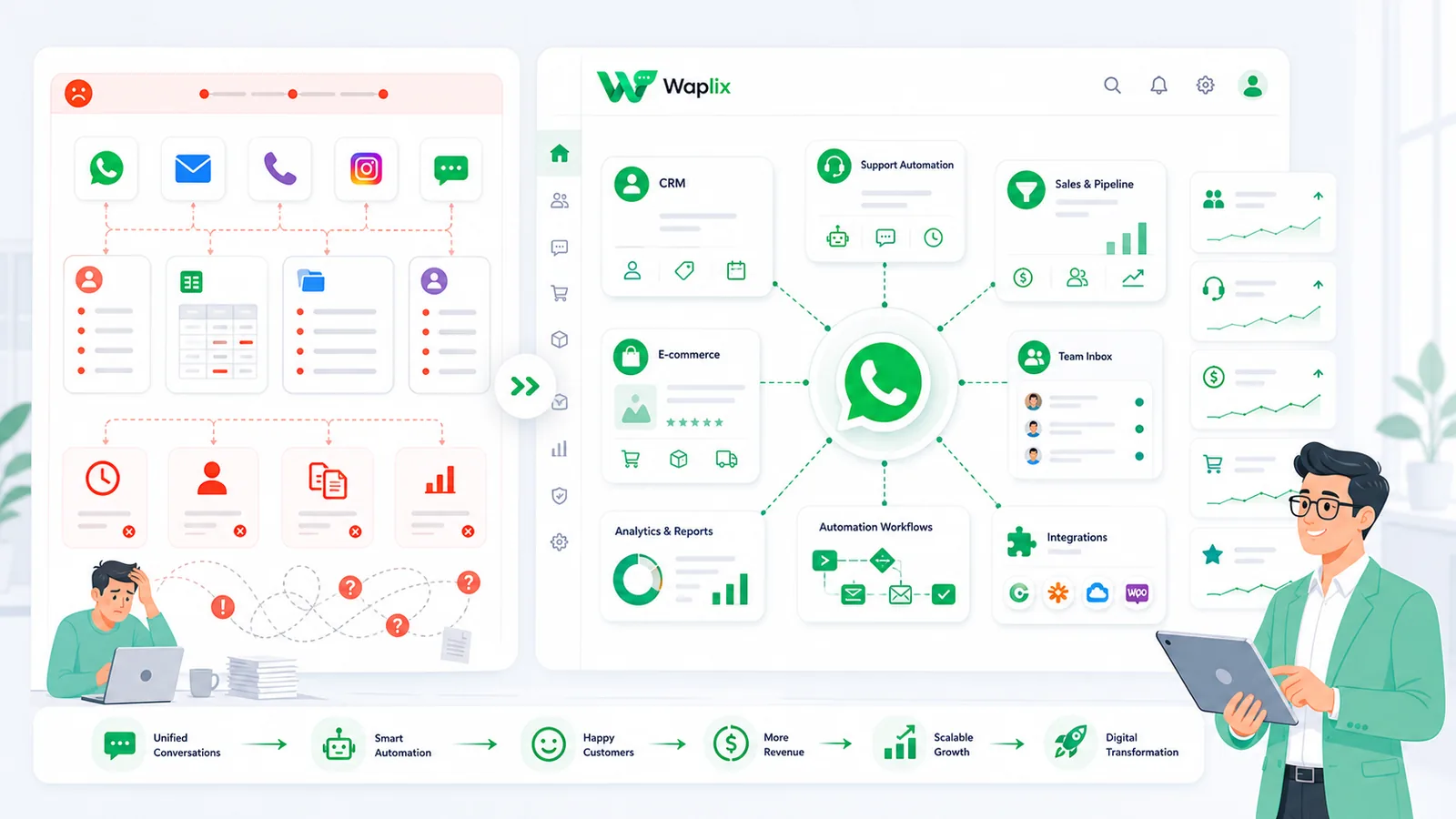
Legacy systems create silos and manual handoffs. WhatsApp-integrated workflows connect systems through APIs and automation.
Process
Legacy approach
WhatsApp-integrated approach
Customer inquiry
Email form → 24–48h response
WhatsApp message → auto-reply or agent within minutes
Order confirmation
Email confirmation often in spam
WhatsApp template with tracking link, 90%+ read rate
Appointment reminder
Manual phone call or SMS blast
Automated WhatsApp reminder with reschedule button
Lead qualification
Sales rep manually calls every lead
Chatbot pre-qualifies on WhatsApp, routes hot leads to agents
Internal escalation
Email chain between departments
Automated routing to team inbox with full conversation context
Customer feedback
Post-purchase survey email (5–10% response)
WhatsApp survey after delivery (30–40% response rates)
Payment collection
Invoice email with bank details
WhatsApp payment link with one-tap checkout
Key takeaway
Digital transformation is not about replacing email entirely—it is about moving time-sensitive, high-touch, and mobile-first interactions to WhatsApp where response rates and resolution speed are fundamentally better.
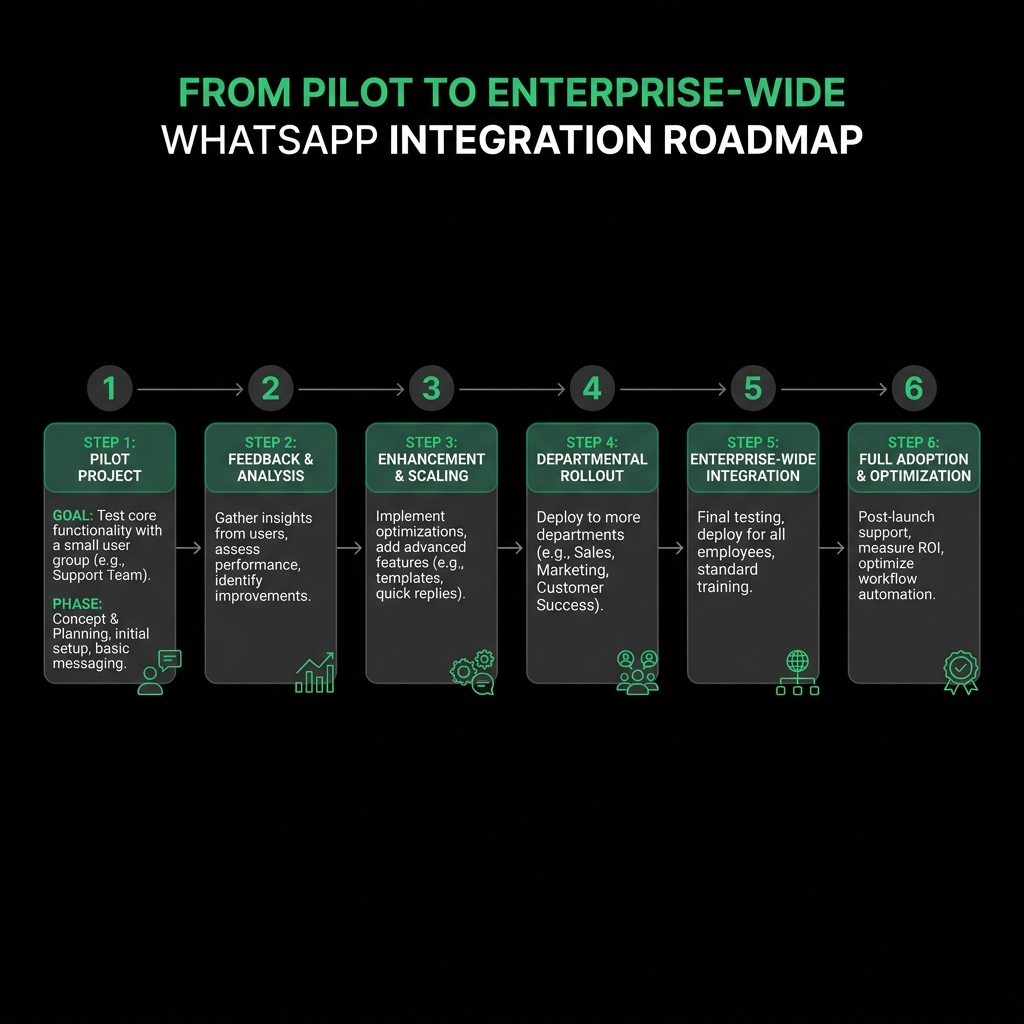
Transformation roadmap: from pilot to scale
Successful digital transformations start small and expand based on measured results. Trying to transform every process simultaneously creates chaos. Here is a proven phased approach.
Start with one high-impact use case, prove value, then expand across departments and workflows.
01
Audit current workflows
Map existing communication processes. Identify where manual effort, slow response times, or siloed data create bottlenecks and customer friction.
02
Select a pilot use case
Choose one high-impact, low-risk workflow—like automated order updates or appointment reminders—that delivers visible results quickly.
03
Set up API infrastructure
Connect WhatsApp Business API through Waplix or direct integration. Configure webhooks, templates, and team inbox access.
04
Launch and measure
Go live with the pilot team. Track response time, automation rate, customer satisfaction, and cost per interaction for 30–90 days.
05
Optimize and expand
Refine automations based on data. Add new use cases—support, sales, marketing—one workflow at a time.
06
Scale enterprise-wide
Roll out to all departments. Integrate with CRM, ERP, and analytics platforms. Establish governance, compliance, and training programs.
API-first architecture for WhatsApp integration
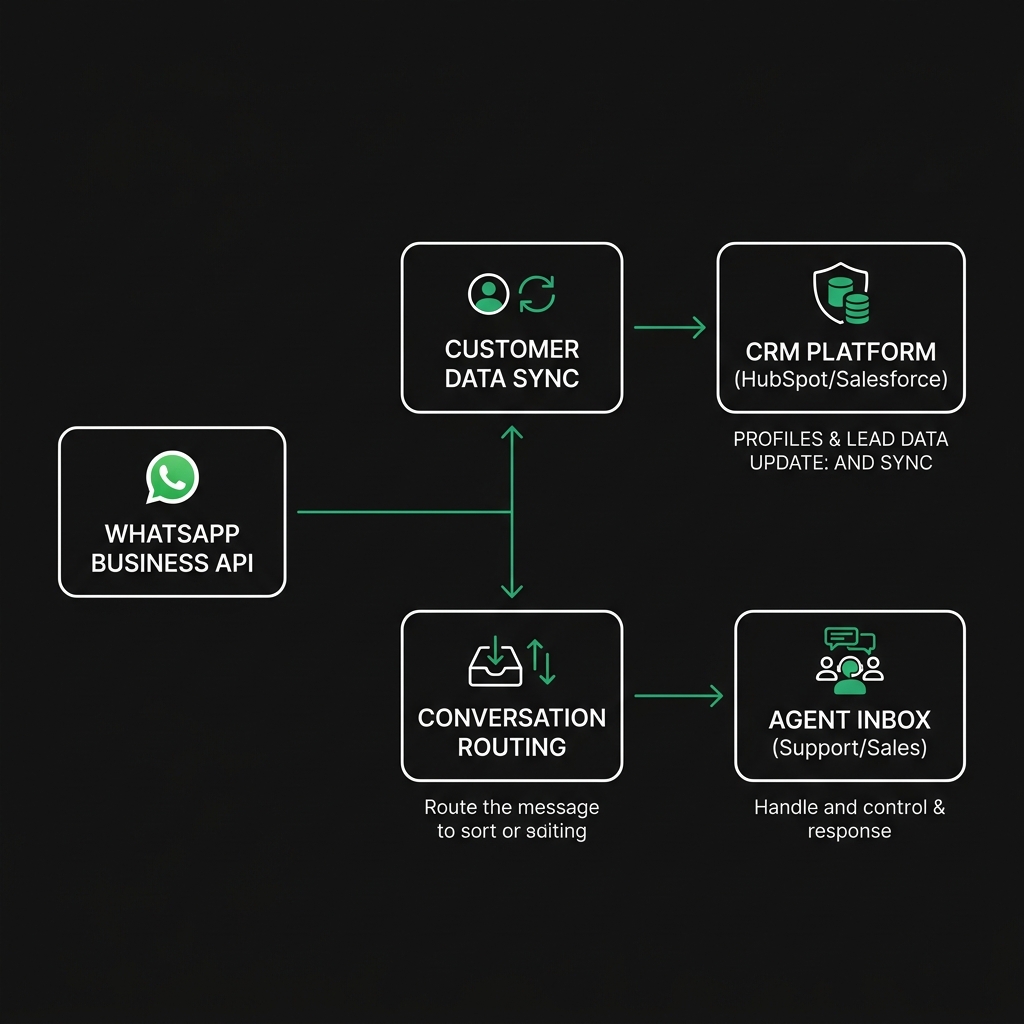
Digital transformation requires an architectural shift from monolithic, closed systems to composable, API-connected services. WhatsApp Business API becomes a programmable communication layer that your entire tech stack can call.
An API-first architecture connects WhatsApp to every business system through middleware and webhooks.
Key architectural components:
WhatsApp Business API — the programmable messaging interface for sending templates, receiving messages, and handling media
Middleware / automation platform — Waplix or custom service that routes messages, triggers workflows, and manages state
CRM integration — sync contacts, conversation history, and lead scoring between WhatsApp and your sales pipeline
ERP / OMS connector — trigger order confirmations, shipping updates, and inventory alerts from business events
Webhook endpoints — receive delivery receipts, customer replies, and status changes in real time
Analytics pipeline — feed conversation data into dashboards for response time, resolution rate, and sentiment tracking
Tip: Design integrations as event-driven pipelines rather than batch processes. Real-time webhooks keep WhatsApp conversations responsive and data current across all connected systems.
Developer view: WhatsApp API integration patterns
Below are simplified integration patterns for common digital transformation use cases. In production, verify webhook signatures, handle rate limits, and implement retry logic with exponential backoff.
Data-driven decision making with WhatsApp analytics
One of the biggest advantages of API-integrated WhatsApp is the data it generates. Every conversation, response time, resolution, and customer interaction becomes a measurable data point.
Metric
What it reveals
Action to take
First response time
How quickly customers get initial replies
Optimize auto-replies and bot coverage for off-hours
Resolution rate
Percentage of conversations resolved without escalation
Improve chatbot training data and knowledge base
Automation rate
Queries handled entirely by bots vs humans
Identify new automation candidates from repeated questions
Customer satisfaction (CSAT)
Post-conversation ratings from customers
Address low-scoring interaction patterns and agent training
Template delivery rate
Percentage of templates successfully delivered
Clean contact lists and fix formatting issues
Channel migration rate
Customers moving from legacy channels to WhatsApp
Measure adoption success and adjust promotion strategy
Best practice: Build dashboards that compare pre-transformation baselines with current metrics. Without before-and-after data, you cannot demonstrate transformation ROI to stakeholders.
Compliance and governance in digital transformation
Scaling WhatsApp across an organization introduces compliance requirements that go beyond a simple messaging integration. Digital transformation demands governance frameworks.
Collect and document consent before sending any outbound WhatsApp messages—separate opt-ins for transactional vs marketing
Use approved message templates for all outbound communication initiated outside the 24-hour service window
Implement data retention policies that comply with GDPR, CCPA, or local equivalents for conversation logs and customer data
Establish access controls so only authorized team members can view conversations and customer information
Audit integration endpoints regularly for security vulnerabilities, expired tokens, and unauthorized access
Follow WhatsApp Business and Commerce policies including prohibited content, messaging frequency limits, and template guidelines
Maintain compliance documentation for regulated industries—healthcare, finance, insurance—with additional data residency and encryption requirements
Important: Regulations vary by country and industry. This guide provides operational guidance, not legal advice. Consult qualified counsel for your specific markets and compliance requirements.
See Waplix compliance features
Built-in consent management, template approval workflows, data retention controls, and team access permissions.
Waplix provides the infrastructure layer that connects WhatsApp Business API to your existing systems without requiring a dedicated engineering team. Teams get API access, automation builders, shared team inboxes, template management, analytics dashboards, and webhook endpoints—all configured from a single platform.
Instead of building custom middleware, managing API credentials across departments, and stitching together point solutions, Waplix centralizes WhatsApp operations so transformation teams can focus on workflow design and customer experience rather than infrastructure maintenance.
Waplix automation builder screenshot placeholder
Replace this with a real Waplix automation builder screenshot showing workflow triggers and WhatsApp actions.
Suggested screenshot: automation builder with event triggers, conditional logic, and WhatsApp template actions.
Waplix analytics dashboard screenshot placeholder
Replace this with a real Waplix analytics dashboard showing response times, resolution rates, and automation metrics.
Suggested screenshot: analytics dashboard with transformation KPIs—response time, automation rate, and CSAT trends.
Waplix team inbox screenshot placeholder
Replace this with a real Waplix shared inbox screenshot showing multi-agent conversation management.
Suggested screenshot: shared team inbox with conversation assignment, tags, and customer context panels.
Waplix API logs screenshot placeholder
Replace this with a real Waplix API/webhook log screenshot showing integration events and delivery status.
Suggested screenshot: webhook and API logs showing message delivery, CRM sync events, and error tracking.
Trying to transform everything at once. Start with one workflow, prove ROI, then expand. Organization-wide rollouts without pilot validation create expensive failures.
Ignoring team adoption. Technology changes fail without training, SOPs, and internal champions. Budget time for change management alongside integration work.
Treating WhatsApp as just another broadcast channel. Digital transformation requires two-way conversation design, not one-way notifications only.
Skipping the data baseline. Without pre-transformation metrics, you cannot prove improvement or justify continued investment to stakeholders.
Building custom infrastructure when platforms exist. Custom WhatsApp API integrations are expensive to build and maintain. Evaluate platforms like Waplix before committing engineering resources.
Neglecting compliance from day one. Retrofitting consent management, data retention, and access controls is far harder than designing them into the architecture upfront.
Over-automating without human escalation. Bots handle routine queries well but damage trust when they cannot recognize their own limitations and hand off to agents.
Best practices for sustainable transformation
Start with customer pain points
Transform the workflows that cause the most customer friction first—not the ones that are easiest to automate internally.
Measure before and after
Establish clear baselines for response time, resolution rate, and customer satisfaction before launching any WhatsApp integration.
Design for conversation, not broadcast
WhatsApp's power is in two-way communication. Build workflows that invite and handle customer replies, not just push messages.
Invest in team training
Agents need to understand the shared inbox, automation handoffs, and when to override bot responses. Document SOPs for every workflow.
Final recommendation
Digital transformation using WhatsApp is not a single integration project—it is a systematic modernization of how your business communicates with customers and operates internally. The organizations that succeed start with a focused pilot, measure rigorously, and expand based on proven results rather than aspirational roadmaps.
WhatsApp becomes the backbone of transformation because it meets customers where they already are, supports rich automation through APIs, and generates the data needed to continuously improve operations. Combined with AI-powered support and omnichannel integration, it replaces fragmented legacy workflows with a unified, responsive, and scalable communication infrastructure.
Start building with Waplix
Connect WhatsApp APIs to your business systems, automate workflows, and drive digital transformation from a single platform.
Timelines vary by scope. A single-channel pilot—like automating order confirmations on WhatsApp—can launch in two to four weeks. A full digital transformation that replaces legacy communication, integrates CRM and ERP systems, and deploys AI-powered support typically takes three to nine months. Start with one high-impact workflow, measure results, and expand incrementally.
Track metrics across efficiency, revenue, and experience: average response time before and after automation, support ticket volume handled per agent, conversion rate from WhatsApp conversations, customer satisfaction scores, and cost per resolved inquiry. Compare these to your legacy baseline over at least 90 days to account for adoption curves and seasonal variation.
Start with a pilot team on a single use case they already find painful—like manually forwarding order updates. Provide hands-on training, document SOPs, and assign a champion per department. Resistance usually drops when agents see their repetitive tasks automated and their inbox organized. Roll out to remaining teams only after the pilot proves stable.
It depends on your architecture. Modern systems with REST APIs or webhook support connect to WhatsApp middleware in days. Older systems without APIs may need middleware adapters, database triggers, or RPA bridges—adding weeks to the integration. Waplix provides pre-built connectors and webhook endpoints that reduce custom development for common platforms.
Yes. Small businesses often see faster results because they have fewer legacy systems to untangle. Automating appointment reminders, order confirmations, and basic customer queries on WhatsApp can save hours per week immediately. The key is choosing a platform that does not require a dedicated engineering team to configure and maintain.
You need documented customer consent for messaging, approved templates for outbound communication, data handling practices that comply with GDPR or local equivalents, and adherence to WhatsApp Business and Commerce policies. Regulated industries like healthcare and finance have additional requirements around data residency, encryption, and audit logging. Consult qualified legal counsel for your specific markets.
Related Guides & Insights
AI Agents
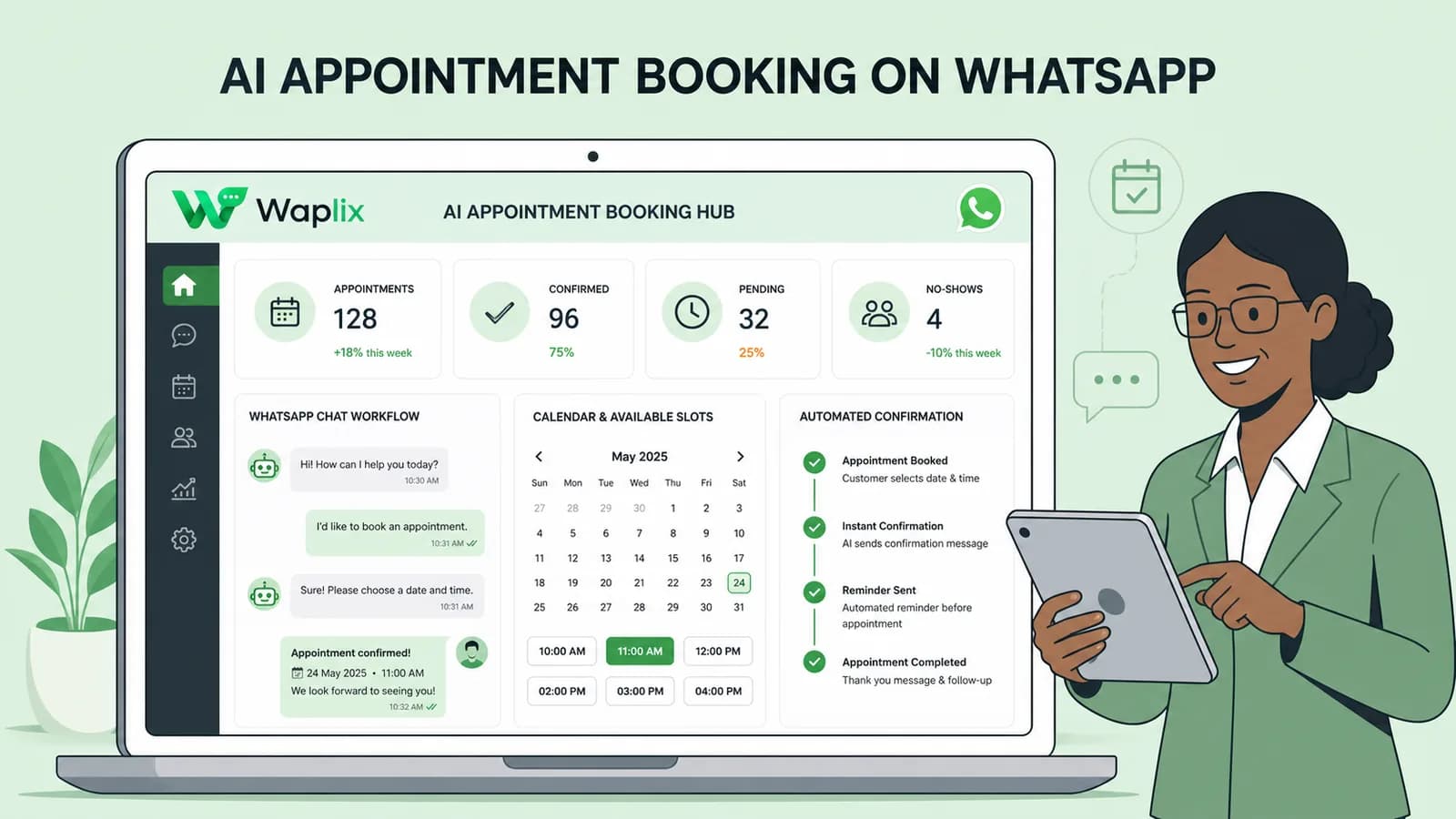
AI Appointment Booking on WhatsApp
Learn how to build AI-driven booking systems on WhatsApp, connecting calendar databases to conversational agents, automating updates, and reducing client no-shows.
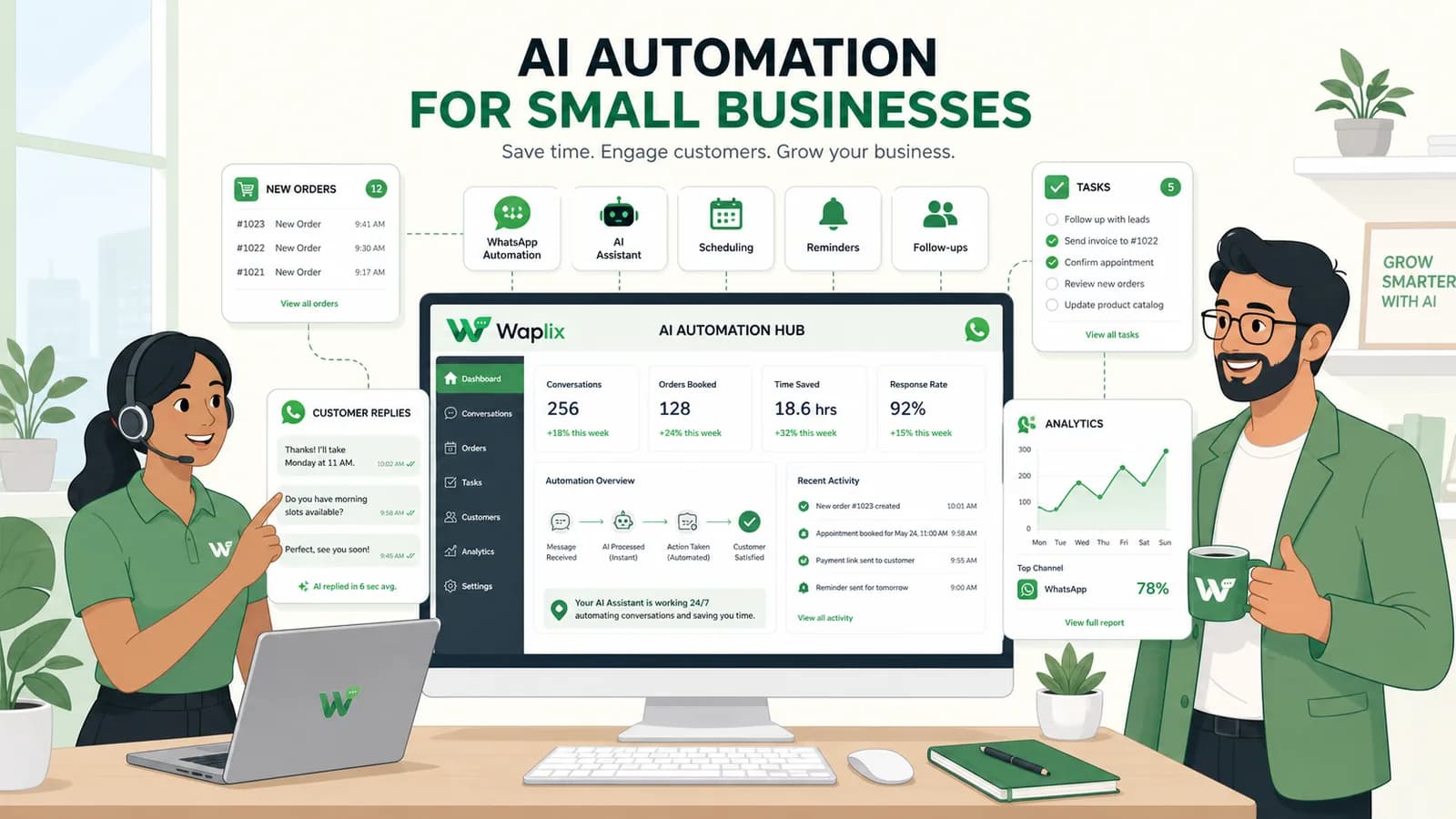
Discover practical ways small businesses can leverage no-code AI automation on WhatsApp to manage customer conversations, qualify prospects, and coordinate bookings 24/7.
Explore the technology behind AI memory and context retention, learning how session databases personalization results in better, trust-filled client interactions.