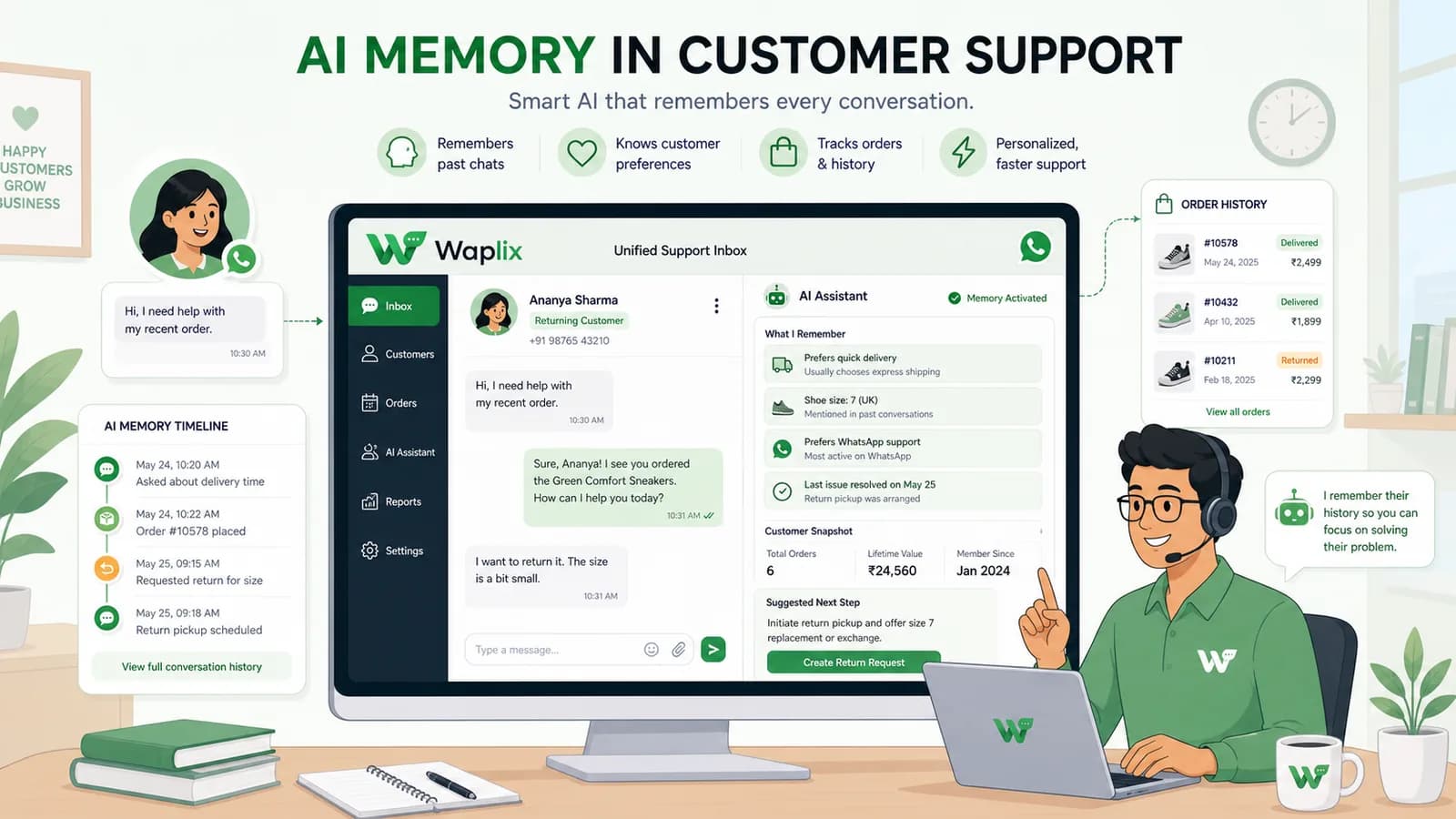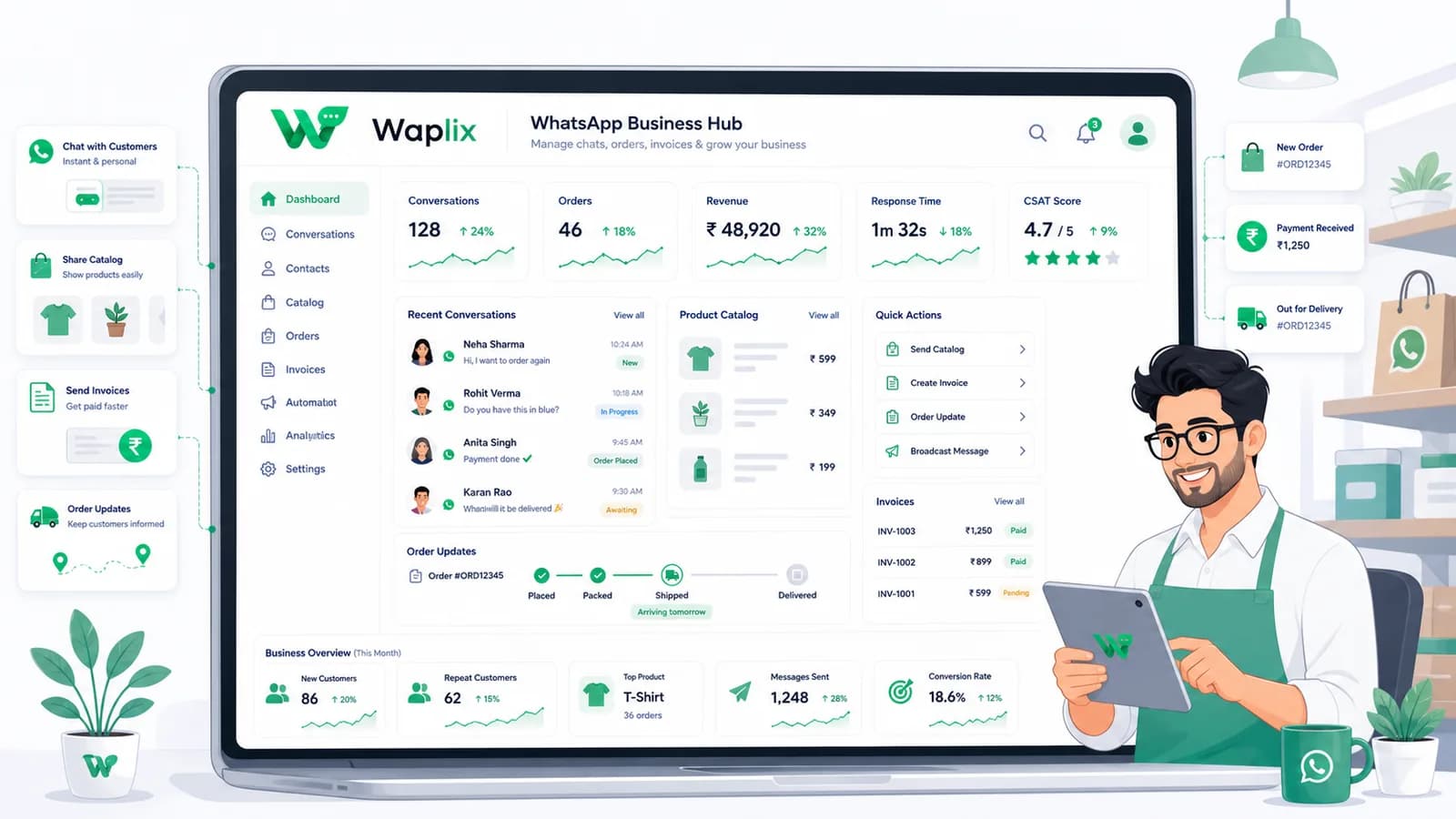
WhatsApp Marketing

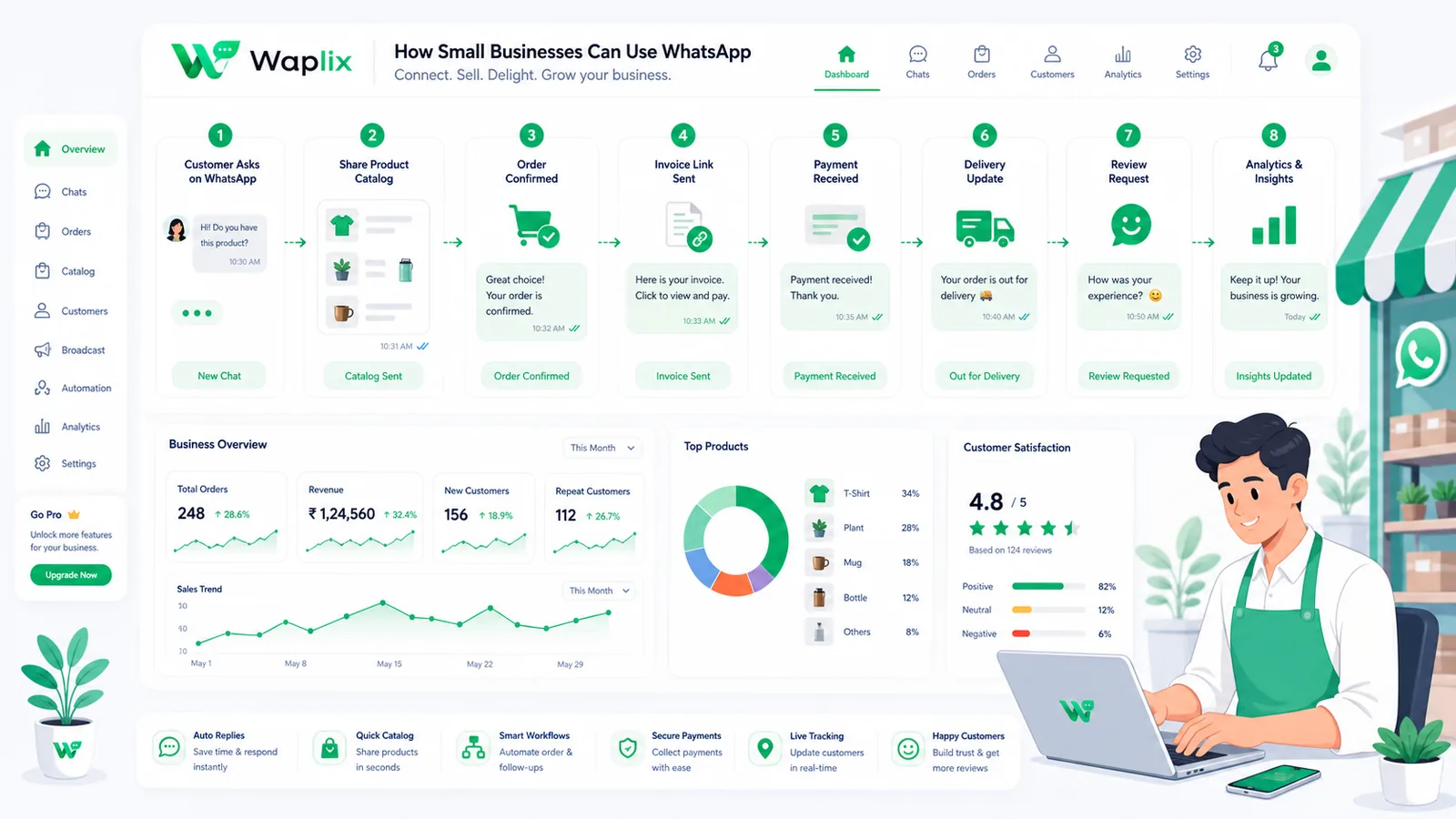
How Small Businesses Can Use WhatsApp

Most small businesses already have WhatsApp on their phones. The difference between casual messaging and a revenue-driving channel is structure, automation, and the right API integration. Here is your complete playbook for turning WhatsApp into a customer support, sales, and marketing engine.

Nov 12, 2025 11 min read By Waplix Team
Share:
How Small Businesses Can Use WhatsApp

Automate your small business communication on WhatsApp

WhatsApp is not just a personal messaging app. With over 2 billion monthly active users worldwide, it has quietly become the most important customer communication channel for small businesses. Whether you run a neighborhood bakery, a freelance consulting practice, or a growing e-commerce brand, your customers already prefer WhatsApp over email and phone calls.

The challenge is that most small businesses use WhatsApp the same way they text friends—manually, inconsistently, and without any system. Messages get lost, response times vary wildly, and there is no way to track what is working. That is where a structured approach changes everything.

This guide walks you through six proven WhatsApp strategies for small businesses: customer support, lead generation, appointment booking, payment reminders, product catalogs, and team collaboration. You will also learn when to upgrade from the free WhatsApp Business App to the WhatsApp Business API, and how Waplix makes that transition seamless.

Who this guide is for: Small business owners, solo entrepreneurs, and growing teams who want to move beyond casual WhatsApp messaging into structured, automated customer communication that scales.

Connect the official WhatsApp Business API, manage conversations from a shared inbox, and automate customer workflows—all in one platform.

Create your free Waplix account See Waplix features
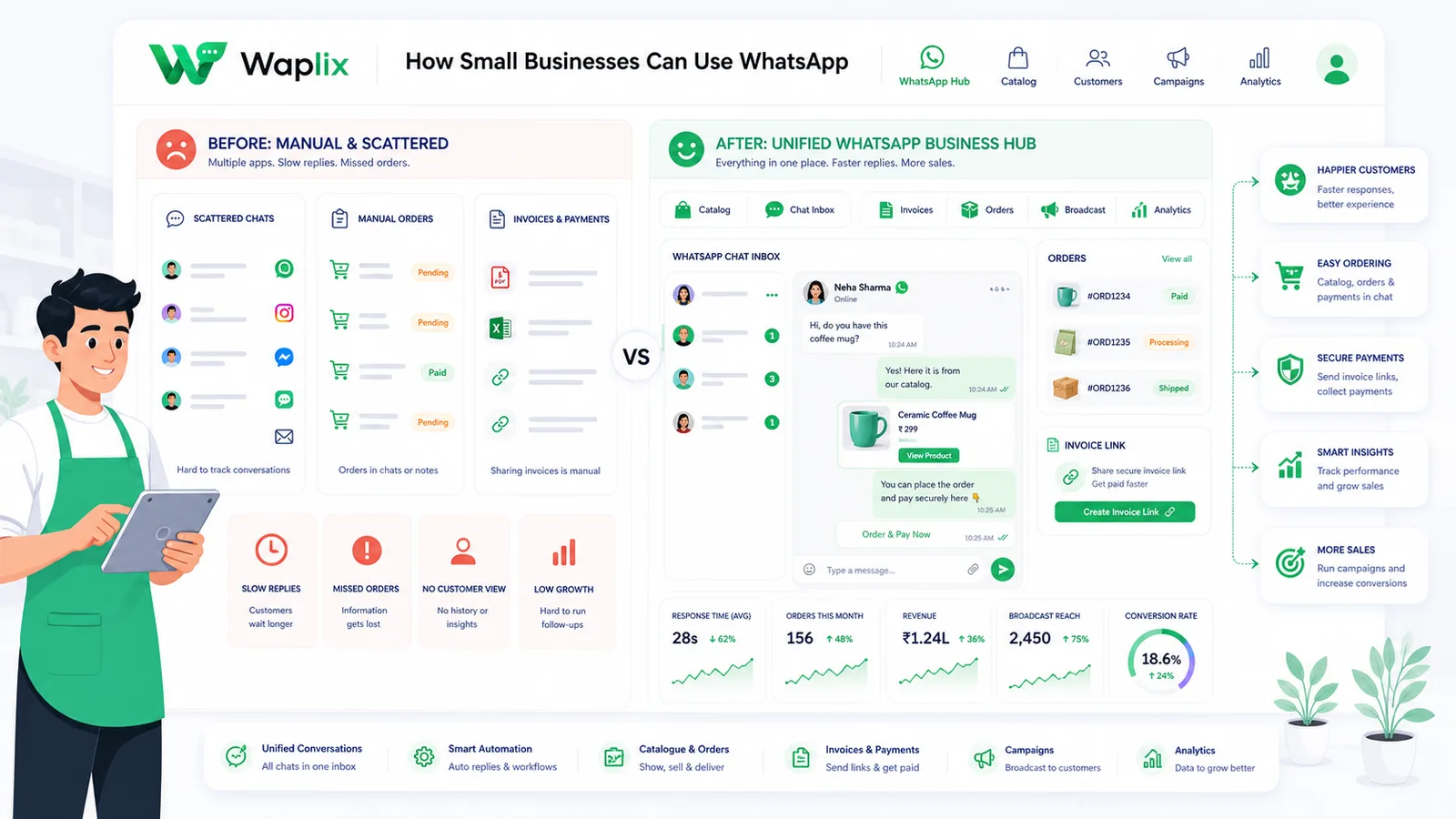
Why WhatsApp is the ideal channel for small businesses

Small businesses need communication channels that are low-cost, high-engagement, and easy to manage without a dedicated IT department. WhatsApp checks all three boxes.

Unlike email, which suffers from 15–22% open rates and aggressive spam filtering, WhatsApp messages are opened by 98% of recipients. Unlike phone calls, which interrupt the customer and require both parties to be available simultaneously, WhatsApp conversations are asynchronous—customers reply when it is convenient for them. And unlike SMS, WhatsApp supports rich media, interactive buttons, document sharing, and two-way conversations at no per-message carrier cost.

For small businesses operating on tight budgets, the return on investment is difficult to match. A single WhatsApp broadcast can generate more engagement than an entire email campaign, and the setup cost with a platform like Waplix is a fraction of what legacy SMS providers charge.

Key Takeaway

WhatsApp gives small businesses enterprise-level customer engagement—high open rates, rich media, two-way conversations—without enterprise-level complexity or cost.

WhatsApp Business App vs WhatsApp Business API

Before diving into strategies, you need to choose the right WhatsApp product for your business stage. Meta offers two distinct solutions, and understanding the differences is critical for making the right investment.

FeatureWhatsApp Business App (Free)WhatsApp Business API (via Waplix)
CostFree to download and usePer-conversation fees from Meta + Waplix subscription plan
Users / devices1 phone + 4 linked devicesUnlimited agents via shared inbox
Broadcast limit256 contacts per broadcast listUnlimited (scales with quality rating)
AutomationBasic auto-replies and greeting messagesFull workflow automation, AI agents, conditional triggers
CRM integrationNot availableREST API and webhooks for any CRM or e-commerce platform
Template messagesNot supportedPre-approved templates for business-initiated outreach
AnalyticsBasic message statisticsDelivery, read, click-through, and conversion tracking
Product catalogIn-app catalog with limited managementDynamic catalog via API with real-time inventory sync
Payment collectionManual payment link sharingAutomated payment reminders with direct checkout buttons
Best forSolo operators, under 50 daily conversationsGrowing teams, high-volume messaging, automation needs

If you are just starting out and handle a small number of daily conversations, the free WhatsApp Business App is a perfectly valid starting point. But the moment you need multiple team members responding to chats, automated follow-ups, or CRM synchronization, the API becomes essential.

1. Customer support: respond faster, resolve more

For most small businesses, customer support is the first and highest-impact WhatsApp use case. Customers already prefer messaging over phone calls—they want quick answers without being put on hold.

With the WhatsApp Business API and Waplix, you can build a structured support system that combines AI-powered auto-replies for common questions with a shared team inbox for complex issues. When a customer sends a message, the system can automatically categorize the inquiry, provide an instant response for known questions (store hours, return policy, shipping status), and route anything else to the next available team member.

What a structured WhatsApp support flow looks like

  • Instant greeting message. Acknowledge the customer within seconds with an automated welcome and a menu of quick-reply options.
  • AI-powered FAQ resolution. Train an AI support agent on your knowledge base to handle routine questions like pricing, hours, and order tracking.
  • Smart routing to human agents. When the AI cannot resolve a query or the customer requests a human, automatically assign the chat to an available team member.
  • Internal notes and context. Agents see the full conversation history and CRM profile so the customer never has to repeat themselves.
  • Resolution tagging. Tag resolved conversations by category (billing, shipping, product question) to identify patterns and improve your FAQ over time.
Support Tip: Set response time expectations in your greeting message. Telling customers "We typically respond within 5 minutes during business hours" reduces anxiety and prevents duplicate messages that clutter your inbox.

2. Lead generation: capture and qualify prospects

WhatsApp is one of the most effective lead capture channels available to small businesses. Unlike web forms that sit passively on your website, a WhatsApp conversation is immediate, personal, and has near-zero abandonment once the customer initiates contact.

Lead capture methods that work

01

Click-to-WhatsApp ads

Run Facebook and Instagram ads with a "Send WhatsApp Message" CTA. The customer taps the button and lands directly in a conversation with your business, pre-filled with context from the ad.

02

Website chat widgets

Replace your generic live chat with a WhatsApp widget. Visitors enter their phone number, and the conversation continues on WhatsApp—even after they leave your website.

03

QR codes on physical materials

Print WhatsApp QR codes on business cards, product packaging, receipts, and in-store signage. Customers scan and instantly start a conversation.

04

Automated lead qualification

Use interactive list messages and quick replies to ask qualifying questions (budget, timeline, location) before routing the lead to your sales team.

Once a lead enters your WhatsApp funnel, Waplix captures their contact details and stores them in your CRM. You can then segment leads by source, qualification score, or product interest and trigger personalized follow-up sequences automatically.

3. Appointment booking: reduce no-shows by 40%

Service-based small businesses—salons, clinics, consultants, repair shops—lose significant revenue to no-shows and last-minute cancellations. WhatsApp automation solves this by keeping your appointment pipeline active and your calendar full.

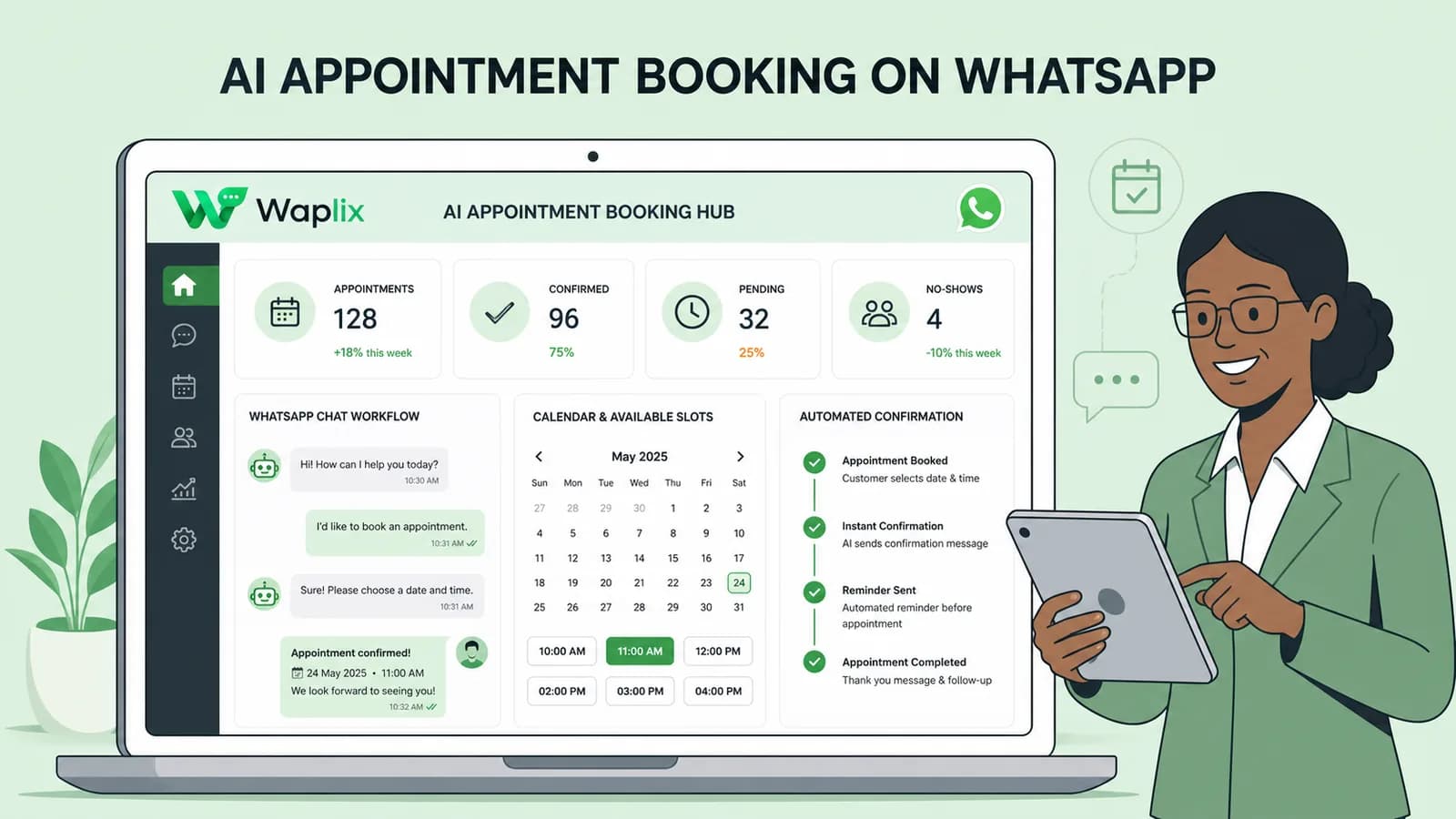
Automated appointment workflow

01

Booking confirmation

When a customer books through your website or app, send an instant WhatsApp confirmation with date, time, location, and a calendar add button.

02

24-hour reminder

Send an automated reminder one day before the appointment with quick-reply buttons to confirm, reschedule, or cancel.

03

Same-day check-in

Send a morning-of message with directions, parking instructions, or preparation notes to reduce last-minute confusion.

04

Post-visit follow-up

After the appointment, send a thank-you message with a feedback link, rebooking prompt, or referral incentive.

Measurable Impact: Businesses that implement automated WhatsApp appointment reminders consistently report 30–40% reductions in no-show rates compared to SMS or email-only reminder systems.

4. Payment reminders: get paid faster

Chasing unpaid invoices is one of the most time-consuming tasks for small business owners. WhatsApp payment reminders have significantly higher open and action rates than email invoices because customers see them immediately and can respond or pay with a single tap.

Effective payment reminder strategy

  • Invoice delivery. Send the invoice as a PDF attachment with a direct payment link button the moment the service is completed or the product is shipped.
  • Gentle reminder at 3 days. If payment has not been received, send a friendly automated reminder with the payment link and original invoice reference.
  • Follow-up at 7 days. Escalate the tone slightly and offer to answer any questions about the invoice or provide alternative payment methods.
  • Final notice at 14 days. Send a final automated reminder before the account is flagged for manual follow-up by your team.

Using the Waplix API, these reminders trigger automatically based on your invoicing system's webhook events. No manual tracking or spreadsheet management required.

5. Product catalogs: sell directly inside WhatsApp

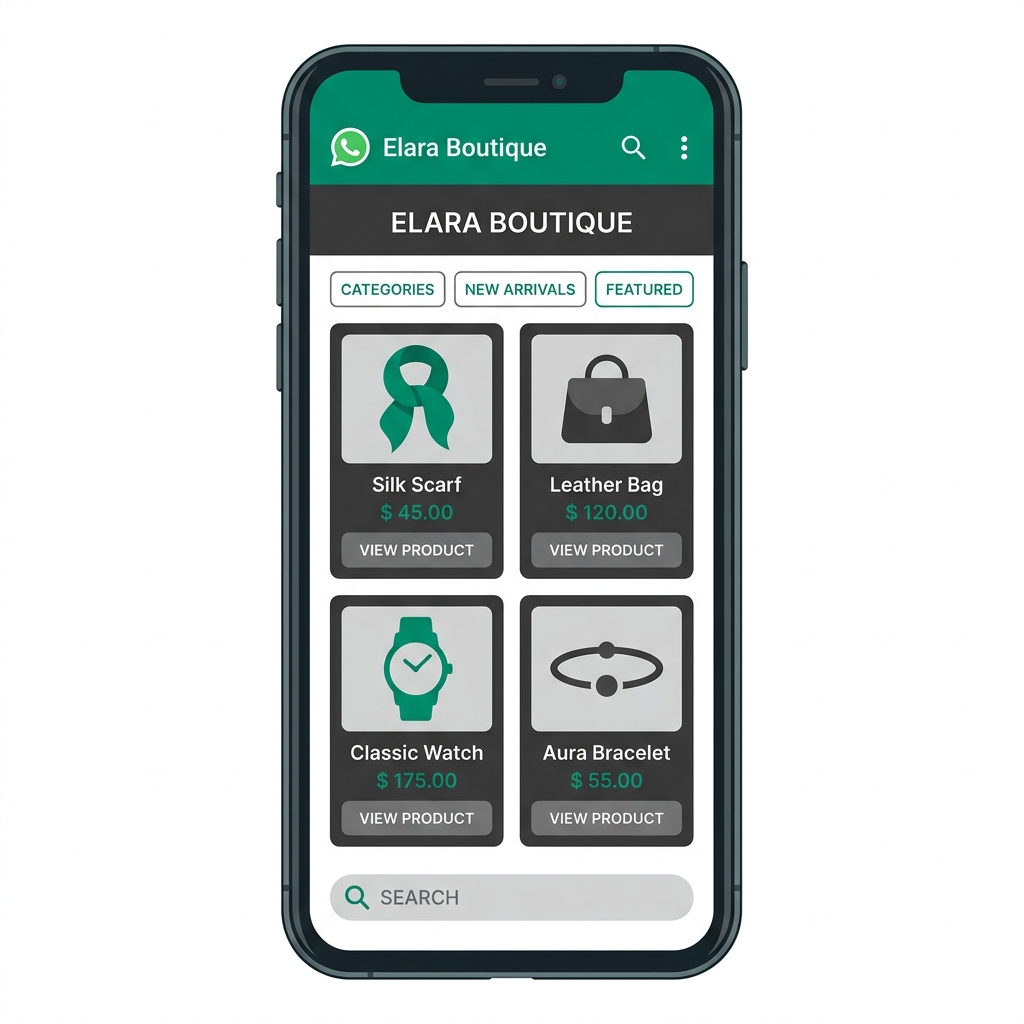
WhatsApp supports native product catalogs that let customers browse your inventory, view prices, and place orders without leaving the chat. For small businesses without a dedicated e-commerce website, this feature turns WhatsApp into a complete storefront.

How to maximize your WhatsApp catalog

Organize by category

Group products into logical collections (seasonal items, best sellers, new arrivals) so customers can browse efficiently.

Use high-quality images

Every product listing needs clear, professional photos. Poor images reduce trust and kill conversion rates.

Sync inventory in real-time

Use the Waplix API to sync your catalog with your inventory system. Avoid selling out-of-stock items that damage customer trust.

Send targeted product messages

Share specific catalog items in conversations using interactive product cards with images, descriptions, and pricing.

6. Team collaboration: scale without losing context

As your business grows, you cannot have one person managing all WhatsApp conversations from a single phone. The WhatsApp Business API, paired with a platform like Waplix, gives your team a shared inbox where multiple agents can handle conversations simultaneously.

Team collaboration features that matter

  • Automatic chat assignment. Route incoming conversations to available agents based on skill, department, or workload balance.
  • Internal notes. Team members can leave private notes on conversations that are invisible to the customer but provide essential context for the next agent.
  • Agent performance tracking. Monitor response times, resolution rates, and customer satisfaction scores for each team member.
  • Conversation transfer. Seamlessly hand off a conversation from one agent to another (or from AI to human) without the customer noticing a break.
  • Canned responses. Create pre-written responses for common scenarios to maintain consistency and speed across the team.

Key Takeaway

The shared inbox is what transforms WhatsApp from a personal messaging tool into a professional business communication platform. Without it, scaling customer conversations becomes chaotic.

Step-by-step implementation guide

Ready to move from casual WhatsApp messaging to a structured business communication system? Follow this implementation roadmap to launch efficiently.

01

Register for WhatsApp Business API

Sign up for Waplix, connect your Meta Business Account, and register your business phone number. The process takes less than 30 minutes.

02

Set up your business profile

Add your business name, description, address, hours, website URL, and profile photo. A complete profile builds customer trust.

03

Create and submit message templates

Design templates for your core workflows: order confirmations, appointment reminders, payment links, and welcome messages. Submit them for Meta approval.

04

Configure automation triggers

Connect your website, booking system, or e-commerce platform to Waplix via webhooks. Map each business event to the appropriate template message.

05

Set up the shared team inbox

Invite your team members to Waplix, define routing rules, and configure working hours so customer messages are always handled promptly.

06

Launch, monitor, and optimize

Start with transactional messages first. Monitor delivery rates, response times, and customer feedback. Gradually introduce promotional broadcasts.

Launch Tip: Start with transactional notifications (order confirmations, booking reminders) before adding promotional broadcasts. This builds your number's quality rating and establishes customer trust before you ask for their attention with marketing content.

Developer integration: API request & webhook examples

Developers can integrate WhatsApp messaging into any existing small business system using the Waplix REST API. Below are practical examples covering an appointment reminder template and a payment reminder webhook.

1. Send an appointment reminder template

Send a POST request to trigger an automated appointment reminder. Replace the bearer token with your Waplix API key.

POST /api/v1/messages/send HTTP/1.1
Host: api.waplix.io
Authorization: Bearer wplx_live_7c3e019d582a4f6b
Content-Type: application/json

{
  "to": "+15550123456",
  "type": "template",
  "template": {
    "name": "appointment_reminder_24h",
    "language": "en",
    "components": [
      {
        "type": "body",
        "parameters": [
          { "type": "text", "text": "Sarah" },
          { "type": "text", "text": "July 8, 2026 at 2:30 PM" },
          { "type": "text", "text": "Downtown Wellness Clinic" }
        ]
      },
      {
        "type": "button",
        "sub_type": "quick_reply",
        "index": 0,
        "parameters": [
          { "type": "payload", "payload": "CONFIRM_APPT_20260708" }
        ]
      },
      {
        "type": "button",
        "sub_type": "quick_reply",
        "index": 1,
        "parameters": [
          { "type": "payload", "payload": "RESCHEDULE_APPT_20260708" }
        ]
      }
    ]
  }
}

2. API JSON response

The API validates your payload, checks opt-in status, and returns a message reference for tracking.

{
  "status": "success",
  "message_id": "msg_482957103",
  "recipient": "+15550123456",
  "template_applied": "appointment_reminder_24h",
  "provider": "waplix-engine",
  "timestamp": "2026-07-07T14:30:00Z"
}

3. Payment reminder webhook event

When a customer clicks the payment link inside the WhatsApp message, Waplix fires a webhook to your server so you can update the invoice status in real-time.

{
  "event": "message.button_clicked",
  "message_id": "msg_482957103",
  "recipient": "+15550123456",
  "button_payload": "PAY_INVOICE_4892",
  "clicked_at": "2026-07-07T15:12:33Z",
  "metadata": {
    "invoice_id": "INV-2026-4892",
    "amount": "149.00",
    "currency": "USD"
  }
}
Security Best Practices: Store API keys in environment variables, never in client-side code or version control. Validate webhook signatures to prevent spoofed events. Use idempotency keys to prevent duplicate message sends when network retries occur.

For complete integration documentation, visit our API reference and webhook event catalog.

System architecture for small business WhatsApp

Even small businesses benefit from understanding how data flows between their existing systems and the WhatsApp Business API. A well-architected setup ensures messages are sent reliably, customer data stays synchronized, and your team has full context for every conversation.

When a business event occurs—a new booking, a completed purchase, an overdue invoice—your system fires a webhook to Waplix. The Waplix engine validates the customer's phone number, checks their opt-in status, selects the correct language template, and submits the message to the WhatsApp gateway. Delivery status callbacks (sent, delivered, read) return to Waplix and can be forwarded to your CRM or dashboard.

For inbound messages, Waplix routes the conversation to your shared inbox, where agents see the full customer profile, previous interactions, and any relevant order or booking data pulled from your connected systems.

Compliance, policies, and regulations

WhatsApp enforces strict business messaging policies to protect users from spam. Small businesses must follow these rules carefully to maintain a healthy account and avoid number suspensions.

  • Collect documented opt-in consent. Before messaging any customer, ensure they have explicitly agreed to receive WhatsApp communications from your business. Consent must be recorded and auditable.
  • Separate transactional and promotional messages. Never embed marketing content (discount codes, upsells) inside transactional templates like order confirmations or shipping updates.
  • Include opt-out in every broadcast. Add a quick-reply button like "Stop" or "Unsubscribe" to every promotional broadcast so customers can opt out without flagging your number as spam.
  • Respect timezone and quiet hours. Schedule promotional broadcasts during reasonable business hours in the customer's local timezone. Sending messages at 2 AM destroys trust and increases opt-out rates.
  • Monitor your quality rating. Check your phone number quality rating regularly in the Waplix dashboard. If it drops to "Low," pause marketing broadcasts immediately and focus on improving message relevance.
  • Comply with local privacy laws. Ensure your data handling practices meet GDPR (Europe), CCPA (California), LGPD (Brazil), and other applicable regulations in your market.
Legal Disclaimer: This article provides operational guidance, not legal advice. Privacy and messaging regulations vary by country and region. Always consult qualified legal counsel to ensure your WhatsApp business practices comply with applicable laws.

How Waplix powers small business WhatsApp

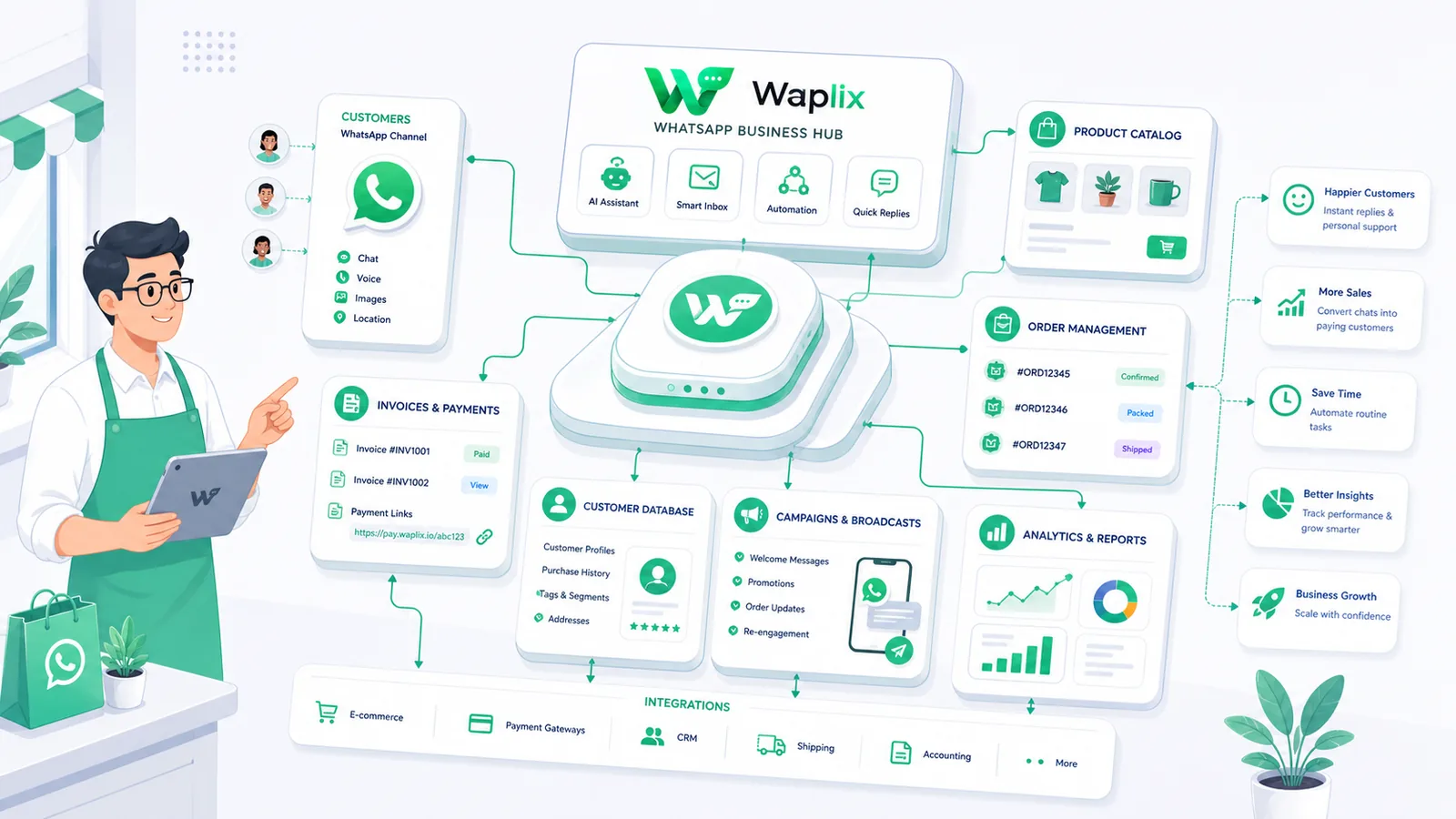
Waplix provides small businesses with official WhatsApp Business API access without the complexity of self-hosting infrastructure. From a single dashboard, you can manage message templates, configure automation workflows, monitor delivery analytics, and handle customer conversations through a shared team inbox.

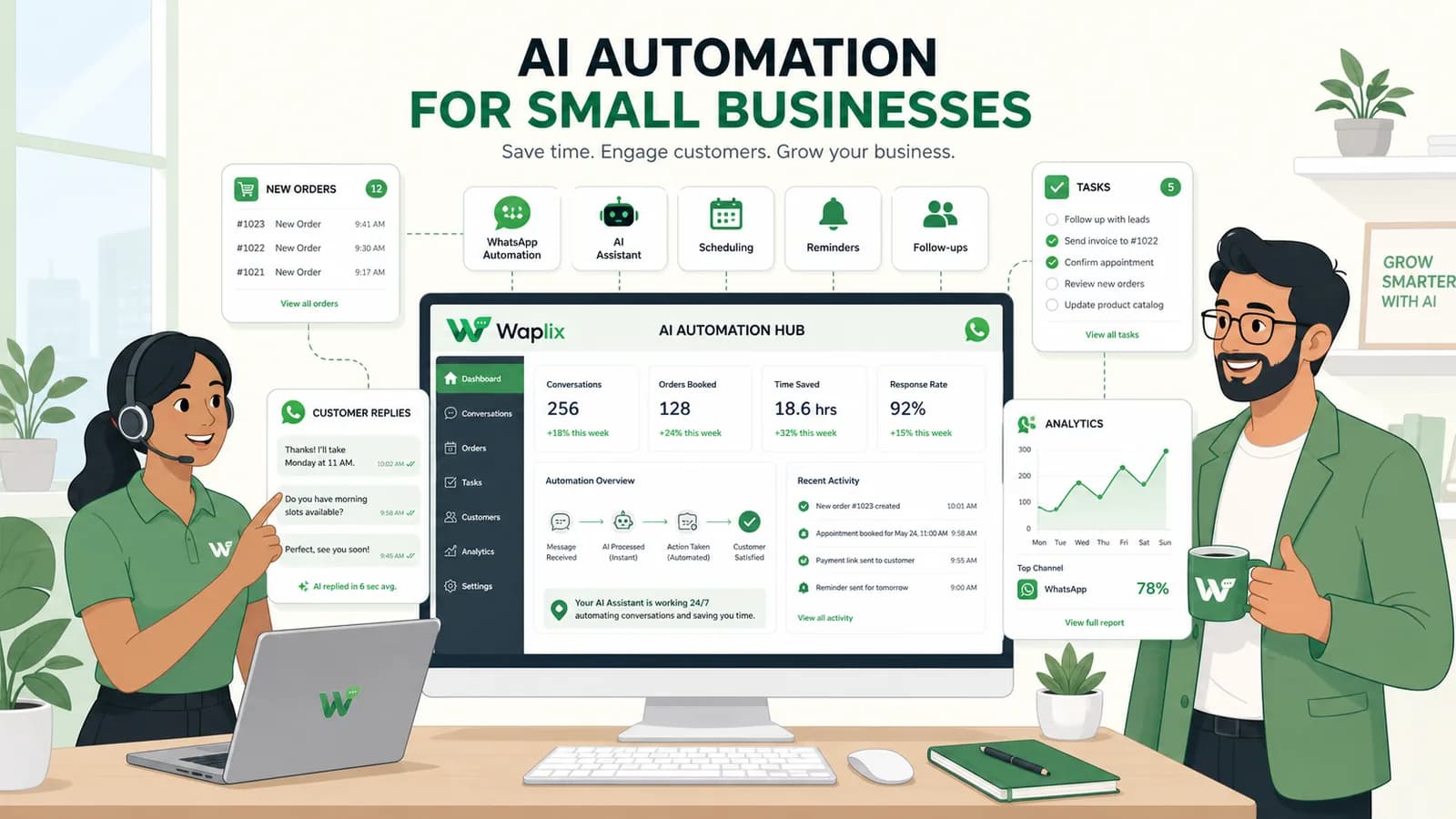
Key capabilities for small businesses include automated appointment reminders, payment collection workflows, AI support agents trained on your business knowledge, and real-time inventory sync for WhatsApp product catalogs.

Waplix Shared Inbox Screenshot Placeholder

Replace with a real Waplix screenshot showing the shared team inbox with active customer conversations, agent assignments, and CRM context sidebar.

Suggested screenshot: Shared inbox showing multiple agents handling WhatsApp conversations with customer profiles visible.
Workflow Process
Suggested screenshot: Workflow builder showing an automated appointment reminder sequence with confirm/reschedule branches.
Campaign Analytics Dashboard Screenshot Placeholder

Replace with a real Waplix screenshot showing broadcast campaign metrics: delivery rate, open rate, click-through rate, and opt-out tracking.

Suggested screenshot: Campaign analytics dashboard showing delivery performance and engagement metrics for WhatsApp broadcasts.

Common mistakes small businesses make on WhatsApp

  • Using a personal number with unofficial bots. Scraper-based automation on personal WhatsApp numbers violates Meta's Terms of Service and leads to permanent bans. Always use the official Business API.
  • Broadcasting without opt-in consent. Importing contact lists and sending unsolicited promotions is the fastest way to get your business number suspended.
  • Ignoring customer replies. WhatsApp is a two-way channel. If a customer replies to your automated appointment reminder with a question and nobody responds, you have damaged the relationship.
  • Sending too many promotional messages. Even opted-in customers will block your number if you send daily promotions. Limit marketing broadcasts to 2–4 per month and focus on value, not volume.
  • Failing to set up working hours. Without configured business hours, customers who message at midnight expect instant responses. Set auto-reply messages for off-hours with estimated response times.
  • Not tracking message analytics. If you do not monitor delivery rates, read rates, and opt-out trends, you cannot optimize your messaging strategy. Use the Waplix analytics dashboard to track every campaign.

Best practices for small business WhatsApp success

Start with transactional messages

Build your quality rating and customer trust with order confirmations, appointment reminders, and shipping updates before adding promotional broadcasts.

Personalize every message

Use template variables to include the customer's name, order number, appointment date, and other relevant details. Generic messages feel like spam.

Set up AI for routine queries

Train an AI support agent on your FAQ, business hours, pricing, and return policy to handle the 80% of questions that do not require human attention.

Respond within 5 minutes

WhatsApp customers expect fast responses. Set up routing rules and agent notifications to ensure no message waits more than 5 minutes during business hours.

Segment your audience

Do not send the same broadcast to every contact. Segment by purchase history, location, or engagement level to keep messages relevant and reduce opt-outs.

Review analytics weekly

Check delivery rates, read rates, response times, and opt-out trends every week. Adjust message frequency, timing, and content based on actual performance data.

Conclusion and next steps

WhatsApp is no longer optional for small businesses that want to stay competitive. Your customers are already on the platform, and they prefer it over email, phone calls, and web forms. The businesses that structure their WhatsApp communication—with proper automation, team collaboration, and compliance—will consistently outperform those still sending manual messages from a single phone.

Start by identifying your highest-impact use case. For most small businesses, that is customer support or appointment reminders. Set up the WhatsApp Business API through Waplix, configure your first automated workflows, and begin measuring results. Once you see the engagement metrics, expanding into lead generation, payment reminders, and product catalogs becomes a natural next step.

Start using WhatsApp for your small business today

Create a Waplix account, connect your business number, and launch your first automated WhatsApp workflow in under 30 minutes.

Create your free account Contact our sales team

Related Guides & Insights

AI Appointment Booking on WhatsApp
AI Agents

AI Appointment Booking on WhatsApp

Learn how to build AI-driven booking systems on WhatsApp, connecting calendar databases to conversational agents, automating updates, and reducing client no-shows.

Read Article
AI Automation for Small Businesses
AI Agents

AI Automation for Small Businesses

Discover practical ways small businesses can leverage no-code AI automation on WhatsApp to manage customer conversations, qualify prospects, and coordinate bookings 24/7.

Read Article
AI Memory in Customer Support
AI Agents

AI Memory in Customer Support

Explore the technology behind AI memory and context retention, learning how session databases personalization results in better, trust-filled client interactions.

Read Article