Customer Support

Human Handover Best Practices

The handoff from bot to human is the most fragile moment in conversational support. Learn best practices for transition triggers, context logs, and queue notifications that preserve customer trust.

Mar 23, 2026 11 min read By Waplix Team
Share:
Human Handover Best Practices

Deploy Hybrid Support Workflows

While AI customer support chatbots are excellent at resolving high volumes of repetitive inquiries, they are not designed to handle every support scenario. When a customer has a complex billing issue, an edge-case configuration bug, or is expressing severe frustration, a human agent must step in.

However, the handoff process is frequently mismanaged. Customers are often forced to repeat information they already shared with the chatbot, wait indefinitely in silent queues, or face sudden, unexplained changes in tone. Designing a smooth human handover workflow is crucial for retaining trust.

In this guide, we'll discuss how to establish handover triggers, ensure complete context preservation, and programmatically handle routing events in Waplix.

Golden Rule of Handover: The customer should never have to re-explain their problem. All context, tags, and summary summaries must be passed to the agent.

Leverage Waplix's unified dashboard to coordinate AI chatbot triage and seamless agent assignment.

Start for Free Explore Shared Inbox
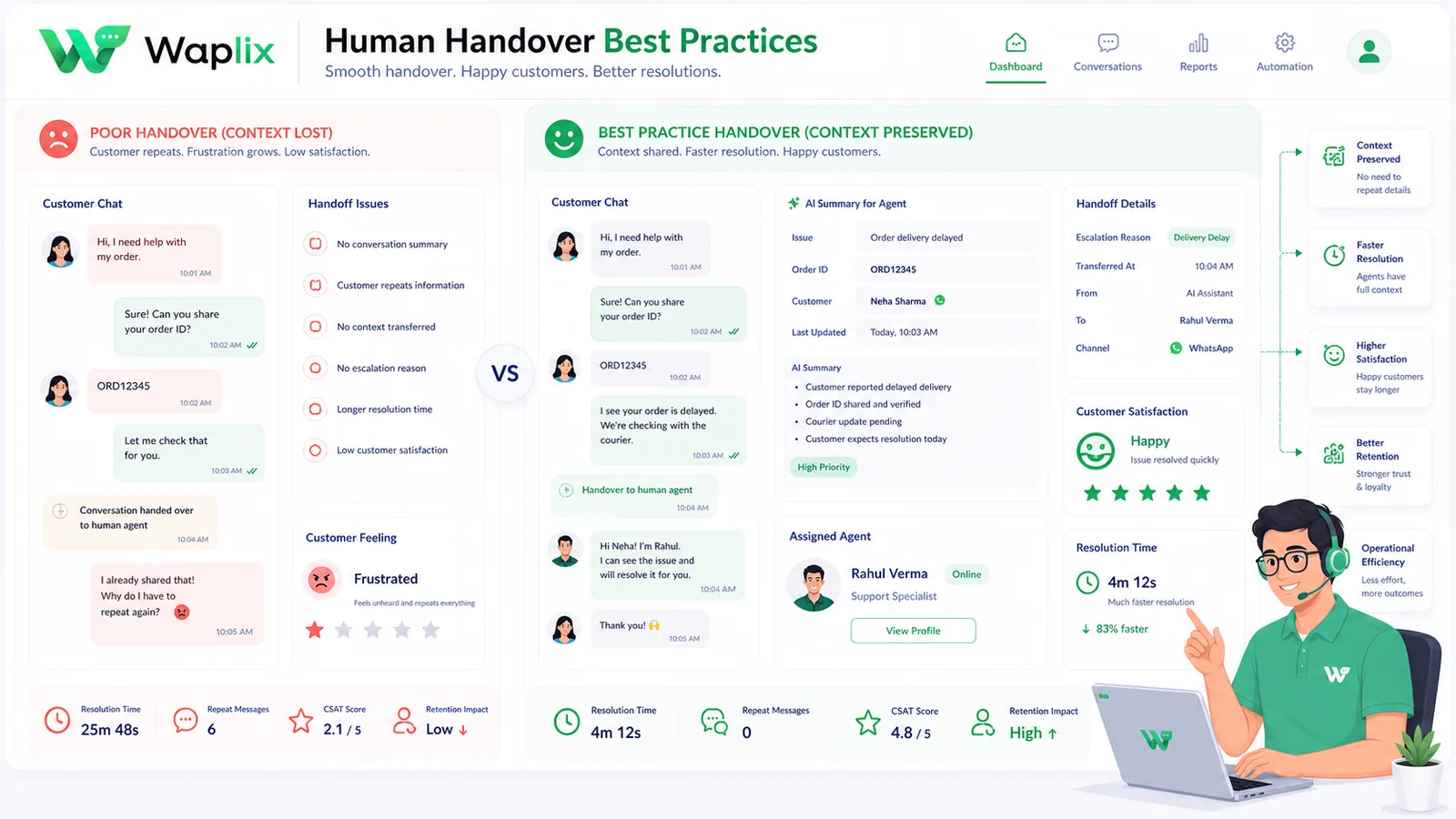
The Handoff Friction Point

Most chatbot platforms fail at handover because they operate in isolation from the agent inbox. Waplix keeps the chatbot layer and the team inbox in the same platform, so agent takeover happens inside the same thread the customer is viewing, maintaining a single continuous session.

Defining Handover Triggers

Handovers should occur automatically based on intent, sentiment, or failure counts. If the bot fails to resolve a query after two attempts, or if the user types "help me," the conversation must be immediately routed to the human team queue.

Recommended Handover Triggers

Explicit Requests: Words like "agent", "person", "human", or choosing the "Talk to Agent" list option.

Confidence Score Fall: AI NLP score drops below 75% for two consecutive user responses.

Sentiment Shifts: Detection of swearing, caps lock frustration, or angry phrasing.

Comparison: Bot-Only vs. Hybrid Handover Workflows

The table below outlines how bot-only setups compare to structured hybrid handovers.

Support MetricBot-Only SupportStructured Hybrid Handover (Waplix)
Complex ResolutionZero (fails or gives wrong answers)High (escalated to specialists)
Customer CSATLow (users feel locked out)High (fast greeting, accurate human close)
Context RetrievalNone (agents ask from scratch)Instant (transcript summaries provided to agent)
Agent Alert SpeedDepends on manual checksInstant (Slack alerts & team inbox assignment)
Queue RetentionHigh abandonment ratesLow; system reports wait times and priority

Step-by-Step: Setting Up Handoff Flows

Building a hybrid handoff flow in Waplix consists of four main phases:

01

Set Intent Buttons

Ensure your interactive menus always contain a "Speak to Agent" option.

02

Configure NLP Limits

Define AI confidence thresholds that automatically flag chats for agent takeover.

03

Enable Context Sync

Map custom contact fields and variables to populate your CRM agent sidebar.

04

Deploy Team Alerts

Link your handoff triggers to Slack notifications or internal inbox sounds.

Developer API: Handling Handover Events Programmatically

Developers can listen for handover webhooks and programmatically assign chats to available agents in their proprietary helpdesks.

Handover Webhook Event Payload

{
  "event": "conversation.handover",
  "conversation_id": "conv_99812",
  "user": {
    "phone": "+15554443333",
    "name": "Alex Carter"
  },
  "ai_summary": "User is looking to dispute a charge of $49.00 on their invoice.",
  "trigger_reason": "explicit_request",
  "priority": "high"
}

Acquiring and Resolving Session via API

POST /api/v1/conversations/conv_99812/takeover
Authorization: Bearer WAPLIX_SECURE_TOKEN
Content-Type: application/json

{
  "agent_id": "agent_usr_332",
  "send_announcement": true,
  "announcement_text": "Hello, I am Marcus from support. I have your invoice details open and am reviewing the charge now."
}
Developer Best Practice: When an agent takes over a chat, ensure you set `pause_automation: true` to prevent chatbot auto replies from firing while a human is typing.

Compliance and Opt-Out Requirements

Providing access to human agents is a standard requirement for WhatsApp Official API accounts. Compliance audits verify that users are not locked in automated loops.

Loop Protection

Bots must automatically yield to humans if a customer asks multiple times.

Data Security

Transcripts generated during chatbot triage must comply with GDPR storage policies.

Meta Policy

Meta requires a clear, standard mechanism to escalate to a human within chat trees.

Unsubscribe Rights

Customers must be able to cancel support sessions and delete data at any time.

Context Preservation & Agent Sidebars

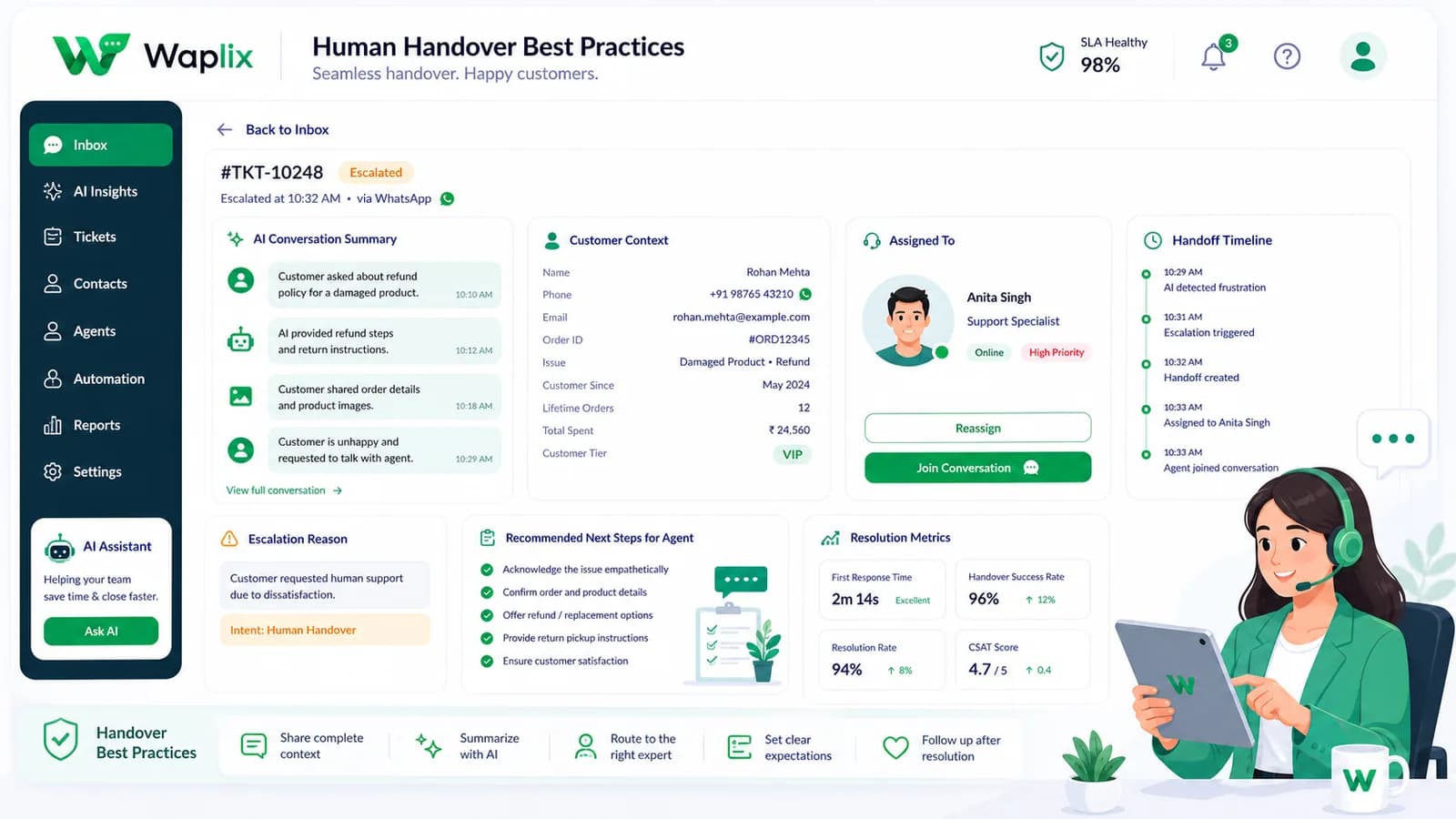
In Waplix, the agent sidebar provides contact tags, previous transaction history, and custom variables collected during the chatbot phase. This keeps the agent fully informed, accelerating resolution speeds and providing a smooth experience for the customer.

Waplix Agent Sidebar Inbox Screenshot

Replace this with a screenshot of the Waplix Inbox showing agent sidebar metadata.

The Waplix Inbox provides agents with customer history and conversation summaries.

Deliver Premium Support Handover

A flawless transition from chatbot to agent is the difference between a satisfied customer and a lost opportunity. By following handover best practices and leveraging Waplix's unified routing tools, your support team can deliver rapid, high-quality resolutions.

Ready to Set Up Flawless Handover Workflows?

Coordinate your WhatsApp chatbots, support queues, and human agent shared inbox dashboards with Waplix.

Start for Free Contact Waplix

Frequently Asked Questions

Human handover is the process of transferring an active customer chat from an automated bot or AI assistant to a live human support agent when the system detects complex queries, negative customer sentiment, or upon explicit user request.

Yes. When a handover occurs, Waplix can update the ticket state to "Open", trigger round-robin assignment, and emit webhook alerts to notification tools like Slack, MS Teams, or your CRM.

No. As long as the customer initiated the chat, the conversation session remains open for 24 hours. Handovers occurring within this 24-hour service window incur no additional Meta messaging charges.

During peaks, display queue position estimates in the handoff greeting (e.g., "An agent will join in 3 minutes") or offer the user the choice to receive an automated notification when an agent becomes available.

Related Guides & Insights

AI Appointment Booking on WhatsApp
AI Agents

AI Appointment Booking on WhatsApp

Learn how to build AI-driven booking systems on WhatsApp, connecting calendar databases to conversational agents, automating updates, and reducing client no-shows.

Read Article
AI Automation for Small Businesses
AI Agents

AI Automation for Small Businesses

Discover practical ways small businesses can leverage no-code AI automation on WhatsApp to manage customer conversations, qualify prospects, and coordinate bookings 24/7.

Read Article
AI Memory in Customer Support
AI Agents

AI Memory in Customer Support

Explore the technology behind AI memory and context retention, learning how session databases personalization results in better, trust-filled client interactions.

Read Article